How to Join drift - Offline Music Player Beta on iOS




About drift - Offline Music Player
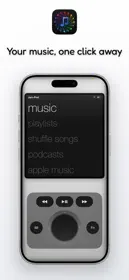
Your music, the whole screen. Every library you have, in one player.
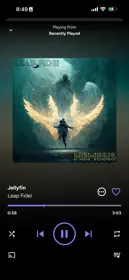
Drift is an offline music player for people who still own their music, and for the rest of their listening too. No buttons on the playing screen. No account, no ads, no subscription: seven days of everything, then one purchase.
A PLAYING SCREEN WITH NO BUTTONS
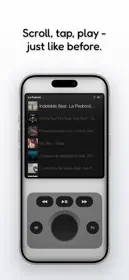
- Tap to play or pause. Swipe up or down to change songs — real paging, like flipping vinyl.
- Swipe right for your library, left for the drawer or the wheel: every place you can go, under your thumb.
- Double tap to fill the screen with the cover — or make it your favorite gesture instead.
- Tap the song's name for its format, its details and its controls.
EVERY LIBRARY, ONE DECK
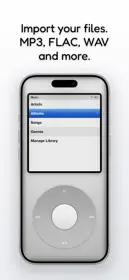
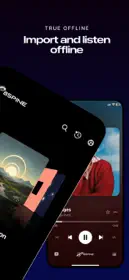
- Your files — imported over Wi-Fi from any computer's browser, from the Files app, or played straight off an SMB or WebDAV drive.
- Apple Music and Spotify — connect an account and it browses like the rest of your music: the same shelves, the same rows, the same playing screen.
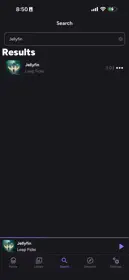
- Your own server — Navidrome, Subsonic, Jellyfin, Emby, and Plex (beta). Browse the whole catalog, stream on demand, download to keep offline.
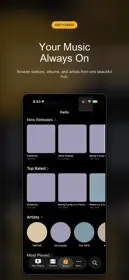
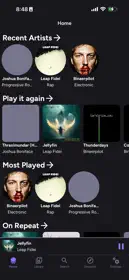
- Each library is a card: swipe its row to Albums, Artists, Songs and the rest. A strip at the page's edge changes the song from anywhere.
PLAYS WHAT YOU OWN
- Everything, natively — MP3, AAC, ALAC, FLAC, WAV, AIFF, plus OGG, Opus, WavPack, Musepack, Monkey's Audio, TTA and more. No conversion; your files stay byte-identical.
- Gapless playback for your own files (over AirPlay, with the equalizer on). AirPlay 2. Real codec detection.
- Ten-band equalizer with eight tuned curves, and any curve you build saved by name.
- Synced lyrics from your own files — embedded, a .lrc file, or pasted in — with the line you're on in the middle.
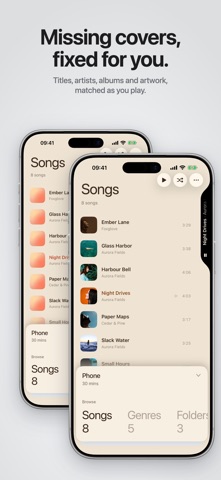
MISSING COVERS AND TAGS, FIXED
- Titles, artists, albums and artwork completed from iTunes and MusicBrainz as you play — or pick the release yourself from the suggestions.
- Every correction can be reviewed, and put back. Only a title and an artist are ever sent.
- Editions and remasters shelve as one album. A duplicate finder recommends the best-quality copy to keep.
MADE OF YOUR ALBUM ART
- Covers extend edge-to-edge; the empty space is painted to continue them.
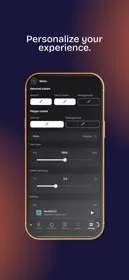
- The app recolors to match what's playing — or pick a background: Drift, Mono, Song or your own colours. True-black OLED dark mode.
- Eight title typefaces, set on the left or the right.
ON YOUR HOME SCREEN, ON IPAD, IN THE CAR
- Widgets in every size, with controls if you want them, or the cover filling the tile.
- Drift on iPad, full screen or in a window.
- CarPlay: pick up where you left off, the mix for right now, your playlists and your library, with the controls where your hand expects them.
YOURS, KEPT
- Playlists, favorites, play history, lyrics you added and your EQ curves back up to your own iCloud Drive — and come back on a new phone.
- Optional Last.fm scrobbling: your plays go to your own account, and Drift never reads anything back.
MIXES, IF YOU WANT THEM
- For Now: a mix for this moment. Daily 15: a fresh mix each morning that holds steady all day. Everything is worked out on your phone — no suggestions on the playing screen, ever.
Seven days of everything, then one purchase. Drift Unlimited is bought once and is yours for good: every format, every library, every drive and server, the wheel, CarPlay, and the automatic work — tags and artwork completed on import, whole-library maintenance in one tap, duplicate cleanup.