How to Join Dual Cam - DuoTake Beta on iOS




About Dual Cam - DuoTake
DuoTake is a dual camera video recorder for reactions, vlogs, tutorials, reviews and social content. Record with the front and back cameras at the same time, keeping your face and the scene together in one photo or video. Now with auto captions made on your iPhone, without uploading your audio.
Auto captions
Open a video from the gallery, choose the spoken language and DuoTake transcribes it on your iPhone. Your audio stays on your device, and once the language's speech model is downloaded, captions work fully offline. Place them at the top, middle or bottom, pick small, medium or large, and tap any word to fix it. Show or hide captions at any time: when shown, they appear in the video and when you share it.
The Classic style is free for everyone. Premium unlocks every style: Highlighted word in six colors, Box and Single word.
Choose the layout that fits your story
- Picture-in-picture (PiP) keeps one camera in a smaller view.
- Cover highlights one camera and overlays the other.
- Vertical or horizontal split screen shows both views.
- Cutout places the person from the front camera over the rear view.
Take photos or record video, adjust the rear-camera zoom and composition, then review your media in the local gallery. Share with the system share sheet or save to Photos. Use it for reaction videos, commentary, unboxings, product reviews, tutorials, presentations and behind-the-scenes moments, all in one capture instead of combining separate recordings later.
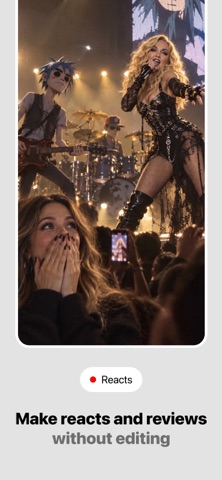
React to any content
With DuoTake Pro, use an imported image, video or a captured web page from an HTTPS URL in place of the rear-camera view. Record your reaction alongside the content and create reviews with more context in a single take. Fill or fit the imported media, choose where the video starts and ends, loop it, balance its volume with your voice, and pause, skip or scrub it while you record.
Premium Teleprompter
Write or paste a script and follow it on screen while recording. Your lines stay visible for presentations, commentary, tutorials, reviews and vlogs.
Remove silences
Pick a video from the gallery and DuoTake finds the pauses without speech. Preview the cuts marked in red on the timeline, choose how much breathing room to keep around your speech, then apply. Your original is kept, so you can undo the cut later. Remove silences is a Premium feature.
Free and Pro
The free plan includes video recording up to 15 seconds and auto captions in the Classic style. DuoTake Pro unlocks longer recordings, every caption style, automatic saving to Photos and sharing without the temporary watermark.
Your media stays local by default. Camera, microphone and Photos access are requested only when needed, so you decide what the app can use.
Start creating with DuoTake: choose a layout, frame both views and record your next story.
Terms of Use: https://duotake.app/terms-of-use
Privacy Policy: https://duotake.app/privacy-policy