How to Join Flight Stream X Beta on iOS


About Flight Stream X
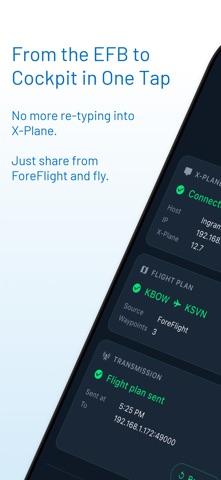
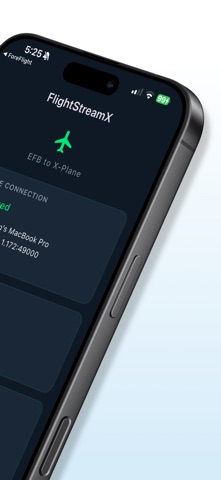
FlightStreamX wirelessly sends flight plans from your iPad's Electronic Flight Bag (EFB) to X-Plane on your desktop — instantly, over your local Wi-Fi network.
SIMPLE WORKFLOW
1. Create a flight plan in ForeFlight or Garmin Pilot on your iPad
2. Tap Share and select FlightStreamX
3. Your flight plan appears in X-Plane automatically
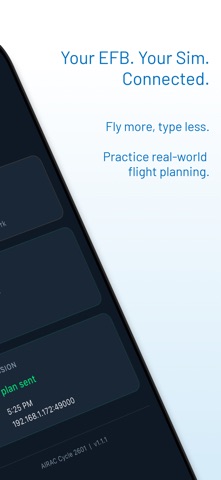
No cables. No USB drives. No manual file copying. Just share and fly.
HOW IT WORKS
FlightStreamX automatically discovers X-Plane running on your local network using the X-Plane beacon protocol. Once connected, it converts your EFB flight plan into X-Plane's native FMS 1100 format and transmits it directly — all in under a second.
SUPPORTED EFB APPS
- ForeFlight (.fpl flight plan files)
- Garmin Pilot (.gfp flight plan files)
FEATURES
- Automatic X-Plane discovery — no IP addresses to configure
- Real-time connection status with host details
- Instant flight plan conversion and transmission
- Resend capability — retransmit your last flight plan with one tap
- Dark, aviation-inspired interface designed for cockpit use
- Shows route summary with departure, destination, and waypoint count
REQUIREMENTS
- X-Plane 12 or greater (desktop) running on the same Wi-Fi network as your iPhone or iPad
- ForeFlight or Garmin Pilot with a flight plan ready to share
- iOS 18.0 or later
PERFECT FOR
- Flight sim enthusiasts who plan routes on their iPad
- Virtual pilots practicing real-world procedures
- Anyone who wants a seamless EFB-to-simulator workflow
FlightStreamX bridges the gap between professional EFB apps and desktop flight simulation, giving you the same workflow real pilots use — plan on the iPad, fly on the desktop.