How to Join MeloStock Beta on iOS


About MeloStock
Don't let it stay a hum.
A multitrack recorder for writing songs on your own.
Press the red button once and MeloStock creates a new song and starts recording. No count-in, no click — just you and the idea, before it slips away.
■ Overdubs that stay locked to the beat
Timing is everything in multitrack recording. Your takes are automatically aligned to the click grid, so the groove holds together as you stack layer after layer. When you want to go finer, split the waveform and nudge it in 5ms steps. Tempo can be changed during playback, too, and the click follows immediately.
Recording with Bluetooth earphones is supported too: MeloStock remembers the delay of each pair, measures it for you without any hand claps, and lines your takes up with the click.
■ Record along with a song you love
・Import a karaoke track into an empty song and MeloStock measures its tempo and matches the song to it. The first beat lands at the start of bar 1, so you can overdub right away
・Split a song into vocals and backing. AI separates the singing from the backing: the track becomes the backing with no vocals, and the singing goes on a new track just below it
・Keep the backing in both ears and the original singing in one, and sing the part yourself
・The separation runs entirely on your device. Your audio is never sent anywhere
・Even after importing, "Match the click to the song" on the FX screen re-measures the tempo and the start of bar 1
Please use commercial music only from sources you obtained legitimately, and keep it to what you and your family enjoy privately.
■ Everything you need is already inside
・A 9-pad sampler with around 500 built-in sounds
・Sample straight from the mic (up to 60 seconds)
・Step sequencer with swing
・Turn a pad pattern into an audio track with one tap
・11 effects including EQ, reverb, delay and compression
・Five click sounds, with volume and pan — loud enough for a band or an acoustic kit
■ Write the chart while you record the song
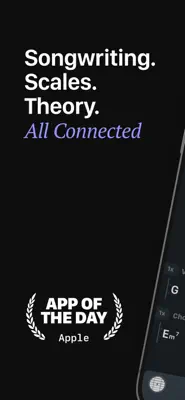
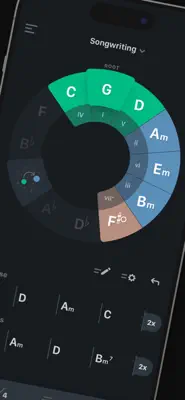
Chord charts, in the layout you already know: chord names above a staff.
・All 12 roots, plus m, 7, M7, sus4, dim, add9 and slash chords
・Double-tap a measure for rhythm notation — drag in notes and rests and they come out beamed
・Long-press a measure to give it its own time signature; transpose the whole chart with one button
・Place rehearsal marks, D.C., Fine, dynamics and rit. anywhere you like, and set their size and colour
・Print to A4 with 1 to 15 rows per sheet
■ Shape it until it's right
・Waveform editing: trim, cut, gain and quantize
・Re-record only the part you select
・Marks, loop playback, punch in/out
・Change the key and tempo of the whole song, non-destructively
・Copy measures, bounce tracks into one
■ Hear it before you export
Choose from five mastering styles — Pop, Rock, Acoustic, Vocal and Warm — and dial the effect in from 0 to 100%. Switch between them while the song plays, then export to M4A or WAV once it sounds right.
■ A tuner is built in
Chromatic, plus guitar (Standard, Drop D, Open G/D/E/C, DADGAD) and sanshin (Honchoshi, Niage, Sansage). The reference pitch is adjustable from 415 to 466 Hz, and Monitor lets you hear the mic through your headphones while you tune.
■ Lyrics and ideas in the same place
Notes are built in, with photo and PDF attachments. Voice input means you can speak a lyric and keep it before you forget it. Chord charts live here too.
■ Stay organised as the songs pile up
Sort your song list into folders, and folders inside folders — "practice", "half-finished", "live set". Open it from the button at the top.
■ Share a song as a single file
Send it by AirDrop, email or iCloud. Whoever receives it can open it and carry on, which also makes it a simple way to back up when you change devices.
■ English and Japanese
Switch anytime from the in-app menu. The user guide switches with it.
Made a mistake? Shake your device to undo the last action.
Start with Quick Rec and capture one phrase.