How to Join Native AI Actions Beta on iOS


About Native AI Actions
Turn a voice memo into meeting notes with each speaker labelled, check today's news with sources, or pull the date and place out of an email and put it in your calendar. Each of these runs as a Shortcut, without opening the app.
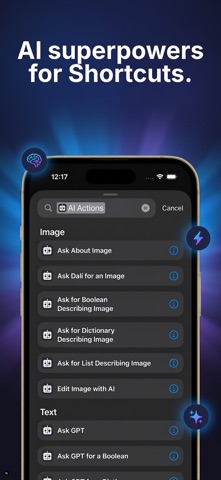
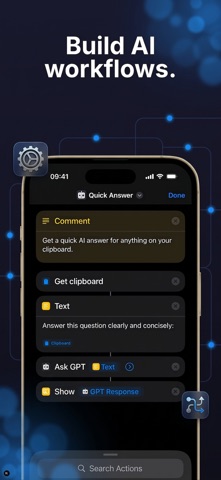
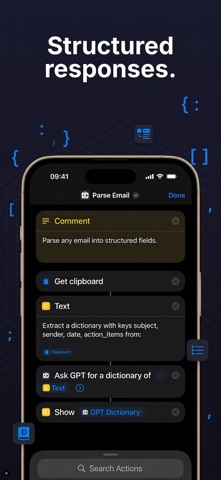
AI Actions adds AI steps to the iOS Shortcuts app. Every action hands back text, a list, a dictionary, a yes/no or an image, so the answer goes straight into your next step: a note, a calendar event, a message or a file.
With AI Actions you can:
- Transcribe audio, with speakers labelled (Advanced)
- Search the web and get answers with sources (Advanced)
- Ask questions and get text, lists, dictionaries or yes/no back
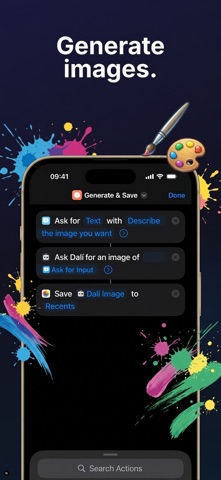
- Describe, generate and edit images (Advanced)
- Send harder questions to a stronger model (Pro)
- Chain actions into multi-step automations
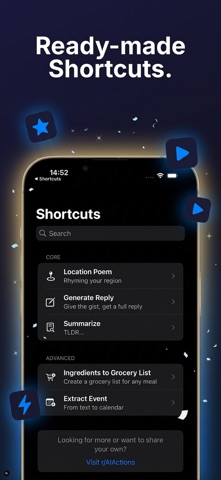
Start from a ready-made shortcut: summarize text, draft replies, turn a recipe into a grocery list, pull calendar events from a screenshot, and more. Or build your own.
Works with Siri and Spotlight. Say "Hey Siri, ask AI Actions something" or find the actions in Spotlight search.
The actions use models from OpenAI, Perplexity and Google.
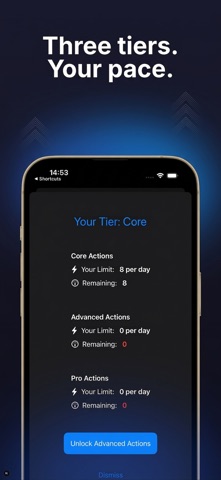
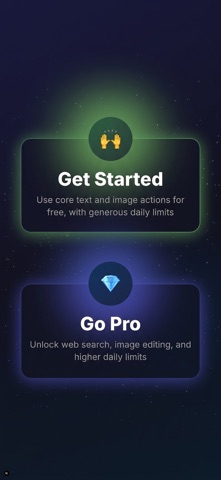
Free: 8 actions a day, 20 a day during your first week, plus a few free tries of Advanced actions in that week. Advanced and Pro raise the daily limits and include the actions marked above.
Terms of Use (EULA): https://apps.9592.tech/ai-actions/terms