How to Join Notestudio - note taking Beta on iOS

About Notestudio - note taking
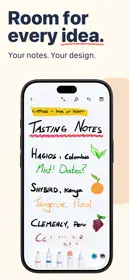
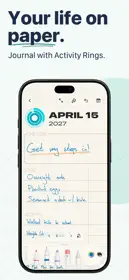
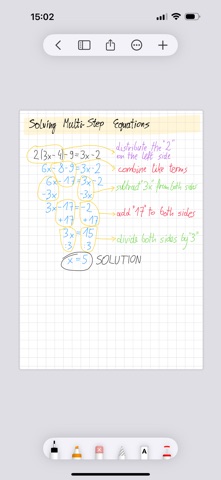
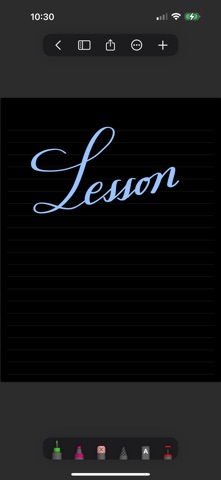
Rediscover note-taking with Notestudio—a perfect fusion of pen-and-paper charm and robust digital tools. Effortlessly capture, organize, and create with multi-page notes tailored to your ideas. The PDF markup feature is a fantastic bonus.
KEY FEATURES
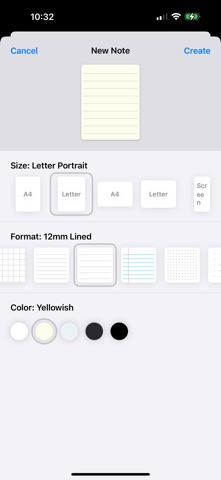
- Flexible note sizes: A4, Letter, or Screen
- Paper styles: Plain, graph, lined, or dotted
- Paper colors: White, yellowish, bluish, dark gray, or black
- Organize with custom folders and a favorites option
- Add photos, scan documents, or copy/paste content
- Export as PDF, PNG, HEIC, or JPEG
- PDF markup / annotation
TOOLS
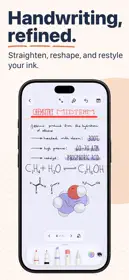
- Fineliner, Ink Pen, and Calligraphy Pen with auto-shape support
- Highlighter and Round Highlighter
- Object Eraser, Pixel Eraser
- Laser tools: Stroke Laser, Point Laser
- Easy selection: Text, images, or strokes
- Text input
DRAWING ENGINE
- Low-latency drawing with pressure, angle, and tilt sensitivity
- Smart stabilization for smooth strokes
- Crisp, anti-aliased vector lines
- Realistic "pigment" color mixing
- High-quality vector PDF export and print
INTUITIVE INTERFACE
- Clean, user-friendly layout
- Drag panels to customize your workspace
- Split View support on iPadOS for dual-note editing
- Full-screen mode for focused creativity
- -
Get unlimited editing with a yearly subscription or a one-time lifetime purchase.
Have questions? Reach us at [email protected]
Privacy Policy: https://luckyclan.com/privacy-policy
Terms of Use: https://luckyclan.com/terms-use