How to Join tally-quick-counter Beta on iOS




About tally-quick-counter
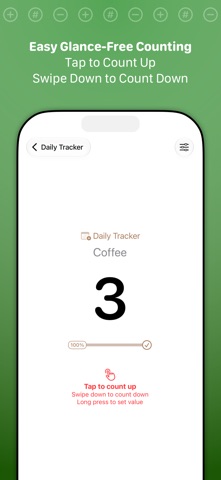
Tally is the quick, easy way to keep track of any counts, from habit tracking and fitness, to scorekeeping, inventory, and attendance. Tally’s gesture-based interface keeps your eyes free while counting.
## COMMON USES ##
- Scorekeeping - Board games or out on the pitch!
- Habit Tracking - Keep up with your exercise, coffee intake, medications, whatever! Daily, weekly, monthly reset options.
- Event Attendance
- Inventory
## FEATURES ##
- Easy gesture support. Tap to count up, swipe down to count down
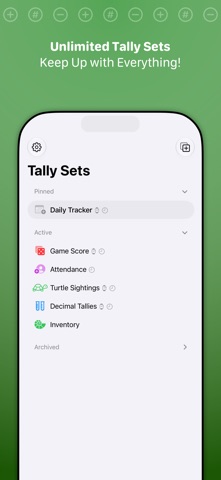
- Unlimited tallies
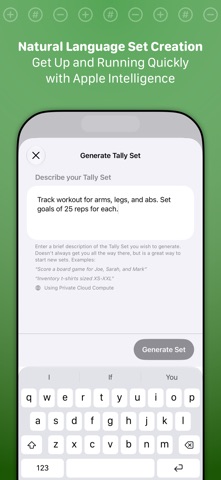
- Quick tally set creation with natural language, just describe your set like "Score a game with Jim, Jill, and Jenn"
- Each tally can count up or down and have a “step” increment -- to count by twos, fives, tens
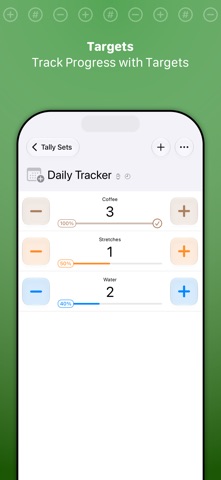
- Set targets on tallies to track progress
- Create decimal (0.00) tallies
- Event tracking histories for all tally changes
- Configure daily, weekly, monthly resets
- Visual, audio, and haptic feedback for counts
- Quick reset to starting values for individual tallies or whole tally sets
- Adjustment options to add, subtract, or set tallies to arbitrary values – great for scoring games with varied score values
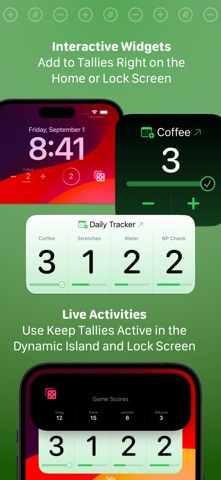
- Widgets! Add, subtract, or keep up with your favorite tallies and tally sets right on your Home or Lock Screen
- Live Activities. Pin a tally set to your Lock Screen with Live Activity support
- Shortcuts support. Extensive support for automation. Add to, subtract from, or reset counts–even create and query tallies and tally sets
- Use Tally on your Apple Watch for easy updates on the go
- Sync with iCloud across devices
## TALLY PRO ##
Tally is always free to use, but you can get more out of Tally with a Tally Pro:
- Tally for Apple Watch!
- Unlimited tally sets
- Customize accent colors and app icons
- Choose alternate sound effects
- Advanced automation with Shortcuts
Tally Pro is available as a reasonable annual subscription, or a one-time lifetime unlock.
## SUBSCRIPTION DETAILS ##
- Payment will be charged to your Apple account at confirmation of purchase
- Your subscription will automatically renew unless auto-renew is disabled at least 24 hours before the end of the current subscription period
- Automatic renewals will be charged at the same price you were initially charged for the subscription
- Subscriptions can be managed or canceled by going to Account Settings on the App Store after purchase
Have questions? Email [email protected].
Terms: https://agiletortoise.com/terms
Privacy Policy: https://agiletortoise.com/privacy-policy