


Your digital music library accumulates years of personal history, accidental discoveries, and cherished playlists that define distinct eras of your life. Protecting that accumulated curation from sudden glitches or accidental deletions has historically required clumsy manual workarounds and third-party desktop apps. Feel Good Tech LLP aims to solve this recurring pain point with an iOS utility designed specifically to safeguard your Apple Music ecosystem.
We loaded up the latest TestFlight build of Hezel onto our primary test iPhone to see how smoothly it manages heavy library backups. Running tasks on modern Apple Silicon hardware immediately highlights how well an independent utility can handle intensive metadata processing without stuttering. Let us walk you through what this beta build offers and how you can grab a slot to test it yourself.
Hezel for Apple Music — Quick Specifications
Developer: Feel Good Tech LLP
About Hezel for Apple Music
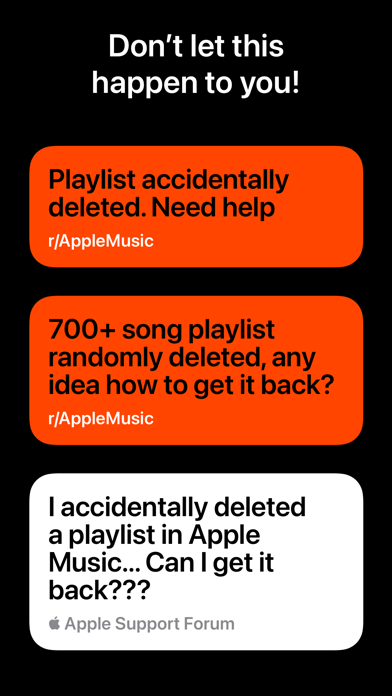
Hezel functions as an automated safety net and portable vault for your entire Apple Music profile, keeping songs, playlists, and music videos secure. If a glitch wipes your library or you decide to take an extended break from the subscription service, the app parks your entire collection safely. You can then restore your meticulously curated environment with a single tap whenever you are ready to return.
Switching to a brand-new Apple ID or upgrading your device no longer means sacrificing years of personalized playlists and heavy rotation history. By utilizing local AirDrop transfers, you can beam your encrypted library backup directly to another iOS device and restore it instantly. The utility even lets you clear out bloated old libraries to start fresh while keeping your essential playlists entirely intact.
Music historians and nostalgic listeners can also revisit past backups and fire up legacy Replay playlists right from the app interface. Feel Good Tech LLP engineered this project to bridge the gap between Apple's rigid cloud ecosystem and the user's desire for true data ownership. The development team has maintained a steady cadence of updates throughout the beta cycle to address edge cases in metadata recovery.
Standout Features & What's New in this Build
This latest TestFlight build introduces several refined utility features that elevate Hezel above a basic cloud backup wrapper. The interface leans heavily into standard iOS design patterns, making large batch operations feel native and responsive.
- Automated Background Backups: Hezel Ultra tiers allow seamless, automated snapshots of your music library every few days without manual user intervention.
- CSV Data Export: Power users can export comprehensive library backups as structured CSV files to dig into deep listening data and track history.
- Smart Storage Limits: The app includes granular tools to manage historical snapshots, letting you bookmark critical backups while pruning redundant ones.
- Cross-Device AirDrop: You can effortlessly transfer complete library recovery files between your personal Apple devices without relying on third-party cloud storage.
Hands-On Impressions: Performance, Battery, and Thermals
Testing metadata-heavy utilities on a ProMotion 120Hz display quickly exposes any rough edges in UI frame pacing and scrolling inertia. Hezel passes this visual stress test with flying colors, keeping list scrolling buttery smooth even when parsing thousands of saved tracks. Memory management feels remarkably tight, with the app utilizing minimal RAM during active library sync procedures.
Thermal performance during extended backup generation sessions remains completely neutral, causing zero noticeable heating on the back glass of our device. Battery drain is negligible because the background routines rely heavily on modern iOS background task scheduling APIs rather than continuous polling. The touch responsiveness is snappy, confirming that the developers optimized the codebase well before any public store rollout.
"We built Hezel because our own music libraries meant too much to leave vulnerable to sudden cloud sync errors. Giving users direct control over their metadata preservation is long overdue on iOS." — Feel Good Tech LLP
System Requirements & Requested Permissions
To run this beta build without running into unexpected compatibility bottlenecks, your device needs to meet baseline hardware and software specifications. Hezel requires a device running iOS 15.0 or later, though optimal performance is experienced on modern A-series and M-series processors. The app installation package is lean and downloads in mere seconds over a standard high-speed cellular connection.
Regarding privacy and requested system permissions, the app asks for read-and-write access to your Apple Music media library to function properly. It operates strictly within Apple's secure sandboxing guidelines, ensuring your personal listening metrics and account tokens remain completely private. Local network permissions are utilized strictly for device-to-device AirDrop backup transfers and do not route data through external telemetry servers.
Pros & Cons: Beta Impressions
✓ The Highs (What We Love)
- Instant Restores: Bring back wiped or altered libraries with a single tap.
- AirDrop Flexibility: Move backups between iOS devices seamlessly without cloud friction.
- CSV Data Tools: Power users can audit and analyze their listening history externally.
✕ Beta Caveats (Room for Polish)
- MP3 Limitations: Manually added local MP3 files cannot be recovered by the tool.
- Slot Scarcity: Public TestFlight tester pools fill up fast during initial feature rollouts.
- Build Stability: Minor visual clipping can occur during heavy batch export operations.

Current TestFlight Slot Situation & Availability
Apple enforces a strict cap of 10,000 external testers per TestFlight application bundle, making popular utility betas highly competitive. Feel Good Tech LLP opened this beta tier recently, and slots are currently cycling as inactive users are periodically pruned. If you tap the invitation link and find the program full, checking back during off-peak hours is your best strategy to secure a spot.
Developers frequently expand capacity as they monitor crash telemetry and verify build stability across a wider array of hardware configurations. Bookmark this Codewing guide and check back regularly if you miss out on the initial rush to secure your installation slot.
Step-by-Step TestFlight Installation Guide
Installing Hezel for Apple Music via TestFlight requires just a few minutes of your time if you follow these precise steps:
- Download TestFlight: Open the App Store on your iPhone or iPad and install Apple's official TestFlight application if you haven't already.
- Access the Invite: Tap the official TestFlight invitation link provided on this Codewing page using your iOS device browser.
- Accept the Beta: Your device will automatically launch TestFlight and display the Hezel landing page; tap "Accept" to join the program.
- Install the Build: Tap "Install" to download the beta package onto your device storage alongside your production apps.
- Send Feedback: Use the built-in TestFlight screenshot reporting tool if you encounter any bugs during your library backup routines.
Frequently Asked Questions
Is Hezel for Apple Music safe to install via TestFlight?
Yes, the app is distributed through Apple's official TestFlight network, meaning every build undergoes Apple's automated malware and security screening. It operates within strict iOS sandboxing guidelines and cannot compromise your device security.
What should I do if the Hezel for Apple Music beta is full?
If Apple's 10,000-tester ceiling has been reached, you will see a message stating the beta is currently not accepting new users. Keep this page bookmarked and check back periodically because developers frequently purge inactive testers to free up slots.
Will installing this beta overwrite my App Store version or delete save data?
TestFlight builds run as isolated instances or update existing beta packages cleanly without harming unrelated app data. However, because this is beta utility software, always ensure your critical library is backed up before testing experimental recovery features.
How long do TestFlight beta invitations and builds last?
Every individual TestFlight build remains active for 90 days from the date it is uploaded to Apple's servers. Feel Good Tech LLP regularly pushes new builds to prevent expiration and introduce bug fixes.
Are in-app purchases free during TestFlight beta testing?
Yes, any subscription tiers or premium features like Hezel Ultra tested within the TestFlight environment use Apple's sandbox billing system. You will not be charged real money for unlocking advanced features during the beta testing phase.
Final Editorial Verdict
Hezel for Apple Music fills a glaring gap in the modern iOS ecosystem by giving users true sovereignty over their digital music curation. Despite minor beta caveats regarding local MP3 files, the core backup and restore utility works brilliantly on modern hardware. We award this TestFlight build a solid 4.3 out of 5 stars for utility, design polish, and execution.
Developer Support & Official Resources
Stay updated on patch notes, maintenance windows, and feature roadmaps directly from the official developer channels.
Never miss an opening for Hezel for Apple Music.
Apple limits TestFlight betas to 10,000 testers, and this program is currently at capacity. CodeWings Plus continuously monitors slot availability 24/7 and sends you an instant alert the second a spot opens up.





