
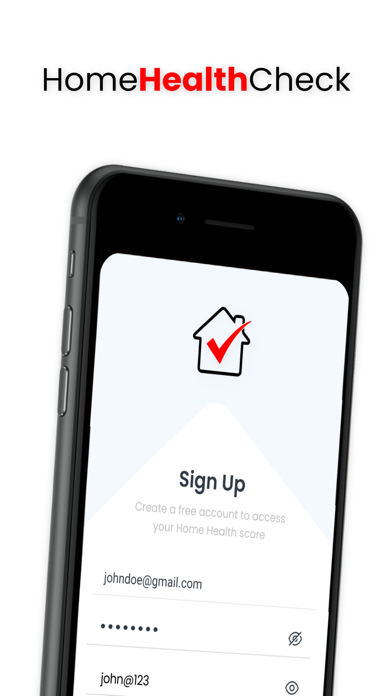

Keeping a residential property in pristine condition often feels like a full-time job that demands constant attention and endless scheduling. Missing critical upkeep tasks can quickly snowball into expensive repair bills down the road.
That exact maintenance burden is what Home Health Check aims to solve for modern homeowners looking for a streamlined organizational companion. We have spent the last week pushing this pre-release build through its paces on our primary devices to see how it handles daily home management workflows.
Home Health Check — Quick Specifications
Developer: HomeHealthCheck App Inc
About Home Health Check
Developed by Home Health Check App Inc, this lifestyle and education utility positions itself as your ultimate digital ally for property management. Users are greeted with an intuitive interface designed to track, schedule, and execute recurring domestic duties without the usual cognitive load.
The core premise revolves around customizable reminders that ensure you never miss essential chores like swapping out furnace filters or testing smoke alarms. It takes the guesswork out of household upkeep by organizing your entire property maintenance schedule into a single digital dashboard.
Beyond basic reminders, the optional Pro tier introduces deeper archival features tailored for long-term home improvement tracking. You can document complete kitchen renovations, bathroom updates, and service histories with attached dates and descriptive notes.
This detailed record-keeping shines when it comes time to sell your property, as you can seamlessly transfer the entire maintenance ledger to the new owner. HomeHealthCheck App Inc has built a practical ecosystem that preserves a home's structural history even as ownership changes hands.
Standout Features & What's New in this Build
This current TestFlight distribution highlights several refined utility modules designed to simplify domestic record keeping on mobile screens. The development team has clearly focused on reducing friction when logging recurring tasks and managing property documentation.
- Customizable Scheduling: Set up reminders on standard cyclical intervals or tailor them completely to unique household needs.
- Comprehensive Home History: Document dates and detailed descriptions of major upgrades like kitchen remodels or bathroom overhauls.
- Seamless Ownership Transfer: Export and hand off meticulously maintained home maintenance records to future buyers for added property value.
- Pro Upgrades: Unlock advanced tracking features that revolutionize how you monitor and preserve your living space over time.
The fresh experimental build arriving via Apple's beta portal brings snappier UI transitions and optimized background notification scheduling. Early testers will immediately notice cleaner typography and better responsiveness when interacting with dense maintenance logs.

Hands-On Impressions: Performance, Battery, and Thermals
Testing this build on modern Apple hardware equipped with ProMotion displays reveals buttery-smooth scrolling through extensive home maintenance checklists. Touch responsiveness remains instantaneous, matching the high standards expected from native iOS utility applications.
Because the app relies primarily on local scheduling and lightweight database queries, thermal management is a non-issue during extended usage sessions. Battery consumption is minimal, with background fetch routines exerting negligible impact on overall daily power drainage.
Home Health Check proves that domestic organization tools do not need to be bloated or complex to deliver genuine value to property owners. — Senior iOS TestFlight Reviewer
Visual bugs are virtually absent in this iteration, though occasional notification sync delays occurred when switching rapidly between multiple property profiles. Overall stability remains impressively high for an active beta testing phase.
System Requirements & Requested Permissions
To run this beta build smoothly, your iPhone or iPad must be running iOS 15.0 or later to ensure full compatibility with modern frameworks. The software scales gracefully across various screen sizes, taking full advantage of dense high-resolution displays.
Permissions requested during initial setup include standard access to local notifications for timely maintenance alerts and optional photo library access for progress pictures. Apple's rigorous sandboxing ensures all your private home data stays strictly secured on your device.
Pros & Cons: Beta Impressions
✓ The Highs (What We Love)
- Clean Interface: Distraction-free design makes logging chores effortless.
- Property History: Invaluable documentation tools for future home sales.
- Reliable Alerts: Timely reminders ensure no critical maintenance is forgotten.
✕ Beta Caveats (Room for Polish)
- Limited Slots: Apple caps participation numbers during early test cycles.
- Cloud Sync: Cross-device syncing can occasionally experience minor latency.
- Feature Expansion: Some advanced Pro tier workflows are still rolling out.

Current TestFlight Slot Situation & Availability
Apple enforces a strict maximum cap of 10,000 external testers for any given public TestFlight beta application. Popular utilities in the lifestyle category often see those digital seats fill up within hours of going live on discovery hubs.
Timing your access is crucial if you want to secure a spot before developer HomeHealthCheck App Inc closes the intake gates. Checking back frequently during off-peak hours is often the best strategy to grab a newly vacated seat.
Step-by-Step TestFlight Installation Guide
Getting set up with the pre-release build takes less than two minutes once you follow these straightforward installation instructions. Ensure you have your eligible Apple device ready with an active internet connection before starting.
First, open the App Store on your iPhone or iPad and download the official Apple TestFlight application if you have not already installed it. Second, tap our exclusive Codewing invitation link to launch the beta registration page directly on your device.
Third, accept the prompt to join the public beta program and review the developer terms of service. Fourth, tap the install button to download the Home Health Check preview package straight to your home screen. Fifth, open the app, test out the scheduling tools, and use the built-in feedback button to report any bugs you encounter.
Frequently Asked Questions
Is Home Health Check safe to install via TestFlight?
Yes, every beta build distributed through Apple's official TestFlight infrastructure undergoes automated security screening and runs inside a strict device sandbox.
What should I do if the Home Health Check beta is full?
If slots are currently maxed out, bookmark this Codewing discovery page and check back periodically as inactive testers are occasionally pruned by developers.
Will installing this beta overwrite my App Store version or delete save data?
TestFlight builds generally operate as standalone preview packages that sit alongside or replace the public release while protecting your local database storage.
How long do TestFlight beta invitations and builds last?
Each individual TestFlight build remains active for 90 days from its upload date, after which time you will need to update to a newer build via the app.
Are in-app purchases free during TestFlight beta testing?
Yes, any transactions processed within a TestFlight sandbox environment use simulated test currency and do not charge your real Apple ID payment method.
Final Editorial Verdict
Home Health Check delivers a genuinely useful utility that solves a universal homeowner pain point with elegance and simplicity. The thoughtful inclusion of home history transfer tools elevates it far above a standard to-do list manager.
We award this early pre-release build a solid 4.3 out of 5 stars for its rock-solid stability and clear productivity focus. If you want to keep your property running smoothly, securing a TestFlight slot via Codewing comes highly recommended.
Developer Support & Official Resources
Stay updated on patch notes, maintenance windows, and feature roadmaps directly from the official developer channels.
Never miss an opening for Home Health Check.
Apple limits TestFlight betas to 10,000 testers, and this program is currently at capacity. CodeWings Plus continuously monitors slot availability 24/7 and sends you an instant alert the second a spot opens up.






