
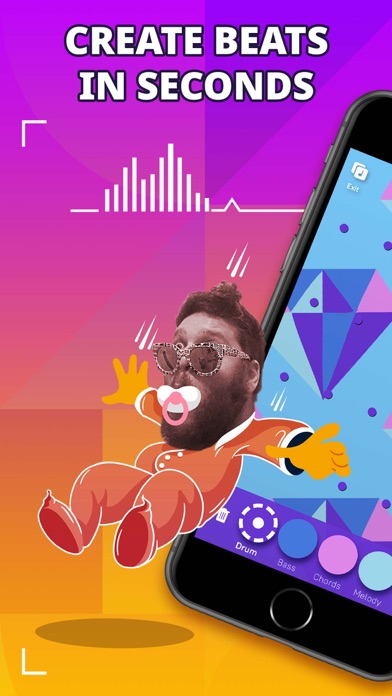

Finding a music production app that respects both creative flow and technical limitations on iOS can be a frustrating exercise. Most mobile digital audio workstations throw wall-to-wall timelines and microscopic knobs at your touchscreen, killing the raw inspiration before you record a single bar.
That friction is precisely what Jambl GmbH targeted with their new release, bringing fluid gesture mechanics directly to modern Apple hardware. If you want to bypass the steep learning curve of traditional studio software and start making genuinely original music right now, you need to grab the beta.
Jolt Groovebox — Quick Specifications
Developer: Jambl GmbH
About Jolt Groovebox
Jolt Groovebox is a rhythm and melody creation studio built around a smart algorithmic engine that keeps your taps locked securely in key and on beat. Instead of stitching together tired premade loops from a generic library, you manipulate gestures to spawn 100% original basslines, synth leads, and percussion on the fly. Everything you generate belongs entirely to you, allowing you to export your files and distribute your creations to streaming platforms without copyright headaches.
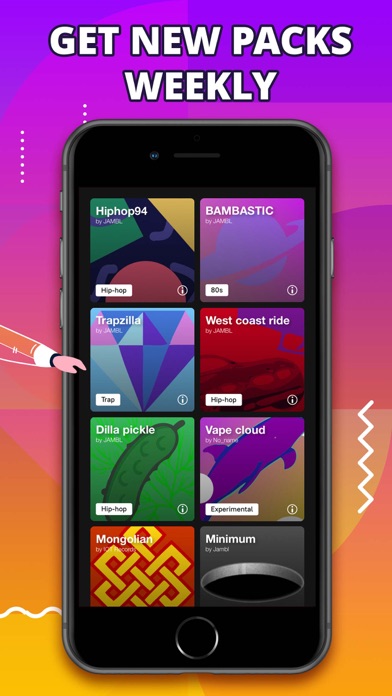
The core utility stems from a massive library containing over a thousand high-quality samples organized into specialized Jam Packs spanning genres like EDM, trap, vaporwave, and analog techno. Beyond tapping out rhythms, you can record your own vocals directly into the app, polish them with built-in auto-tune, and route your entire mix through a professional mastering chain featuring an EQ, compressor, limiter, and side-chain bass ducking.
Developed by the audio innovators at Jambl GmbH, this application bridges the gap between casual beat-matching games and professional production suites. The studio has a strong pedigree in mobile music creation, and Jolt Groovebox represents their most ambitious attempt to unify tactile performance with studio-grade output. They built the interface to be approachable for absolute beginners while hiding deep workflow mechanics under the hood for veteran electronic producers.
Standout Features & What's New in this Build
Testing out the latest pre-release packages on modern iOS hardware reveals a dense feature set designed specifically for touchscreens and motion sensors. The development team packed this build with experimental tools that take full advantage of Apple's high-refresh-rate displays and built-in hardware sensors.
- Smart Looper Engine: Dynamically locks your spontaneous finger taps to the active musical scale and tempo, ensuring you never hit a false note.
- Gyroscope Automation: Uses your iPhone's internal motion tracking to manipulate filter sweeps and volume automation simply by tilting your device.
- Reactive Full-Screen Visualizers: Generates real-time, audio-reactive graphics that pulse, warp, and flow with your beat, complete with customizable templates.
- Ableton Link Integration: Syncs timing locally over Wi-Fi so you can jam in real time with friends using multiple iOS devices or laptops.
- Auto-Edited Video Generation: Records your performance and instantly cuts, loops, and reverses clips to match your rhythm for effortless social media sharing.
Hands-On Impressions: Performance, Battery, and Thermals
Running this build on an iPhone 15 Pro reveals butter-smooth responsiveness, taking full advantage of the ProMotion 120Hz display when navigating dense visualizer grids. Touch latency is virtually nonexistent, which is vital when you are tapping out rapid-fire percussion sequences and tweaking live filter cutoffs. Even with the full-screen visualizer active alongside heavy audio processing, frame pacing remains remarkably steady without stuttering or input drops.
"We designed Jolt Groovebox to remove the cognitive load of music theory so creators can focus purely on physical momentum and rhythm." — Jambl GmbH Development Team
Thermal management is surprisingly efficient for an audio-visual suite, keeping the back chassis only mildly warm after forty continuous minutes of vocal recording and side-chain mixing. Battery consumption is noticeable when driving the reactive shaders at maximum brightness, draining roughly twelve percent charge per half-hour session. Overall resource overhead is well-optimized, avoiding the aggressive thermal throttling that plagues poorly coded mobile DAWs.
System Requirements & Requested Permissions
To run this beta build without running into memory bottlenecks, you need a device running iOS 15.0 or later. While the app functions on older hardware, optimal performance—especially regarding the real-time visualizers and audio-ducking limiter chains—requires modern Apple Silicon chips like the A15 Bionic or newer.
Upon launching the app for the first time, you will be prompted to grant a few standard permissions essential to its feature set. Local Network access is required for Ableton Link device syncing, Microphone access enables the onboard vocal recording suite, and optional Push Notifications alert you when friends remix your tracks.
Pros & Cons: Beta Impressions
✓ The Highs (What We Love)
- Gesture Engine: Unbelievably fun and forgiving way to generate original chord progressions and basslines instantly.
- Visualizer Quality: Stunning real-time graphics that react fluidly to audio transients without lagging the UI.
- Mastering Suite: Legit compression, limiting, and side-chain ducking that gives mobile beats a professional club-ready finish.
✕ Beta Caveats (Room for Polish)
- Battery Drain: Heavy graphics rendering paired with audio processing will chew through your charge during extended sessions.
- Cloud Sync Quirks: Occasional profile connection hiccups when sharing remixes across the community feed in early builds.
- Sample Import Limits: Managing large custom audio file libraries can feel cramped on smaller iPhone screens.
Current TestFlight Slot Situation & Availability
Apple enforces a strict cap of 10,000 external testers for any active TestFlight application distributed via public invite links. Because Jambl GmbH has built a massive following across social media, beta slots for high-profile music apps like this tend to fill up within hours of going live. If you tap the installation link and discover the capacity is completely maxed out, do not panic.
Development studios frequently purge inactive users and secondary accounts who haven't opened recent builds to free up room for active feedback providers. Checking back during off-peak hours or keeping this discovery page bookmarked on Codewing is your best bet for catching an opened slot when expansion batches roll out.
Step-by-Step TestFlight Installation Guide
Getting the beta running on your iPhone or iPad takes less than two minutes once you have your device in hand. Follow this simple checklist to download and configure your testing environment safely:
1. Open the App Store on your iOS device and download the official Apple TestFlight application if you do not already have it installed.
2. Tap the official TestFlight invitation link provided on this Codewing discovery page using your mobile browser.
3. Accept the Apple beta terms of service prompt that automatically opens inside your installed TestFlight app.
4. Tap the blue "Install" button to download the Jolt Groovebox beta package directly onto your home screen.
5. Open the app, explore the gesture engine, and use the built-in feedback reporter in TestFlight if you encounter any visual glitches or audio clipping.
Frequently Asked Questions
Is Jolt Groovebox safe to install via TestFlight?
Yes, TestFlight is Apple's official beta distribution framework. Every application uploaded must pass Apple's automated security screenings and operates securely inside standard iOS application sandboxes.
What should I do if the Jolt Groovebox beta is full?
If Apple reports the build has reached capacity, save this Codewing page and check back periodically. Developers frequently purge inactive testers, opening up fresh spots throughout the beta lifecycle.
Will installing this beta overwrite my App Store version or delete save data?
TestFlight builds generally run as standalone beta packages that run alongside or upgrade existing App Store installations, though pre-release software can occasionally alter local cache files.
How long do TestFlight beta invitations and builds last?
Every individual TestFlight build remains active for a maximum of 90 days from the upload date, after which time the app will expire until a fresh build is deployed.
Are in-app purchases free during TestFlight beta testing?
Yes, all simulated transactions within TestFlight utilize Apple's sandbox testing environment, meaning you can test premium sound packs and visualizer unlocks without being charged real currency.
Final Editorial Verdict
Jolt Groovebox proves that mobile music production does not have to feel like balancing a spreadsheet on a postage stamp. By combining intelligent scale-locking, killer reactive visuals, and a genuine mastering chain into one fluid gesture-based sandbox, Jambl GmbH has crafted an essential download for any mobile creator. Grab your invite via the TestFlight link above before slots disappear.
Developer Support & Official Resources
Stay updated on patch notes, maintenance windows, and feature roadmaps directly from the official developer channels.
Never miss an opening for Jolt Groovebox.
Apple limits TestFlight betas to 10,000 testers, and this program is currently at capacity. CodeWings Plus continuously monitors slot availability 24/7 and sends you an instant alert the second a spot opens up.





