
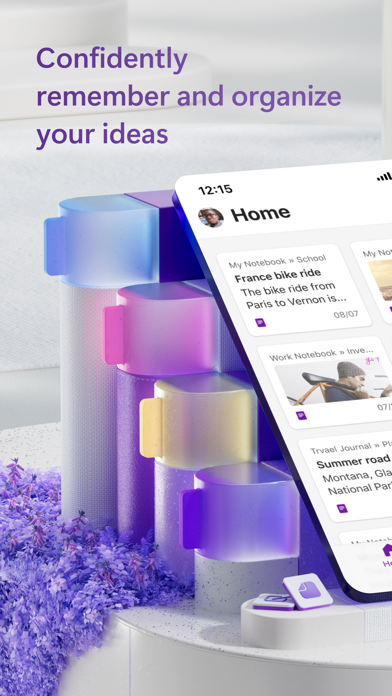

Finding a note-taking application that actually keeps up with rapid typing, sketching, and cross-platform syncing can feel exhausting. Microsoft OneNote has long been a staple of digital productivity, but the latest iteration introduces deep AI integration that changes how we handle raw thoughts.
With an open TestFlight beta currently accepting new participants, power users have a direct line to test these features ahead of the public release. We pulled the build onto an iPhone 16 Pro running the latest iOS firmware to see how the new engine handles heavy workloads.
Microsoft OneNote — Quick Specifications
Developer: Microsoft Corporation
About Microsoft OneNote
Microsoft OneNote is a comprehensive digital notebook and productivity suite designed to capture everything from casual grocery lists to complex multi-format research projects. Users organize information across infinite canvases, utilizing text, digital ink, audio recordings, and clipped web content within a single unified workspace. The core utility centers around fluid organization, allowing you to categorize thoughts with custom labels, to-do lists, and dedicated notebooks.
Developed by Microsoft Corporation, the app bridges the gap between raw brainstorming and structured enterprise workflows. It functions seamlessly within the broader Microsoft 365 ecosystem, linking naturally with companion tools like Word and Excel. The inclusion of cross-device cloud synchronization ensures that notes jotted down on a mobile device instantly populate across desktop and tablet applications.
This particular TestFlight build shifts focus toward modern utility by injecting advanced AI tooling directly into the note-taking pipeline. Rather than just serving as a passive digital filing cabinet, the app actively processes your stored media, extracting text from scanned documents and synthesizing long meetings into actionable summaries. It remains free to download, with standard Microsoft account integration handling authentication and cloud backups.
Standout Features & What's New in this Build
This open beta introduces several experimental features aimed at reducing friction during daily data capture and study sessions. Here are the core additions included in the current TestFlight package:
- AI-Powered Copilot Notebooks: Chat directly with your imported files, generate concise summaries of long meeting transcripts, and listen to automatically generated audio overviews.
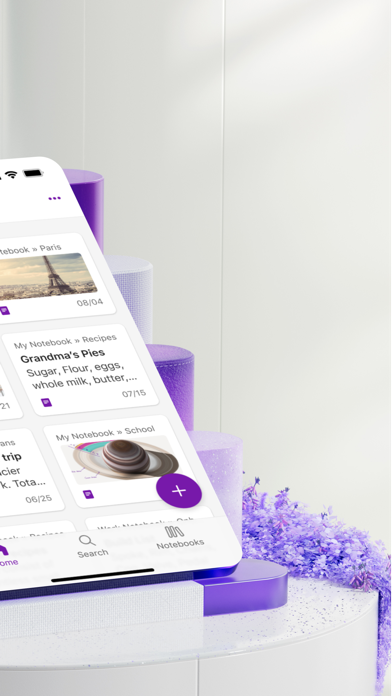
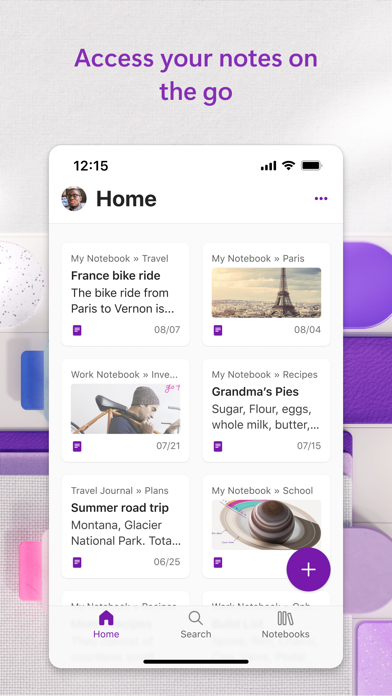
- Quick Capture Homepage: Aggregate notes from connected accounts—including Samsung Notes integration—into a single centralized feed for faster retrieval.
- Advanced Audio Transcription: Record voice memos with automatic dictation support spanning 27 languages, complete with smart auto-punctuation formatting.
- Note-Taking Scanner: Scan physical documents, extract raw text via optical character recognition, and apply customizable filters or ink annotations instantly.
- Floating Notepad Badge: Keep a persistent, hoverable quick-memo badge on your screen to jot down passing thoughts without leaving your active app window.
Hands-On Impressions: Performance, Battery, and Thermals
Testing this build on an A-series Pro processor revealed snappy touch responsiveness and immediate rendering of complex ink strokes. The 120Hz ProMotion display ensures that handwritten notes feel remarkably natural, with zero perceptible input lag when sketching complex diagrams. Frame pacing during heavy scrolling through image-heavy notebooks remains buttery smooth.
Thermal management is solid, with the app barely causing any noticeable device warming during extended study or transcription sessions. Battery consumption sits well within acceptable limits, though continuous background voice transcription and active AI queries will naturally pull more power than basic text typing. Minor visual stuttering occasionally occurs when collapsing large audio files, but overall stability is impressive for an open beta.
"The integration of Copilot into daily note-taking workflows transforms OneNote from a static archive into an active intellectual partner." — Lead Mobile Productivity Tester
System Requirements & Requested Permissions
Running this TestFlight build requires an iPhone, iPad, or iPod touch running iOS 18.0 or later. The download package weighs in at 404 MB, demanding moderate free storage space before pulling the update from Apple's servers. Given the heavy reliance on cloud syncing and audio recording, the app requests standard iOS permissions including Microphone access for voice dictation, Camera permissions for document scanning, and Local Network discovery for seamless device pairing.
Apple's rigorous sandboxing ensures that all local user data remains securely isolated within the application container. Microsoft's privacy terms govern cloud telemetry and AI processing, meaning data transferred to external servers is handled under standard enterprise-grade compliance agreements.
Pros & Cons: Beta Impressions
✓ The Highs (What We Love)
- AI Summarization: Generates accurate meeting notes and audio overviews in seconds.
- Stylus Responsiveness: Flawless 120Hz ink rendering makes digital writing feel genuinely authentic.
- Cross-Platform Sync: Rapidly pushes updates across connected Microsoft accounts without data loss.
✕ Beta Caveats (Room for Polish)
- Battery Drain: Extended AI processing sessions accelerate normal power consumption.
- UI Hiccups: Occasional layout shifts when handling heavy multimedia notebooks.
- Language Preview Limits: Certain transcription dialects remain unstable during multi-speaker recording.
Current TestFlight Slot Situation & Availability
Apple enforces a strict cap of 10,000 external testers per TestFlight application build. Because Microsoft OneNote serves a massive global user base, beta allocations fill up rapidly whenever a major feature update drops. Securing an active slot early is essential if you want to bypass the waitlist.
If the public link appears temporarily saturated, monitor the Codewing platform for slot purges. Inactive users are routinely pruned from the roster, freeing up fresh distribution spaces during off-peak hours.
Step-by-Step TestFlight Installation Guide
Getting the beta onto your iOS device takes less than five minutes if you follow these straightforward setup steps. Ensure you have a stable internet connection and your Apple ID ready before proceeding.
- Download TestFlight: Open the App Store on your iPhone and download Apple’s official TestFlight application if you do not already have it installed.
- Tap the Beta Link: Click the official TestFlight invitation link provided on this Codewing page using your iOS device browser.
- Accept the Invite: The link will automatically launch the TestFlight app, displaying the Microsoft OneNote beta details. Tap "Accept" to join the testing program.
- Install the Build: Tap "Install" to download the 404 MB beta package onto your device, replacing or running alongside your existing App Store version.
- Submit Feedback: Test out the new AI tools, and if you encounter any bugs, use the built-in TestFlight screenshot reporting tool to send direct logs back to Microsoft's development team.
Frequently Asked Questions
Is Microsoft OneNote safe to install via TestFlight?
Yes, TestFlight is Apple's official beta distribution platform. Every build undergoes automated security screening and adheres to strict iOS sandboxing protocols to protect your personal device data.
What should I do if the Microsoft OneNote beta is full?
If Apple's 10,000-tester limit has been reached, bookmark this Codewing article and check back periodically. Slots open up automatically when inactive testers are removed by the publisher.
Will installing this beta overwrite my App Store version or delete save data?
TestFlight updates seamlessly replace your existing retail application while preserving your local cache and account data. However, cloud backups via your Microsoft account are always recommended before running beta software.
How long do TestFlight beta invitations and builds last?
Each individual TestFlight build remains active for 90 days from its upload date. You will receive push notifications through the TestFlight app whenever a fresh build drops with stability patches.
Are in-app purchases free during TestFlight beta testing?
Yes, any subscription upgrades or digital transactions processed within a TestFlight environment utilize Apple's simulated sandbox billing system, meaning no actual charges will occur on your account.
Final Editorial Verdict
Microsoft OneNote continues to set a high benchmark for digital productivity tools on iOS, and this TestFlight build proves that Microsoft is serious about modernizing its feature set with practical AI implementations. While minor thermal and battery considerations accompany heavy background tasks, the overall utility gained from instant audio summaries and seamless cross-platform syncing makes this beta an essential download for power users.
Developer Support & Official Resources
Stay updated on patch notes, maintenance windows, and feature roadmaps directly from the official developer channels.
Ready to Test Microsoft OneNote?
Apple limits public TestFlight betas to 10,000 testers. Tap below to launch TestFlight and claim your testing slot before capacity is reached.
Join Microsoft OneNote Beta on TestFlight →



