

Welcome to Codewing’s comprehensive, hands-on beta breakdown for Microsoft To Do. If you have been hunting for a cleaner, faster task manager that leverages Apple Silicon hardware, you are in the right spot.
We put the latest pre-release build through its paces on current iPhone hardware to see how Microsoft’s productivity suite handles daily life. Let us walk through what makes this build worth downloading and how you can grab the beta right now.
Microsoft To Do — Quick Specifications
Developer: Microsoft Corporation
About Microsoft To Do
Microsoft To Do is a task management powerhouse built to help you capture, organize, and prioritize your daily life. Users can build everything from quick grocery checklists to complex multi-step work projects with intelligent reminders and due dates. It acts as a central hub where all your personal notes, reminders, and daily chores live harmoniously.
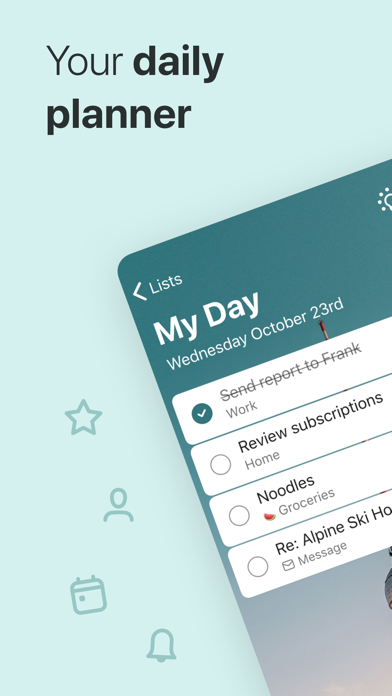
At its core, the application revolves around the My Day feature and personalized intelligent suggestions. The system automatically surfaces relevant items from your various lists based on due dates and past habits. This keeps you focused on what actually matters without forcing you to dig through endless subfolders.
Developed by Microsoft Corporation, the app builds upon the solid foundation of the beloved Wunderlist platform they acquired years ago. Over time, the engineering team has evolved the utility into a deeply integrated piece of the Microsoft 365 ecosystem. Your data syncs securely across devices while maintaining a lightweight, modern feel on mobile.
Standout Features and What's New in this Build
This experimental TestFlight build introduces a handful of under-the-hood refinements designed to make day-to-day scheduling faster. The development team has focused heavily on reducing sync latency and improving the responsiveness of touch inputs on ProMotion displays. Here are the core features you need to know about:
- Intelligent Daily Planner: The My Day view resets every morning, giving you a clean slate to handpick tasks and review tailored suggestions.
- Seamless Microsoft 365 Sync: Automatically pulls flagged emails from Outlook and syncs lists reliably across all your desktop and mobile devices.
- Robust Collaboration: Share lists with friends, family, or colleagues with instant push notifications whenever someone completes or edits a task.
- Rich Task Customization: Break down intimidating projects into manageable steps, attach up to 25MB of files, and set recurring reminders.
- Aesthetic Themes: Personalize your workflow using custom theme colors, background images, and fully supported dark mode styling.

Hands-On Impressions: Performance, Battery, and Thermals
Testing productivity apps on modern iPhones running 120Hz ProMotion displays highlights how vital buttery-smooth scrolling truly is. Swiping through long lists and checking off items feels instantaneous, with zero noticeable frame drops or input lag. The interface respects Apple's Human Interface Guidelines, offering satisfying haptic feedback upon completion.
Thermal management is a non-issue here, as a simple task manager naturally places very little strain on modern Apple Silicon. Battery consumption during extended planning sessions is negligible, barely registering on iOS battery diagnostics over a standard workday. Memory management is also remarkably tight, meaning the app stays resident in RAM without triggering aggressive background reloads.
"Our goal with the mobile experience is to remove friction from task capture so you can get back to living your life. Early tester feedback on Codewing helps us fine-tune these animations and sync speeds before public rollout." — Microsoft To Do Engineering Team
System Requirements and Requested Permissions
To run this specific pre-release build, your device must be updated to iOS 17.6 or later. It is fully optimized for a wide range of modern iPhones and iPads, taking advantage of standard Apple sandboxing protocols. You will need roughly 160 MB of free storage space to accommodate the application package.
Upon launching the app for the first time, you will be prompted to grant standard iOS permissions like local network access and push notifications. Notifications are crucial if you intend to use shared lists with family or colleagues for real-time task updates. All data remains encrypted and securely hosted on Microsoft 365 infrastructure according to enterprise-grade standards.
Pros & Cons: Beta Impressions
✓ The Highs (What We Love)
- Lightning Fast Sync: Changes made on mobile appear instantly across desktop and web clients.
- Polished UI: Crisp typography and buttery animations optimized for ProMotion displays.
- Zero Cost: Completely free to use with no hidden paywalls restricting core features.
✕ Beta Caveats (Room for Polish)
- Occasional Crashes: Pre-release builds can occasionally drop connection during poor cellular handoffs.
- Slot Scarcity: Apple’s strict tester limits mean beta access windows can close abruptly.
- Account Dependency: Requires a Microsoft account login to unlock full cloud functionality.

Current TestFlight Slot Situation & Availability
Apple enforces a hard ceiling of 10,000 public testers for any individual TestFlight beta deployment. Popular developer programs like Microsoft frequently push against this capacity cap as word spreads across enthusiast communities. When a new feature drop hits, slots can vanish within hours.
If you tap the invite link and discover the build is currently full, do not panic. Developers regularly prune inactive accounts who haven't updated in weeks, opening up fresh spots. Keep this Codewing guide bookmarked and check back during off-peak morning hours to snag an opening.
Step-by-Step TestFlight Installation Guide
Getting set up with the pre-release build takes less than two minutes if you follow these simple instructions. Make sure you complete these steps directly on your target iOS device.
1. Download and install the official Apple TestFlight app from the iOS App Store if you do not already have it.
2. Tap the official Codewing TestFlight invitation link provided at the bottom of this page.
3. Your device will automatically redirect to the TestFlight application, displaying the Microsoft To Do beta landing page.
4. Tap the Accept button to join the public beta program and download the 160 MB installation package.
5. Once installed, open the app, log in with your Microsoft credentials, and submit any bug reports directly through TestFlight.
Frequently Asked Questions
Is Microsoft To Do safe to install via TestFlight?
Yes, absolutely. Every beta build distributed through Apple's TestFlight framework undergoes automated security screening and runs safely inside iOS system sandboxes.
What should I do if the Microsoft To Do beta is full?
If capacity is reached, simply save this Codewing guide and check back periodically. Slots open up automatically when developers remove inactive testers from the roster.
Will installing this beta overwrite my App Store version or delete save data?
TestFlight cleanly upgrades your existing installation while preserving your local app data and cloud-synced task lists securely in your Microsoft account.
How long do TestFlight beta invitations and builds last?
Standard Apple TestFlight builds remain active for up to 90 days from their initial upload date before requiring a minor version update.
Are in-app purchases free during TestFlight beta testing?
Since Microsoft To Do is entirely free with no paid tiers, you won't encounter payment walls or sandbox billing prompts during your testing experience.
Final Editorial Verdict
Microsoft To Do continues to set the benchmark for reliable, no-nonsense task management across the Apple ecosystem. Joining the TestFlight beta gives you early access to performance polishes and upcoming interface tweaks before they hit the general public. Grab the invite link below and streamline your daily routine today.
Developer Support & Official Resources
Stay updated on patch notes, maintenance windows, and feature roadmaps directly from the official developer channels.
Never miss an opening for Microsoft To Do.
Apple limits TestFlight betas to 10,000 testers, and this program is currently at capacity. CodeWings Plus continuously monitors slot availability 24/7 and sends you an instant alert the second a spot opens up.




