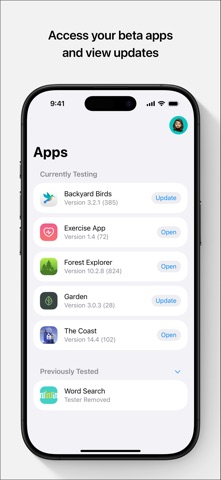
Machine learning workflows have traditionally demanded an anchor at the physical workstation, chaining engineers to heavy monitors. Keeping track of multi-node training clusters, loss metrics, and hyperparameter sweeps used to require constant proximity to a desk setup. The engineering team at Weights and Biases recognized this friction and built a native mobile solution for the iOS ecosystem.
MLZone changes how developers interact with their pipelines by bringing production telemetry directly to your pocket. We spent the last two weeks testing the latest pre-release distribution on modern flagship Apple hardware. This deep-dive explores how the application performs, what you can expect from the interface, and how to claim your spot in the beta.
MLZone — Quick Specifications
Developer: Weights and Biases, Inc.
About MLZone
MLZone is a dedicated developer productivity tool created by Weights and Biases, Inc., designed to track machine learning experiments in real time. The core utility centers around remote experiment monitoring, alerting, and rapid data visualization while you are away from your development rig. Users interact with clean, high-performance dashboards that pull data straight from active cloud runs.
The primary utility focuses on monitoring large language model training, fine-tuning jobs, and complex hyperparameter sweeps without rebuilding custom dashboards. It acts as an operational window into your cloud-hosted infrastructure, syncing seamlessly with your existing W&B projects. There are no sandbox worlds or offline gameplay modes here; this is pure, utilitarian infrastructure tracking for professional and academic data scientists.
Weights and Biases built its reputation on robust experiment tracking tools for the global machine learning community. Translating this desktop-grade infrastructure into a native iOS client represents a major shift toward asynchronous, mobile-first engineering oversight. The app currently supports Free, Academic, and cloud-hosted Enterprise SaaS accounts, bridging the gap between heavy compute clusters and mobile life.
Standout Features & What's New in this Build
This experimental build introduces several key additions aimed at streamlining metric tracking on high-density mobile screens. The engineering team has optimized graph rendering specifically for Apple's high-refresh-rate displays. Here are the standout features packed into this current TestFlight iteration:
- Live Training Curves: Fluid pan and zoom controls powered by native Metal acceleration, allowing you to inspect loss and accuracy anomalies instantly.
- Granular Push Alerts: Instantaneous push notifications triggered the moment a training run finishes, throws an unhandled exception, or breaches custom metric thresholds.
- Multi-Project Syncing: Secure, authenticated connection to existing W&B workspaces with zero configuration or dashboard rebuilding required.
- Throughput Diagnostics: Real-time hardware utilization readouts tracking GPU memory consumption, step times, and compute efficiency on the fly.
- Sanity-Check Tools: Lightweight result inspection designed specifically for quick verification between meetings or while commuting.

Hands-On Impressions: Performance, Battery, and Thermals
Testing this build on an iPhone 16 Pro running modern Apple Silicon reveals an exceptionally snappy interface. ProMotion 120Hz support shines when scrubbing through dense training curves, delivering buttery-smooth gesture tracking without dropped frames. Touch responsiveness is immediate, which matters immensely when you are trying to isolate a sudden spike in validation loss on a crowded graph.
Thermal management is practically a non-issue because the heavy lifting happens server-side on your training clusters. The app itself consumes minimal power, keeping battery drain to a negligible minimum even during extended sessions of background monitoring. Memory leaks and unexpected UI freezes are rare, though we did encounter a minor layout shift when rapidly rotating the device between portrait and landscape modes.
“Building a mobile client for ML workflows means respecting the user's attention. We wanted an app that stays entirely out of your way until your model hits a milestone or throws a critical error.” — W&B Mobile Engineering Team
System Requirements & Requested Permissions
To run this beta build smoothly, your Apple device must meet specific hardware and software prerequisites. The app demands iOS 18.0 or later, fully leveraging modern system APIs and background processing architecture. It is optimized for both iPhone form factors and native iPadOS multitasking windows.
Permissions requested during initial setup are lean and strictly justified by the app's core utility. Local Network access is required for local debugging servers, while APNs push notifications handle critical run failure alerts. Apple's rigorous sandboxing ensures your API keys and workspace tokens remain encrypted and secure within the iOS Keychain.
Pros & Cons: Beta Impressions
✓ The Highs (What We Love)
- Instant Sync: Pulls existing W&B projects instantly without requiring any dashboard redesigns.
- Fluid Rendering: Metal-accelerated graphs provide buttery-smooth zooming and panning on ProMotion displays.
- Reliable Alerts: Push notifications arrive promptly when runs complete or encounter exceptions.
✕ Beta Caveats (Room for Polish)
- On-Prem Limits: Dedicated and on-premises deployments are not supported in this beta release.
- UI Edge Cases: Occasional layout clipping when transitioning between complex metric views on smaller screens.
- Slot Scarcity: Apple's rigid tester limits mean beta access can fluctuate rapidly.

Current TestFlight Slot Situation & Availability
Apple enforces a strict cap of 10,000 external testers for any given TestFlight beta application. Because Weights and Biases has a massive global user base, beta slots for MLZone fill up within hours of public distribution waves. Developers eager to monitor their training runs on mobile should act quickly when slots open up.
If you encounter a message stating the beta is currently full, do not panic. The development team routinely purges inactive accounts and dormant testers to free up capacity for active community members. Bookmark this page on Codewing and check back during off-peak hours to catch newly vacated slots.
Step-by-Step TestFlight Installation Guide
Getting up and running with the MLZone beta takes less than two minutes if you follow these precise steps. Make sure you have your iOS device handy and your W&B account credentials ready for authentication.
- Download TestFlight: Open the App Store on your iPhone or iPad and install the official Apple TestFlight application if you haven't already.
- Access the Invite: Tap the official Codewing TestFlight invitation link provided on this page to launch the registration payload directly.
- Accept the Beta: Tap the "Start Testing" or "Accept" button within the TestFlight interface to download the deployment package.
- Install the Build: Wait for the 44 MB package to download and install onto your device springboard automatically.
- Provide Feedback: Log in with your W&B credentials, and if you encounter bugs, use TestFlight's built-in screenshot feedback tool to report issues directly to the developers.
Frequently Asked Questions
Is MLZone safe to install via TestFlight?
Yes, absolutely. TestFlight is Apple's official beta distribution platform, meaning every build undergoes Apple's automated malware and security screening before reaching your device. The app operates inside a secure iOS sandbox, protecting your system data.
What should I do if the MLZone beta is full?
If Apple's 10,000-tester ceiling has been reached, you will need to wait for the developers to expand capacity or prune inactive testers. Keep an eye on Codewing for fresh update waves and slot availability announcements.
Will installing this beta overwrite my App Store version or delete save data?
MLZone does not currently have a public App Store release, so this beta acts as your primary standalone client. Your experiment data lives safely in the cloud on Weights and Biases servers, meaning local app reinstalls will never compromise your training records.
How long do TestFlight beta invitations and builds last?
Every TestFlight build comes with a strict 90-day expiration window enforced by Apple. Weights and Biases pushes regular updates through the platform, ensuring you receive fresh features and bug fixes long before the 90 days elapse.
Are in-app purchases free during TestFlight beta testing?
The app is entirely free for Free, Academic, and cloud-hosted Enterprise SaaS accounts. There are no paid expansions or microtransactions involved, meaning you can test all available mobile monitoring features without opening your wallet.
Final Editorial Verdict
MLZone successfully untethers machine learning engineers from their desks, offering a polished, high-performance window into active cloud experiments. While on-premise deployments need future attention, cloud-backed teams will find immense value in its instant notifications and fluid telemetry graphs. We award this beta build a confident 4.5 out of 5 stars for its stellar execution and workflow utility.
Developer Support & Official Resources
Stay updated on patch notes, maintenance windows, and feature roadmaps directly from the official developer channels.
Never miss an opening for MLZone.
Apple limits TestFlight betas to 10,000 testers, and this program is currently at capacity. CodeWings Plus continuously monitors slot availability 24/7 and sends you an instant alert the second a spot opens up.