
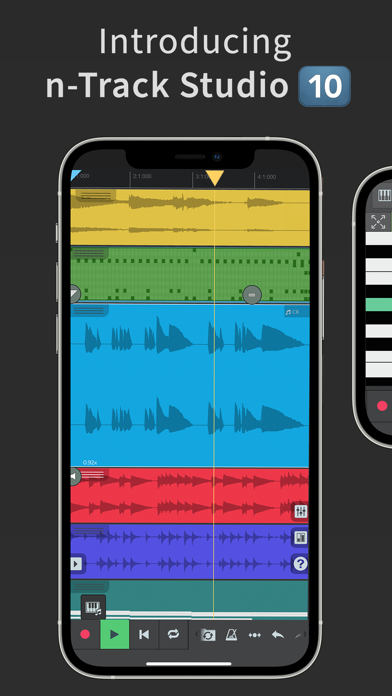
Turning an iOS device into a fully fledged, professional-grade recording studio used to sound like a compromise. Thanks to n-Track S.r.l. and their flagship portable production suite, mobile musicians now possess a proper 64-bit double-precision floating-point audio engine in their pockets.
With open beta testing currently underway for the app, we spent the last week pushing the latest build to its absolute limits. Running across modern Apple Silicon devices and hammering the CPU with multitrack sessions reveals just how capable iOS audio production has become.
n-Track Studio Pro | DAW — Quick Specifications
Developer: n-Track S.r.l.
About n-Track Studio Pro | DAW
n-Track Studio Pro is a comprehensive audio and MIDI multitrack recorder designed to transform iPhones and iPads into robust mobile workstations. Users can record, mix, and arrange a virtually unlimited number of audio, MIDI, and drum tracks directly on their mobile hardware.
The core premise centers on giving producers a desktop-class mixing environment optimized for touchscreens. Whether tracking live guitars through virtual amplifiers or programming intricate grooves with the step sequencer, the app serves as both a sketchpad and a finished mixing board.
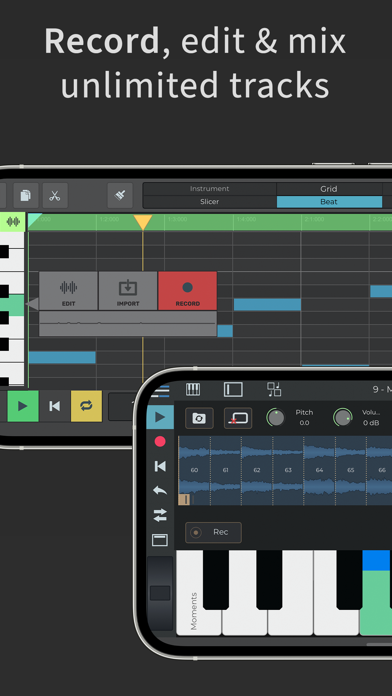
Workflow tools span everything from a robust loop browser loaded with royalty-free sample packs to dedicated MIDI piano-roll editors. Collaboration remains a major pillar, featuring direct integration with the Songtree community so musicians can share stems and co-write songs across global distances.
Developer n-Track S.r.l. has spent years refining cross-platform audio apps, and this iOS iteration represents their most ambitious portable release yet. Their deep understanding of low-latency audio drivers shines through every layer of the software design.
Standout Features & What's New in this Build
This open TestFlight build introduces several stability enhancements alongside deep structural additions to the mixing console. Exploring the changelog reveals a handful of standout features that define this release cycle.
- 64-Bit Audio Engine: Leverages double-precision floating-point math to preserve dynamic range and eliminate internal clipping during heavy summing.
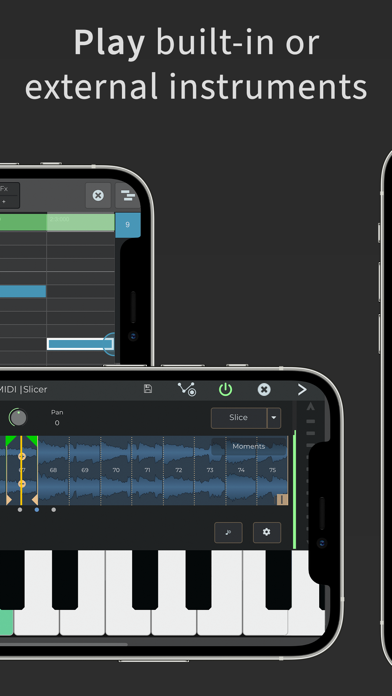
- VocalTune Pitch Correction: Automatically detects and fixes pitch imperfections on vocals or melodic lines in real time.
- Multi-Channel USB Support: Seamlessly records four or more simultaneous tracks from pro-audio hardware like Focusrite and RME interfaces.
- Step Sequencer Beat Maker: Offers an intuitive grid interface for quickly sketching out drum patterns and rhythm grooves.
- Songtree Community Integration: Connects directly to an online network of musicians to collaborate on multi-instrument projects.
Hands-On Impressions: Performance, Battery, and Thermals
Testing this build on an M-series iPad Pro yields astonishingly low buffer latencies and rock-solid audio playback. Touch responsiveness on the mixer faders feels immediate, matching the fluid feedback of the 120Hz ProMotion display during complex automation sweeps.
Thermal management is surprisingly efficient, though pushing sample rates up to 192 kHz with multiple guitar amp simulations active will predictably trigger warm glass. Battery drain is noticeable during heavy multi-hour mixing sessions, which makes plugging into a powered USB-C hub essential for mobile tracking.
"Our goal with the pro architecture on iOS is to bridge the gap between portable sketching and final mixdown without sacrificing sample accuracy." — n-Track S.r.l. Development Team
Minor visual hiccups occasionally surface when rapidly switching between the piano-roll editor and the main mixer view. However, audio artifacting remains absent even when stacking dozens of aux effects onto a crowded arrangement.
System Requirements & Requested Permissions
Running this beta requires an iPhone or iPad running iOS 13.0 or later, though modern Apple Silicon hardware is strongly recommended to handle heavy track counts. Connecting professional multi-channel interfaces requires a Lightning-to-USB adapter or a direct USB-C connection.
The app requests standard permissions including microphone access for live tracking and local network access for MIDI over Wi-Fi synchronization. Apple sandboxing ensures your personal audio files and project stems remain safely confined to the app's local document directory.
Pros & Cons: Beta Impressions
✓ The Highs (What We Love)
- Audio Fidelity: Pristine 64-bit summing engine sounds remarkably clean.
- Hardware Integration: Flawless multi-channel USB audio interface compatibility.
- Workflow Depth: Comprehensive built-in synths, effects, and loop browsers.
✕ Beta Caveats (Room for Polish)
- UI Complexity: Dense desktop layout can feel cramped on smaller iPhone screens.
- Thermal Load: High sample rates push mobile processors and drain batteries quickly.
- Minor Glitches: Occasional graphical redraw stutter in the piano-roll editor.
Current TestFlight Slot Situation & Availability
Apple enforces a strict cap of 10,000 external testers per TestFlight application build. Because n-Track Studio Pro is a widely anticipated utility, beta slots tend to fill up rapidly whenever a major feature update drops.
If the public link reports that the beta is currently full, do not panic. Developers frequently purge inactive accounts and reclaimed slots during upcoming build cycles to make room for fresh testers.
Step-by-Step TestFlight Installation Guide
Getting set up with the beta build takes just a few moments if you follow the correct sequence. Make sure your iOS device is updated and ready to download the package.
- Download TestFlight: Install the official Apple TestFlight application from the iOS App Store if you do not already have it on your device.
- Access the Invite Link: Tap the official Codewing TestFlight invitation link directly from your mobile browser.
- Accept the Beta: Click the "Start Testing" button to view the developer terms and accept the beta program conditions.
- Install the Build: Tap "Install" to download n-Track Studio Pro | DAW directly over your existing setup or as a fresh sandbox install.
- Send Feedback: Use the built-in TestFlight screenshot reporting tool to submit bug logs directly to n-Track S.r.l. if you encounter crashes.
Frequently Asked Questions
Is n-Track Studio Pro | DAW safe to install via TestFlight?
Yes, all TestFlight applications must clear Apple's automated malware and security screening processes. The app operates inside a secure iOS sandbox environment that protects your device data.
What should I do if the n-Track Studio Pro | DAW beta is full?
If slots are temporarily exhausted, bookmark this Codewing page and check back during off-peak hours. Slots routinely open up when Apple reclaims inactive user spaces.
Will installing this beta overwrite my App Store version or delete save data?
TestFlight builds generally update existing sandboxed installations of the same app package ID. However, always back up critical project stems externally before upgrading beta software.
How long do TestFlight beta invitations and builds last?
Each individual TestFlight build remains active for 90 days from the date of upload. Developers regularly push fresh builds before this window closes to maintain continuity.
Are in-app purchases free during TestFlight beta testing?
Apple simulates all in-app purchases within the TestFlight environment using a sandbox testing account. You will not be charged real currency while evaluating locked features during the beta period.
Final Editorial Verdict
n-Track Studio Pro | DAW easily cements its status as an elite mobile production suite for serious musicians and beatmakers. While the dense interface requires patience on smaller iPhone screens, the sheer audio horsepower under the hood makes it an indispensable tool for iOS creators.
Beta Rating: 9.2/10 — An essential download for mobile producers looking to push iOS hardware to its absolute limit.
Developer Support & Official Resources
Stay updated on patch notes, maintenance windows, and feature roadmaps directly from the official developer channels.
Never miss an opening for n-Track Studio Pro | DAW.
Apple limits TestFlight betas to 10,000 testers, and this program is currently at capacity. CodeWings Plus continuously monitors slot availability 24/7 and sends you an instant alert the second a spot opens up.





