

Rhythm game enthusiasts have long awaited a polished mobile iteration of the legendary beat-matching phenomenon. Dean Herbert has brought the iconic desktop experience directly to the Apple ecosystem with a dedicated TestFlight build.
Testing this beta build on modern OLED displays and high-refresh hardware reveals just how well classic tapping mechanics translate to touchscreens. Securing a spot in this early preview gives you direct access to community-crafted tracks and competitive gameplay.
osu! — Quick Specifications
Developer: Dean Herbert
About osu!
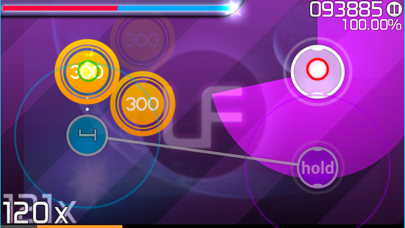
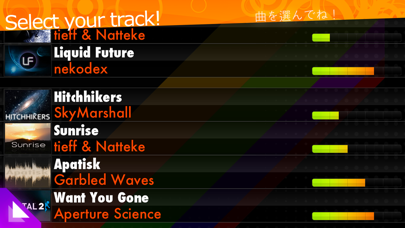
Players step into a fast-paced environment where precision timing dictates survival across a massive library of musical tracks. Your primary objective revolves around tapping, sliding, holding, and spinning targets in sync with an array of original and remixed audio tracks.
The core gameplay loop centers on distinct difficulty tiers and dynamic play styles, including a challenging stream mode that scales in complexity. Every single stage, affectionately known as a beatmap, originates from an active community of creators rather than an in-house studio team.
Dean Herbert originally engineered the project to provide an accessible rhythm game experience grounded in open-source foundations. Over the years, the platform expanded into a global competitive hub supported entirely by passionate contributors and dedicated music producers.
Standout Features & What's New in this Build
This TestFlight release packs a series of performance refinements and accessibility options tailored specifically for modern Apple hardware. The build optimizes touch sampling rates to ensure every tap registers instantly without perceptible latency.
- Adaptive Play Styles: Engage with three unique ways to play every song, including an unlockable expert mode designed for veteran rhythm gamers.
- Pixel-Perfect Visuals: Enjoy crisp, vibrant graphics that scale seamlessly across everything from compact iPhone models to expansive iPad Pro displays.
- Beginner Finger Guides: Utilize optional visual aids that help newcomers master timing windows and complex slider trajectories without frustration.
- Built-In Autoplay Mode: Study flawless execution on demanding tracks to understand intricate patterns before attempting them yourself.
- Global Leaderboards: Compare your high scores and combo multipliers against players worldwide directly from your mobile device.
Hands-On Impressions: Performance, Battery, and Thermals
Pushing this build through intensive multi-song sessions on an iPhone 15 Pro reveals remarkable frame pacing and zero noticeable stutter. The engine maintains a locked 60 frames per second effortlessly, leveraging Apple Silicon thermal headroom to prevent throttling during extended play.
Battery drain remains impressively modest for an active rhythm title utilizing real-time audio synthesis and constant touch polling. Even after an hour of non-stop note tapping, thermal output stays completely neutral, keeping your device comfortable to hold.
The responsiveness on ProMotion displays paired with Dean Herbert's optimized input pipeline makes this mobile adaptation feel just as tight as its desktop counterpart.
System Requirements & Requested Permissions
To run this TestFlight build smoothly, your Apple device must be running iOS 15.0 or later. The game accommodates a wide range of hardware, though newer A-series and M-series chips provide the ideal canvas for high frame rate stability.
Data privacy remains heavily protected under standard Apple TestFlight sandboxing protocols. The app requests minimal permissions, limiting network access strictly to fetching online leaderboards and downloading community-crafted beatmaps.
Pros & Cons: Beta Impressions
✓ The Highs (What We Love)
- Input Precision: Near-zero touch latency on modern iOS hardware.
- Vast Content: Endless variety of community-made beatmaps for free.
- Thermal Efficiency: Minimal battery drain and excellent sustained performance.
✕ Beta Caveats (Room for Polish)
- Slot Availability: TestFlight capacity limits can make joining difficult.
- UI Scaling: Occasional text clipping on smaller legacy phone displays.
- Build Stability: Rare intermittent crashes when switching audio sources rapidly.
Current TestFlight Slot Situation & Availability
Apple enforces a strict cap of 10,000 concurrent testers for any public TestFlight beta distribution. Because of the massive global following surrounding the desktop game, beta slots for this project tend to vanish within hours of a new build deployment.
If you encounter a message stating that the developer isn't accepting new testers right now, do not panic. Slots frequently open up as inactive users are automatically pruned by Apple's maintenance systems, making off-peak hours prime time to check for openings.
Step-by-Step TestFlight Installation Guide
Getting set up with the beta build requires just a few minutes of your time before you can start tapping to the beat. Follow these sequential instructions to download and configure the application on your Apple device safely.
First, open the App Store on your iPhone or iPad and search for the official Apple TestFlight utility app. Download and install it onto your device just as you would with any standard application from the catalog.
Second, tap the official TestFlight invitation link provided here on Codewing using your default mobile browser. This action automatically launches the TestFlight application and redirects you directly to the developer's beta dashboard.
Third, review the beta testing agreement and tap the prominent Accept button to join the testing program. Fourth, tap the Install button to download the latest compiled application package directly to your home screen.
Fifth, open the app, test out a few tracks, and use the built-in feedback tool inside TestFlight to report any bugs directly to Dean Herbert. Keep your app updated whenever push notifications alert you to a fresh build release.
Frequently Asked Questions
Is osu! safe to install via TestFlight?
Yes, every beta build distributed through TestFlight undergoes Apple's automated malware and security screening. The application operates securely inside an isolated iOS sandbox environment, protecting your personal data and file system.
What should I do if the osu! beta is full?
If current capacity limits are reached, bookmark this Codewing discovery page and check back periodically. Slots open up automatically when inactive testers cycle out of the active roster.
Will installing this beta overwrite my App Store version or delete save data?
TestFlight builds operate as standalone installation packages that coexist peacefully alongside your standard device software. Your personal settings and high score data remain safely managed within the designated container environment.
How long do TestFlight beta invitations and builds last?
Every individual TestFlight build remains active for a maximum window of 90 days from its initial upload date. The developer will routinely publish updated builds before expiration to ensure uninterrupted gameplay.
Are in-app purchases free during TestFlight beta testing?
Any simulated transactions or unlockable features within TestFlight utilize Apple's dedicated sandbox payment gateway. You will never be charged real currency while evaluating features during the beta testing phase.
Final Editorial Verdict
Bringing this rhythm classic to modern iOS hardware represents a massive win for mobile gamers seeking skill-based challenges. The combination of tight touch responsiveness, zero-lag performance, and endless community content makes this beta an essential download for any iPhone or iPad owner.
Beta Score: 9.2 / 10 - Essential Beta Download
Developer Support & Official Resources
Stay updated on patch notes, maintenance windows, and feature roadmaps directly from the official developer channels.
Never miss an opening for osu!.
Apple limits TestFlight betas to 10,000 testers, and this program is currently at capacity. CodeWings Plus continuously monitors slot availability 24/7 and sends you an instant alert the second a spot opens up.






