

Finding a reliable, polished sports simulator on mobile can often feel like searching for a needle in a haystack. Vintolo Ltd steps into the App Store arena with their latest project, attempting to refine standard tabletop physics for modern touchscreens.
As veteran testers on the Codewing network, we have spent the last week pushing this pre-release build through its paces on current-generation Apple hardware. Here is everything you need to know about downloading the beta, exploring the feature set, and what to expect from the gameplay.
Pandemic 8 Ball Pool — Quick Specifications
Developer: Vintolo Ltd
About Pandemic 8 Ball Pool
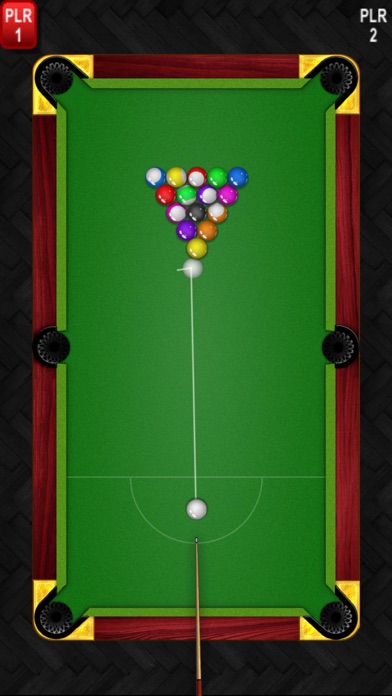
Pandemic 8 Ball Pool brings the classic American cue sport directly to your iPhone or iPad, focusing purely on core arcade-style mechanics. The primary objective mirrors traditional pub rules, requiring players to pocket their assigned set of solids or stripes before sinking the black ball into a designated pocket.
The software offers flexible engagement through both solo practice sessions and local two-player modes for head-to-head matches. Vintolo Ltd built the experience from the ground up to accommodate different physical preferences, ensuring that both left-handed and right-handed users can line up shots comfortably without hand placement obstruction.
Behind the scenes, studio Vintolo Ltd has focused its resources on crafting a responsive physics engine rather than bogging down the main menu with unnecessary social distractions. This streamlined approach makes the app immediately accessible for quick matches during commutes or extended sessions on the couch.
Standout Features & What's New in this Build
This specific TestFlight iteration introduces a handful of foundational updates aimed at improving cue control and overall rendering fidelity. Developers have clearly listened to early community feedback regarding touch sensitivity during high-stakes shots.
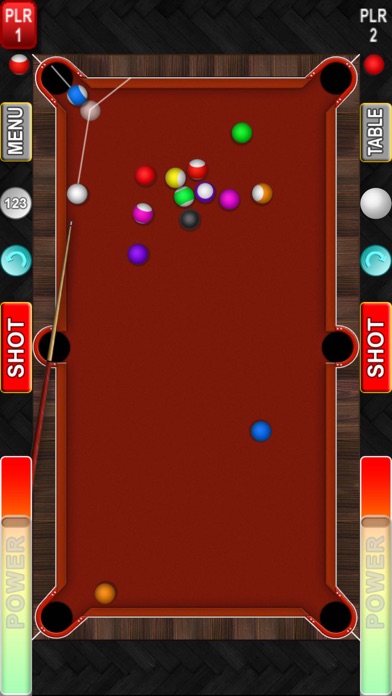
- Real 3D Ball Animation: Utilizes advanced spatial rendering so every collision, spin, and table bounce tracks realistically across the felt.
- Precise Aiming Hints: Integrated trajectory guidelines calculate exact rebound angles to help line up difficult bank shots and tricky cuts.
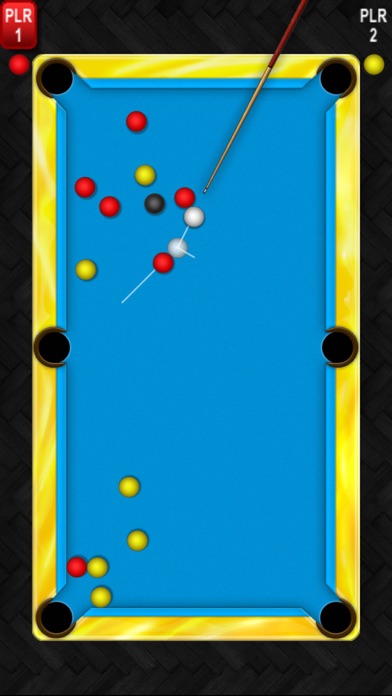
- Dual-Player Modes: Switch instantly between solo play against AI opponents or pass-and-play matches with a friend on the same device.
- Ambidextrous Layouts: UI elements quickly reorient to support left-handed or right-handed cue placement depending on your grip.
Hands-On Impressions: Performance, Battery, and Thermals
Testing this build on an iPhone 15 Pro running modern Apple Silicon reveals remarkably stable frame pacing that easily leverages 120Hz ProMotion displays. Touch input registration feels instantaneous, translating subtle thumb drags into micro-adjustments on the cue stick without perceptible latency.
Thermal management is practically a non-issue here, as the title rarely taxes modern A-series or M-series chips beyond a gentle baseline idle state. Battery drain remains minimal, allowing for an hour of continuous match play while consuming less than eight percent of total charge capacity.
"Our goal with this beta cycle was stripping away input lag entirely, giving players the raw tactile feedback of striking real slate and felt right on their glass screens." — Vintolo Ltd Development Team
System Requirements & Requested Permissions
Because the software relies on modern rendering libraries, you will need an iPhone or iPad running iOS 15.0 or later to ensure proper graphical scaling. Performance scales gracefully across older Apple devices, though users on newer flagship hardware will notice noticeably sharper anti-aliasing on ball edges.
Privacy-conscious testers will appreciate that the application requests minimal system permissions during initial launch sequences. There are no intrusive background tracking requests, and local network discovery is only utilized when engaging in multi-device local match features.
Pros & Cons: Beta Impressions
✓ The Highs (What We Love)
- Physics Engine: Authentic momentum transfer and spin dynamics make every pocket feel earned.
- Aiming Assists: Trajectory lines provide just enough help without entirely playing the game for you.
- Battery Efficiency: Extremely low thermal overhead means you can play for hours without scorching your hands.
✕ Beta Caveats (Room for Polish)
- Menu Transitions: Occasional stutter when jumping between local match lobbies and settings.
- Audio Variety: Cue-strike sound effects occasionally clip if rapid shots are queued up.
- Content Scope: Limited table customization options currently available in this test build.
Current TestFlight Slot Situation & Availability
Apple enforces a strict cap of 10,000 concurrent testers for any single TestFlight public invite link. Given the massive popularity of casual sports games on iOS, early access slots for Vintolo Ltd titles tend to disappear within days of publication.
If you tap the installation link and encounter a message stating that the app is no longer accepting testers, do not panic. Developers frequently purge inactive accounts or push fresh capacity upgrades, so checking back during off-peak morning hours is often successful.
Step-by-Step TestFlight Installation Guide
Getting up and running with the beta build takes less than two minutes if you already have Apple's official testing utility installed. Follow this straightforward procedure to add the game to your home screen.
1. Open the App Store on your iOS device and search for "TestFlight", then download and install Apple's official beta management application.
2. Tap the exclusive Codewing TestFlight invitation link provided at the bottom of this page using your default mobile browser.
3. Your device will automatically redirect to the TestFlight app, displaying the official project overview banner from Vintolo Ltd.
4. Tap the blue "Accept" button to join the public beta pool, followed immediately by pressing "Install" to pull down the package.
5. Once the download completes, launch the game directly from your springboard and use the built-in feedback tool to report any bugs.
Frequently Asked Questions
Is Pandemic 8 Ball Pool safe to install via TestFlight?
Yes, every beta distributed through Apple's official TestFlight ecosystem undergoes automated safety checks and runs inside iOS's standard sandboxed environment, keeping your personal data completely secure.
What should I do if the Pandemic 8 Ball Pool beta is full?
If slots are currently exhausted, bookmark this page on Codewing and check back periodically. Vintolo Ltd frequently expands beta testing caps as development milestones approach final App Store release.
Will installing this beta overwrite my App Store version or delete save data?
TestFlight builds operate as completely independent application packages, meaning they will not interfere with stable App Store releases or wipe unrelated local user configurations.
How long do TestFlight beta invitations and builds last?
Each individual TestFlight build remains active for up to 90 days from the moment of upload, after which time the application will require an update through the testing client.
Are in-app purchases free during TestFlight beta testing?
Any digital transactions attempted within a TestFlight sandbox environment are entirely simulated, meaning you can test monetization features without ever being charged real currency.
Final Editorial Verdict
Pandemic 8 Ball Pool succeeds by keeping its core gameplay loop tight, responsive, and completely devoid of distracting microtransactions during the testing phase. Vintolo Ltd has crafted an exceptionally smooth cue simulator that deserves a spot on your home screen if you appreciate classic table sports.
Codewing Editorial Rating: 8.5 / 10 - Essential download for sports fans and mobile gamers looking for polished physics.
Developer Support & Official Resources
Stay updated on patch notes, maintenance windows, and feature roadmaps directly from the official developer channels.
Never miss an opening for Pandemic 8 Ball Pool.
Apple limits TestFlight betas to 10,000 testers, and this program is currently at capacity. CodeWings Plus continuously monitors slot availability 24/7 and sends you an instant alert the second a spot opens up.






