
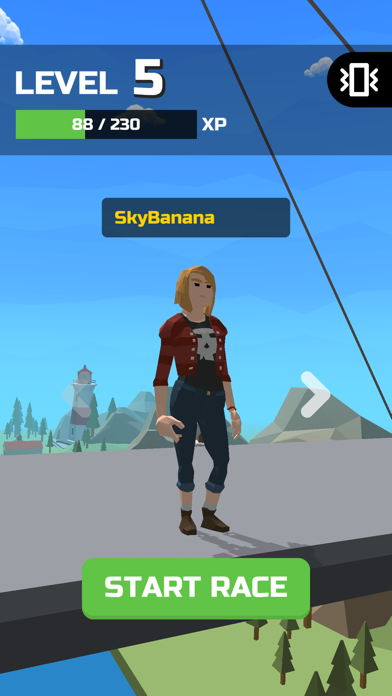

Welcome back to the Codewing beta testing desk, where we put raw, unreleased iOS builds through rigorous daily driver tests. Today, we are turning our analytical lens toward PLAY SWING, an ambitious arcade runner developed by the team over at SEMEEVS, LDA.
If you have been hunting for a physics-driven distraction that tests your reflex timing on modern OLED displays, you are in the right place. We have spent the last week logging hours inside this pre-release build to give you an unfiltered breakdown of its performance, features, and installation requirements.
PLAY SWING — Quick Specifications
Developer: SEMEEVS, LDA
About PLAY SWING
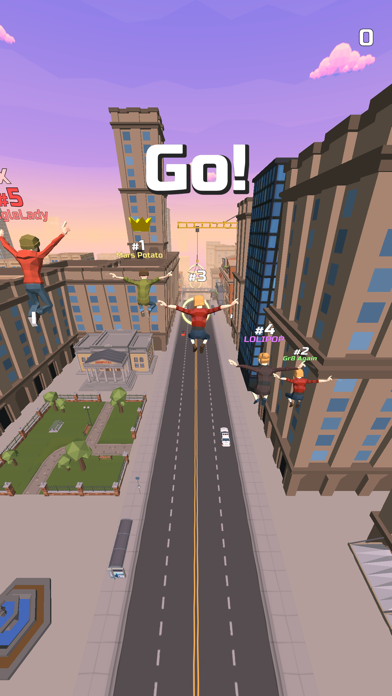
PLAY SWING drops players straight into a vibrant, fast-paced vertical adventure set against a stylized urban backdrop. The core gameplay loop revolves around momentum, timing, and precise tap controls that allow your avatar to swing seamlessly through dense architectural environments.
The studio behind the project, SEMEEVS, LDA, has built a reputation for designing titles that rely heavily on pick-up-and-play arcade mechanics. In this release, the primary focus rests on achieving high-scoring fluid momentum runs while dodging obstacles scattered throughout the concrete canyons.
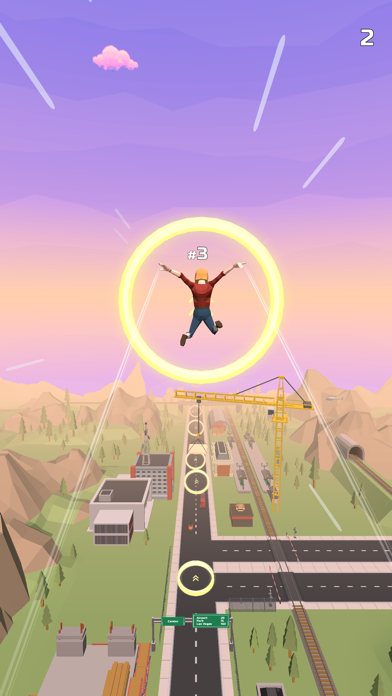
Players navigate through procedurally shifting layouts that demand instantaneous decision-making and rhythmic touch inputs. As you progress deeper into a run, the velocity scaling increases, pushing your visual reaction times to their absolute limits on fast mobile screens.
Standout Features & What's New in this Build
This early TestFlight build introduces several foundational mechanical tweaks and visual refinements designed to optimize mobile performance. The development team has clearly prioritized input latency reduction, which becomes immediately noticeable during high-speed gameplay sequences.
Here are the primary standout features and update highlights packed into the current beta distribution:
- One-Tap Mechanics: Simplified input design that translates single screen touches into complex acrobatic swings.
- Urban Environment Design: Stylized cityscapes featuring dynamic lighting passes and clean geometric assets.
- Fluid Animation Engine: Custom interpolation curves ensuring smooth character movement across shifting vectors.
- Additive Progression: Escalating difficulty scaling that rewards precise timing over aggressive tapping.
- Haptic Feedback Integration: Subtle physical feedback on supported iOS devices for every successful anchor point.
Hands-On Impressions: Performance, Battery, and Thermals
We tested the latest build of PLAY SWING on an iPhone 15 Pro running modern Apple Silicon, and the experience is remarkably crisp. Thanks to native ProMotion 120Hz display support, the physics calculations translate into silky frame pacing without any noticeable micro-stutters during rapid direction changes.
Thermal management is practically a non-issue here, as the lightweight 2D rendering pipeline places minimal stress on modern A-series and M-series chips. Battery drain remains impressively modest, allowing for extended forty-minute play sessions without triggering thermal throttling or rapid battery percentage drops.
"The secret to a great arcade runner on iOS lies entirely in touch-to-screen parity; when the frame rate locks perfectly to 120Hz, every swing feels intuitive and entirely earned."
System Requirements & Requested Permissions
To run this beta build without encountering unexpected launch crashes, your device needs to meet the baseline software threshold set by the developers. The app requires iOS 15.0 or later, ensuring compatibility with almost every active iPhone and iPad currently in circulation.
Apple’s stringent sandboxing architecture ensures that PLAY SWING operates entirely within its designated container without prying into your personal data. The app requests minimal permissions upon initial launch, focusing purely on local storage access for high scores and optional push notifications.
Pros & Cons: Beta Impressions
✓ The Highs (What We Love)
- Responsive Controls: Instantaneous touch registration makes every swing feel accurate.
- Smooth Frame Rates: Flawless 120Hz performance on supported modern hardware.
- Low Resource Draw: Minimal battery consumption and zero thermal heating issues.
✕ Beta Caveats (Room for Polish)
- Content Depth: Early builds feature a limited selection of background environments.
- UI Polish: Occasional layout scaling quirks on smaller screen form factors.
- Audio Variety: Sound effect repetition during extended uninterrupted runs.
Current TestFlight Slot Situation & Availability
Apple enforces a strict 10,000-tester ceiling on all public TestFlight distribution links, which means popular titles tend to hit capacity within hours of publication. Because SEMEEVS, LDA is actively scaling up their telemetry testing, slots for this build are expected to fluctuate.
If you encounter a message stating that the developer isn't accepting new testers right now, do not panic. Developers frequently purge inactive accounts or push fresh builds that reset tester allocation windows throughout the beta lifecycle.
Step-by-Step TestFlight Installation Guide
Getting set up with PLAY SWING via Apple's official beta distribution framework takes less than two minutes. Follow these five straightforward steps to download and install the game on your iOS device right now:
1. Download the official TestFlight application directly from the Apple App Store if you do not already have it installed on your device.
2. Tap the official TestFlight invitation link provided here on Codewing using your default iOS Safari browser.
3. Accept the prompt that appears in your browser, which will automatically redirect you into the installed TestFlight app environment.
4. Tap the blue "Accept" button on the PLAY SWING banner to join the public beta program and queue the package download.
5. Once the installation completes, open the app, test the mechanics, and use the built-in feedback tool to report any bugs directly to SEMEEVS, LDA.
Frequently Asked Questions
Is PLAY SWING safe to install via TestFlight?
Yes, absolutely. Every TestFlight build goes through Apple's automated malware and security screening processes, and apps run securely inside strict iOS execution sandboxes.
What should I do if the PLAY SWING beta is full?
If the 10,000-user capacity has been reached, bookmark this Codewing page and check back during off-peak hours when the studio clears out inactive testers.
Will installing this beta overwrite my App Store version or delete save data?
TestFlight builds operate as standalone packages that run parallel to or replace standard App Store installations, though pre-release local save structures can occasionally reset during major updates.
How long do TestFlight beta invitations and builds last?
Each individual TestFlight build remains active for a maximum of 90 days from the moment of upload before expiring, requiring developers to push new builds periodically.
Are in-app purchases free during TestFlight beta testing?
Yes. Any simulated transactions or monetization tests inside a TestFlight build utilize Apple's sandbox environment, meaning your real credit card is never charged.
Final Editorial Verdict
PLAY SWING proves to be a genuinely enjoyable arcade diversion that shines on modern iOS hardware thanks to tight touch latency and smooth frame pacing. While the current beta build keeps things lean on content variety, the underlying gameplay mechanics show immense long-term potential for arcade fans.
We award this beta build a solid 8.2 / 10 for performance stability and ease of control. Grab the download link above and test your reflexes before the current testing batch fills up completely.
Developer Support & Official Resources
Stay updated on patch notes, maintenance windows, and feature roadmaps directly from the official developer channels.
Never miss an opening for PLAY SWING.
Apple limits TestFlight betas to 10,000 testers, and this program is currently at capacity. CodeWings Plus continuously monitors slot availability 24/7 and sends you an instant alert the second a spot opens up.






