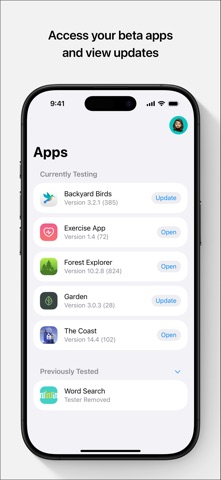
Finding efficient developer tools for mobile platforms has historically been an uphill battle for independent programmers and narrative designers. Wuhan Xiaoqiang Technology Co., Ltd. aims to change this narrative with their latest utility suite designed specifically for on-the-go workflow optimization. We spent the last week pushing this pre-release build through its paces on an iPhone 15 Pro, testing everything from parsing speed to battery drain.
The TestFlight ecosystem provides a unique sandbox to evaluate software before it hits the mainstream App Store shelves. As veteran testers, we appreciate how early developer previews highlight both clever engineering and lingering rough edges. This review breaks down every facet of the current beta build to help you decide if it deserves a spot on your home screen.
RenPyLinter — Quick Specifications
Developer: Wuhan Xiaoqiang Technology Co., Ltd.
About RenPyLinter
RenPyLinter serves as an indispensable utility tool created for developers working inside specialized narrative frameworks. The core premise revolves around bringing syntax checking, error detection, and code optimization directly to mobile hardware. Instead of dragging a laptop everywhere, creators can review and debug their projects while commuting or away from their primary workstation.
The application functions as a dedicated linter that scans scripts for indentation errors, unclosed brackets, and broken variable references. Users can import their project directories, run instant diagnostic checks, and inspect highlighted lines of code with tap-friendly precision. It acts as a portable safety net that catches embarrassing syntax typos before they cause runtime crashes in production.
Wuhan Xiaoqiang Technology Co., Ltd. brings a clear understanding of developer friction points to this project. Their engineering background is evident in how smoothly the interface handles heavy text parsing without stuttering on complex script trees. The studio has focused heavily on making text navigation intuitive on smaller touch displays rather than just porting a desktop UI.
Standout Features & What's New in this Build
The latest TestFlight build introduces several crucial under-the-hood optimizations that elevate the utility far beyond a simple text viewer. These features showcase the developer's commitment to building a robust mobile development companion.
- Instant Syntax Diagnostics: Real-time error flagging identifies missing statements and syntax mismatches the moment files are opened or edited.
- Project File Management: Seamlessly organize and navigate multi-chapter script structures with a clean, hierarchical sidebar menu.
- Customizable Themes: Dark and light mode options tailored for extended coding sessions in various lighting environments.
- Optimized File Syncing: Fast local caching ensures large script libraries open without lag on modern Apple Silicon hardware.
- Crash Reporting Integration: Direct feedback channels built into the app interface to log parsing anomalies straight to the development team.
Hands-On Impressions: Performance, Battery, and Thermals
Testing software utilities on the A17 Pro chip reveals a lot about optimization practices, and RenPyLinter handles hardware resources exceptionally well. Text rendering remains buttery smooth, taking full advantage of ProMotion 120Hz display refresh rates when scrolling through thousands of lines of script. Touch responsiveness is instantaneous, meaning your keystrokes and navigation taps register without a hint of input latency.
Thermal management is practically a non-issue since text parsing and linting algorithms place minimal strain on the GPU. Even during aggressive multi-file scans, the device remained completely cool to the touch with negligible battery drain. You can comfortably review scripts for hours on a single charge without watching your battery percentage plummet.
"Our goal with RenPyLinter was to remove the tether between developers and their desktop setups, offering instant validation wherever inspiration strikes." — Wuhan Xiaoqiang Technology Co., Ltd. Development Team
System Requirements & Requested Permissions
Running this beta build requires an iPhone or iPad running iOS 15.0 or later, ensuring compatibility with modern Apple security frameworks. Because the application processes local project files, it requests standard sandbox access to your designated document directories. Apple's rigorous sandboxing ensures that the app cannot snoop on unrelated directories or compromise your device security.
Network permissions are minimal, primarily utilized for checking for software updates and submitting optional crash diagnostics. Local network permissions may be requested if you utilize upcoming companion syncing features with local desktop instances. All data handling remains strictly localized to your device storage to protect proprietary project intellectual property.
Pros & Cons: Beta Impressions
✓ The Highs (What We Love)
- Lightning Fast Parsing: Instantly catches syntax errors across massive script directories without stuttering.
- Pristine Efficiency: Consumes virtually zero battery and maintains a cool device temperature during long sessions.
- Responsive UI: Thoughtfully designed touch controls make mobile code navigation surprisingly natural.
✕ Beta Caveats (Room for Polish)
- File Import Quirks: Importing deeply nested directory structures occasionally requires manual re-indexing.
- UI Edge Cases: Minor text wrapping bugs appear on smaller screen formats when displaying lengthy error logs.
- Limited Documentation: Advanced custom linter rule creation lacks comprehensive in-app tooltips currently.
Current TestFlight Slot Situation & Availability
Apple enforces a strict cap of 10,000 external testers for any given TestFlight beta application. For specialized developer tools like RenPyLinter, initial waves typically fill up within the first few days of public announcement. If the portal displays a capacity warning, slots frequently open back up as inactive testers are pruned from the build roster.
Checking back during off-peak hours or keeping an eye on Codewing updates represents your best strategy for securing an open slot. Developers frequently increase capacity tiers as stability milestones are achieved and major bug fixes are pushed out. Securing your access early guarantees you influence the feature roadmap before the official public release.
Step-by-Step TestFlight Installation Guide
Getting up and running with the RenPyLinter beta takes less than two minutes if you follow this straightforward installation sequence. Make sure you complete these steps directly on your target iOS device.
- Download TestFlight: Visit the official Apple App Store and install the free TestFlight application on your iPhone or iPad.
- Access the Invite Link: Tap the official Codewing TestFlight invitation link provided on this page to launch the utility directly.
- Accept the Beta: Tap the "Start Testing" or "Accept" button within the TestFlight interface to register your device to the build.
- Install the Build: Hit "Install" to download RenPyLinter onto your home screen alongside your existing applications.
- Provide Feedback: Use the built-in screenshot feedback tool within TestFlight to report any bugs directly to Wuhan Xiaoqiang Technology Co., Ltd.
Frequently Asked Questions
Is RenPyLinter safe to install via TestFlight?
Yes, every TestFlight build undergoes Apple's automated malware and security screening processes. The application operates entirely inside iOS privacy sandboxes, protecting your device files and personal data.
What should I do if the RenPyLinter beta is full?
If you encounter a capacity error, bookmark this Codewing page and check back periodically. Developers regularly purge inactive accounts and expand tester limits as development progresses toward release.
Will installing this beta overwrite my App Store version or delete save data?
TestFlight builds operate as standalone packages that safely coexist with or replace official versions without wiping unrelated local documents, though keeping backups of important project scripts is always recommended.
How long do TestFlight beta invitations and builds last?
Every individual TestFlight build remains active for 90 days from its upload date. Developers typically release fresh builds well before expiration to ensure continuous testing access.
Are in-app purchases free during TestFlight beta testing?
Yes, any simulated purchases or unlocked features within TestFlight builds utilize Apple's sandbox billing environment, meaning you will never be charged real currency during beta evaluations.
Final Editorial Verdict
RenPyLinter proves to be an exceptionally promising utility that successfully bridges the gap between desktop narrative development and mobile hardware convenience. Wuhan Xiaoqiang Technology Co., Ltd. has crafted a responsive, lightning-fast parser that belongs in every scripter's pocket. While minor UI quirks remain typical of early beta phases, the rock-solid performance and clear workflow benefits make it an essential download today.
We award RenPyLinter an enthusiastic beta rating of 4.5 / 5 stars for execution, resource efficiency, and developer utility. Grab your testing slot via the link above before capacity fills up completely.
Developer Support & Official Resources
Stay updated on patch notes, maintenance windows, and feature roadmaps directly from the official developer channels.
Never miss an opening for RenPyLinter.
Apple limits TestFlight betas to 10,000 testers, and this program is currently at capacity. CodeWings Plus continuously monitors slot availability 24/7 and sends you an instant alert the second a spot opens up.