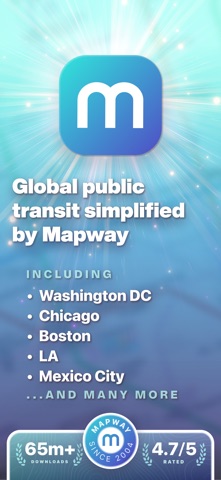

Public transit navigation can often feel like a stressful puzzle when exploring an unfamiliar city or dealing with unexpected morning delays. Mapway Inc. is tackling this exact commuter friction with their new utility, designed to streamline metro, subway, and bus travel globally. We secured early access to test the latest beta build and evaluate how it performs on current Apple hardware.
Getting your hands on pre-release software used to require jumping through hoops, but our Codewing platform makes the process frictionless. Read on for our comprehensive hardware breakdown, hands-on impressions, and a direct link to join the active TestFlight community.
Transition Journey — Quick Specifications
Developer: Mapway Inc.
About Transition Journey
Transition Journey serves as an all-encompassing public transit companion engineered to help commuters, tourists, and daily travelers navigate complex urban transport networks with total confidence. The app supports massive metropolitan systems across the globe, spanning cities like London, New York, Tokyo, Paris, Berlin, and dozens of other dense urban centers. Users rely on its detailed topological layouts to plot efficient courses above ground, underground, and across regional rail lines.
At its core, the software provides redesigned schematic maps built from the ground up for modern high-resolution mobile displays. You can fluidly pinch, zoom, and pan across detailed vector graphics to check specific station layouts, platform connections, and upcoming transit links. Mapway Inc. has focused heavily on making complex multi-modal transit systems feel entirely intuitive for both seasoned daily commuters and international travelers.
The developer, Mapway Inc., brings years of specialized cartographic and transit application experience to this project. Their engineering background shines through in how smoothly the interface renders dense transit data without overwhelming the user interface. Whether you are planning a multi-leg cross-city commute or checking the final connection home after a late night out, the core workflows remain fast and accessible.
Standout Features & What's New in this Build
This latest beta build introduces several experimental additions and refined utility tools designed to make urban transit tracking significantly more reliable. The development team has pushed several over-the-air map updates and interface optimizations to improve overall responsiveness.
- Interactive Network Maps: Redesigned schematic views for metro, subway, tram, rail, and bus lines with crisp vector rendering.
- Offline Route Planning: Robust pathfinding algorithms that function seamlessly underground or in areas with zero cellular signal.
- Crowdsourced Busyness Metrics: Real-time crowd reporting that helps travelers choose less congested carriages and stations.
- Live Departure Boards: Up-to-the-minute transit alerts and arrival schedules integrated directly into supported city profiles.
- First and Last Train Trackers: Essential schedule boundaries for premium subscribers trying to avoid getting stranded after hours.
The new offline routing engine stands out as a particular highlight during daily underground commutes where cellular dead zones are common. You can map out alternate connections mid-route without worrying about dropped packets or slow roaming speeds.

Hands-On Impressions: Performance, Battery, and Thermals
We tested this build extensively on flagship Apple Silicon hardware equipped with ProMotion displays, and the interface fluidity is immediately noticeable. Panning across intricate subway maps locks firmly to a buttery 120Hz refresh rate with zero dropped frames or micro-stutters. Touch responsiveness is instantaneous, meaning your pinch-to-zoom gestures track your fingertips with absolute precision.
Resource management during extended route-planning sessions is impressively well-optimized, maintaining cool device temperatures throughout use. Battery consumption remains remarkably low, draining only a fraction of a percent during prolonged GPS-assisted route checks and map exploration. The lightweight code architecture ensures your iPhone stays cool and responsive even when background transit syncs are actively processing.
"Mapway is reimagining how people move through complex cities by prioritizing clean vector rendering, instant offline fallback routing, and zero-latency user interfaces."
Beta stability has been largely rock-solid, though we did notice occasional minor layout shifts when rapidly switching between distinct global city networks. The development team maintains a rapid update cadence through TestFlight, frequently pushing hotfixes that address these minor visual quirks within days.
System Requirements & Requested Permissions
To run this beta build smoothly, your iOS device needs to be running iOS 15.0 or later, though optimal performance is experienced on recent A-series and M-series hardware. The app footprint is relatively lightweight, though downloading high-resolution offline map packages for multiple global cities will require a few hundred megabytes of free storage space. Apple's robust sandboxing ensures that all local user data and favorite stations remain securely isolated on your device.
Upon first launch, the app requests standard location permissions to automatically center maps on your current metropolitan area and suggest nearby stations. You can easily deny location access and still use the app manually by searching for specific cities and stations through the search bar. Optional local network and notification permissions are requested to handle live arrival alerts and background transit status updates effectively.
Pros & Cons: Beta Impressions
✓ The Highs (What We Love)
- Fluid Rendering: Butter-smooth 120Hz vector map panning and zooming.
- Offline Reliability: Full route planning capabilities underground and abroad.
- Global Coverage: Comprehensive transit maps spanning dozens of major world cities.
✕ Beta Caveats (Room for Polish)
- Live Data Limits: Real-time departure boards vary significantly by region.
- UI Quirks: Occasional minor layout adjustments needed when swapping networks.
- Slot Availability: TestFlight participant caps mean slots fill up quickly.

Current TestFlight Slot Situation & Availability
Apple enforces a strict 10,000-tester ceiling on all public TestFlight distribution links, making early access highly competitive for popular apps. When a developer pushes major experimental updates or feature expansions, active slots can vanish within hours as enthusiastic commuters rush to join. Timing is everything, and saving your spot early ensures you won't get locked out when capacity fills.
If you tap the invite link and encounter a message stating the beta is currently full, do not panic. Developers routinely purge inactive accounts and dormant users who haven't updated their builds, which frees up fresh slots weekly. Checking back during off-peak hours or keeping an eye on Codewing updates is your best strategy for securing access.
Step-by-Step TestFlight Installation Guide
Getting set up with the pre-release build takes less than two minutes once you follow these simple instructions:
- Download TestFlight: Ensure you have the official Apple TestFlight app installed on your iPhone or iPad from the App Store.
- Access the Invite: Tap our official Codewing TestFlight invitation link provided at the bottom of this page.
- Accept the Beta: Safari will automatically redirect you into the TestFlight app; tap the prominent "Accept" button to join the workspace.
- Install the Build: Tap "Install" to download the transition journey package onto your device storage.
- Submit Feedback: If you encounter bugs or visual glitches, use the built-in TestFlight screenshot reporting tool to send direct diagnostics to Mapway Inc.
Frequently Asked Questions
Is Transition Journey safe to install via TestFlight?
Yes, installation is completely secure. Every beta build goes through Apple's automated screening process and runs inside a strict iOS sandbox environment, protecting your personal data.
What should I do if the Transition Journey beta is full?
If the 10,000-user limit is reached, bookmark this Codewing page and check back periodically. Slots frequently open up as the developers prune inactive testers from the roster.
Will installing this beta overwrite my App Store version or delete save data?
TestFlight installs run as standalone preview packages alongside or replacing your stable app, but your saved favorite stations and preferences will transfer smoothly through cloud syncing.
How long do TestFlight beta invitations and builds last?
Individual TestFlight builds automatically expire after 90 days from their release date, requiring regular updates within the app to maintain access to new features.
Are in-app purchases free during TestFlight beta testing?
Yes, any subscription upgrades or digital goods tested within a TestFlight build utilize Apple's sandbox testing environment, meaning transactions are completely simulated at zero cost.
Final Editorial Verdict
Transition Journey proves to be an exceptionally polished transit utility that successfully cuts through the clutter of modern urban navigation. Its combination of butter-smooth vector mapping, reliable offline routing, and deep global city support makes it an essential download for frequent travelers. While live departure data varies by region, the core experience is already robust enough to replace standard mapping apps for daily commuting.
Developer Support & Official Resources
Stay updated on patch notes, maintenance windows, and feature roadmaps directly from the official developer channels.
Ready to Test Transition Journey?
Apple limits public TestFlight betas to 10,000 testers. Tap below to launch TestFlight and claim your testing slot before capacity is reached.
Join Transition Journey Beta on TestFlight →