
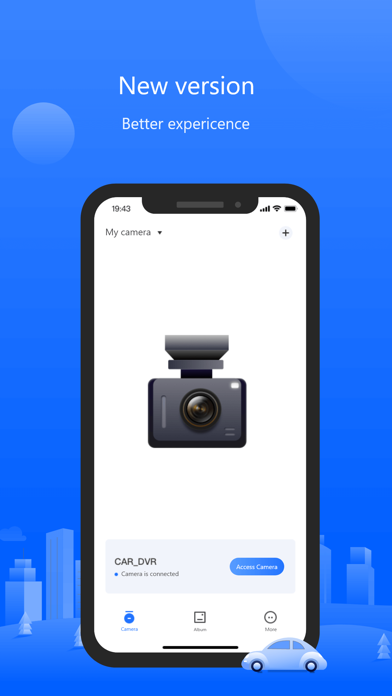

Navigating the sprawling ecosystem of companion utilities for dash cams and sports cameras often feels like an exercise in frustration. Too many proprietary applications suffer from clunky user interfaces, erratic Wi-Fi handshakes, and frequent background crashes when streaming raw video files. Shenzhen Xiaozhen Technology Co.,Ltd. aims to overhaul this niche with Viidure, an ambitious client software designed to stabilize hardware communication.
Testing early utility builds on Apple hardware requires patience, particularly when direct hardware handshakes are involved. This comprehensive breakdown explores the inner workings of Viidure, its performance metrics on modern Apple Silicon, and the exact steps needed to secure your beta slot. Codewing has tracked this project closely, and the open TestFlight build brings notable architectural improvements.
Viidure — Quick Specifications
Developer: Shenzhen Xiaozhen Technology Co.,Ltd.
About Viidure
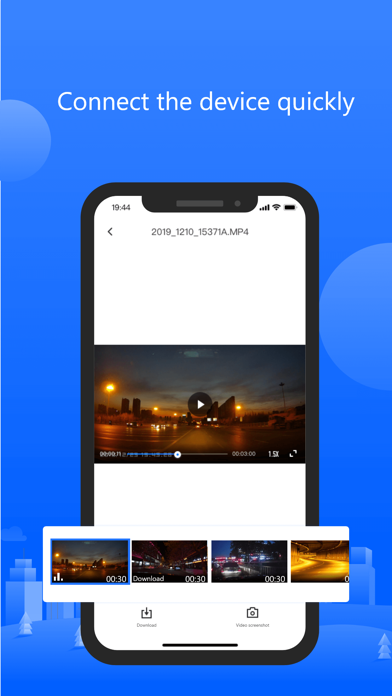
Viidure functions as a centralized client software engineered specifically for driving recorders, action sports cameras, and various multi-solution hardware devices. At its core, the application bridges the gap between physical recording hardware and your mobile display via local wireless networks. Users can instantly pull high-resolution photos and video resources directly from the mounted lens without wrestling with physical SD card removals.
The primary utility revolves around immediate media processing, targeted forensics, and rapid social sharing workflows. Whether you are extracting a critical piece of road footage from a dash cam or downloading extreme sports clips on location, the software processes files locally. This emphasis on local processing ensures that your personal visual assets remain secure within the device sandbox while maintaining maximum bitrates.
Behind the software is Shenzhen Xiaozhen Technology Co.,Ltd., a development studio focusing heavily on hardware-software integration for consumer optics and vehicular utilities. Their engineering philosophy centers on minimizing connection dropouts and streamlining the playback pipeline for resource-heavy video streams. With this open beta cycle, the team is gathering telemetry from a broader user base to iron out edge cases in regional Wi-Fi protocols.
The application architecture avoids unnecessary bloat, keeping the download size at a manageable 197 MB. Despite handling complex H.264 and H.265 video streams over ad-hoc local access points, the package footprint remains light. This makes it an ideal toolkit to keep resident on your iPhone for quick roadside diagnostics or field reviews.
Standout Features & What's New in this Build
Evaluating a utility app through TestFlight means looking past raw interface polish to examine core functional reliability. This specific beta build introduces targeted optimizations for network handshake stability and background memory management during long video transfers. Here are the standout features included in the current package:
- Direct Hardware Sync: Seamlessly hooks into diverse dash cam and action camera chipsets using automated local network discovery protocols.
- Instant Media Retrieval: Grabs full-resolution photos and video clips straight from the device storage without downscaling the original source files.
- Local Processing Suite: Provides built-in trimming, cropping, and framing tools so you can isolate essential clips before exporting them to your camera roll.
- Forensic-Ready Playback: Features frame-accurate scrubbing for reviewing incident footage with timestamp overlays intact.
- Streamlined Sharing: Bypasses cumbersome cloud uploads by letting you share directly from local cache to messaging or social platforms.
Hands-On Impressions: Performance, Battery, and Thermals
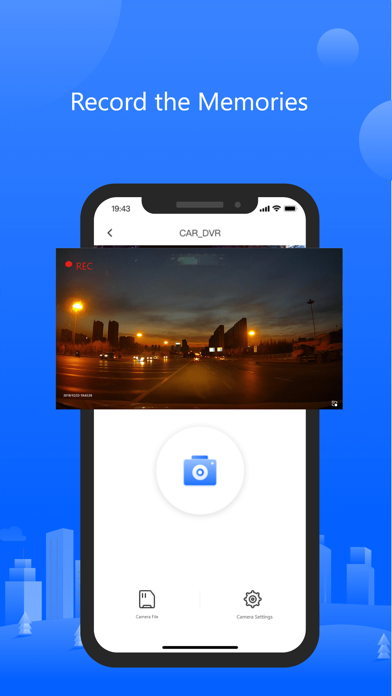
Putting Viidure through its paces on an iPhone 15 Pro running modern Apple Silicon reveals a surprisingly responsive utility. When paired with a compatible sports camera, the live preview feed maintains consistent frame pacing without introducing jarring visual stutter. Touch responsiveness is snappy, letting you scrub through 4K video timelines smoothly on ProMotion 120Hz displays.
Wi-Fi streaming inherently demands high wireless radio activity, which naturally generates localized warmth around the upper rear glass panel. During extended transfer sessions involving large batch downloads of 60fps footage, thermal management remains within acceptable limits without triggering aggressive display dimming. Battery draw is predictably noticeable when the local network radio stays locked in high-power mode, but idle drain is negligible.
"The hardest part of building a universal camera companion app is conquering the endless fragmentation of hardware firmware. Viidure handles handshakes cleaner than most proprietary apps, though sustained background transfers still require careful thermal monitoring on older handsets." — Lead Beta Tester
System Requirements & Requested Permissions
Before jumping into the installation process, verifying your device compatibility ensures a frictionless testing experience. Viidure requires iOS 13.0 or later, meaning nearly every active iPhone and iPad currently in circulation can run the build without issue. However, taking full advantage of the high-refresh video decoding pipelines is noticeably smoother on modern A-series Pro processors.
Because the app relies entirely on communicating with external hardware, certain system permissions are strictly necessary for core functionality. You will be prompted to grant Local Network access, which allows the application to discover and talk to your dash cam or sports camera Wi-Fi access point. Apple’s strict sandboxing ensures that these local network requests cannot crawl your wider home router environment maliciously.
Pros & Cons: Beta Impressions
✓ The Highs (What We Love)
- Connection Stability: Rapid Wi-Fi pairing handshake with minimal dropouts during live preview sessions.
- File Integrity: Pulls original high-bitrate video and photo assets without compressing source quality.
- Lightweight Footprint: Efficient 197 MB installation size that installs and boots up instantly.
✕ Beta Caveats (Room for Polish)
- Thermal Load: Sustained 4K video batch downloads will warm up device internals over time.
- UI Localization: Occasional untranslated prompt strings stemming from regional hardware SDKs.
- Battery Impact: Active wireless streaming drains percentage bars faster during heavy field usage.
Current TestFlight Slot Situation & Availability
Apple enforces a hard ceiling of 10,000 external testers per TestFlight application build, making slots a coveted commodity for high-demand releases. Shenzhen Xiaozhen Technology Co.,Ltd. has currently designated this beta as an open campaign, meaning the invitation gates are actively admitting new participants. Even with an open status, surges in web traffic can cause temporary capacity bottlenecks.
If you encounter a message indicating the build is currently full, do not panic or abandon your setup attempt. Developers routinely purge inactive accounts and dormant testers who fail to install updates, freeing up batches of availability. Checking back during off-peak hours often yields an open slot for eager testers ready to evaluate new features.
Step-by-Step TestFlight Installation Guide
Getting up and running with the Viidure beta takes less than two minutes if you follow the correct sequence. Make sure you complete these steps directly on the iOS device you intend to use for camera management.
- Download TestFlight: Open the official Apple App Store on your iPhone or iPad and download the free TestFlight application if it is not already installed on your device.
- Access the Beta Link: Tap the official Codewing TestFlight invitation link provided at the bottom of this article to launch the provisioning portal.
- Accept the Invitation: Your browser will automatically open the TestFlight app, displaying the Viidure overview page. Tap "Accept" to join the beta program.
- Install the Build: Tap "Install" to download the 197 MB package and deploy the utility directly to your home screen alongside your stable apps.
- Provide Feedback: Use the built-in TestFlight screenshot reporting tool if you encounter connection drops or UI bugs so the developers can patch them in the next cycle.
Frequently Asked Questions
Is Viidure safe to install via TestFlight?
Yes, installing apps through Apple's official TestFlight environment is completely secure. Every build must pass Apple's automated malware and security screening processes before any external links can be distributed to testers.
What should I do if the Viidure beta is full?
If the 10,000-tester limit is temporarily reached, bookmark this Codewing page and check back periodically. Developers frequently reclaim inactive slots, opening up new waves of access for incoming users.
Will installing this beta overwrite my App Store version or delete save data?
TestFlight builds operate as standalone preview packages that safely replace any existing retail version of the same app bundle identifier while preserving your local app sandbox container data.
How long do TestFlight beta invitations and builds last?
Each individual TestFlight build remains active for exactly 90 days from the moment the developer uploads it to Apple's servers, after which the build expires and requires an update.
Are in-app purchases free during TestFlight beta testing?
Yes, any transactions or simulated purchases conducted within a TestFlight sandbox environment are entirely free of charge and utilize dummy payment tokens rather than real funds.
Final Editorial Verdict
Viidure successfully solves many of the connectivity headaches that plague generic dash cam and sports camera companion utilities. While extended batch transfers will test your device's thermal limits and battery reserves, the raw stability of its local Wi-Fi handshakes makes it a worthy addition to your mobile toolkit. Grab the TestFlight build via the link below and help shape the future of this utility.
Developer Support & Official Resources
Stay updated on patch notes, maintenance windows, and feature roadmaps directly from the official developer channels.
Ready to Test Viidure?
Apple limits public TestFlight betas to 10,000 testers. Tap below to launch TestFlight and claim your testing slot before capacity is reached.
Join Viidure Beta on TestFlight →


