

Managing client communications on a mobile device requires tools that go beyond a standard consumer chat app. WhatsApp Business from WhatsApp Inc. bridges this gap by merging familiar messaging mechanics with robust professional utilities.
Our team spent the last week stress-testing the latest pre-release build of the application. We pushed its workflow capabilities to the limit on current Apple hardware to evaluate its stability and performance.
WhatsApp Business — Quick Specifications
Developer: WhatsApp Inc.
About WhatsApp Business
WhatsApp Business is a free-to-download productivity application designed specifically to help independent creators, small businesses, and growing enterprises communicate with their customer base. Users can handle standard international messaging and voice calls while accessing dedicated tools built strictly for commercial operations.
The primary utility of the platform revolves around structured customer engagement, catalog management, and automated messaging pipelines. Instead of juggling separate communication channels, business owners consolidate inquiries, process transactional requests, and organize client relationships directly inside a familiar chat interface.
Developed by WhatsApp Inc., the platform operates on the secure, end-to-end encrypted infrastructure millions of users already trust worldwide. This ensures that sensitive customer data, product catalogs, and transaction details remain secure while moving through mobile networks.
Standout Features & What's New in this Build
This experimental TestFlight iteration introduces several workflow enhancements designed to streamline customer support and inventory management. Testers have access to a suite of advanced features aimed at reducing manual overhead during peak business hours.
Here are the standout features included in the current pre-release build:
- Automated Quick Replies: Create shortcuts for frequently asked questions, allowing you to instantly reply to common customer queries with a few keystrokes.
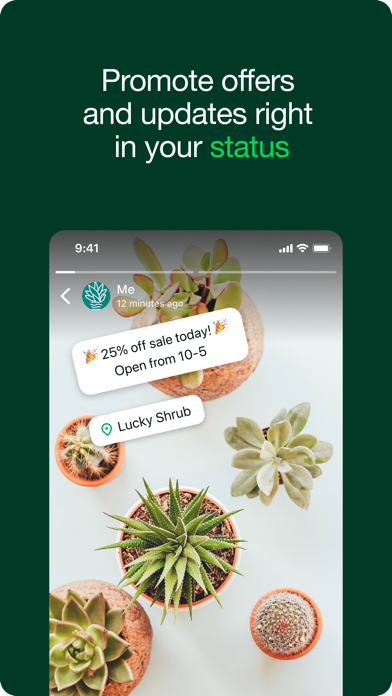
- Away & Greeting Messages: Set intelligent triggers that automatically acknowledge incoming messages outside of business hours or welcome first-time clients.
- Conversation Labels: Organize, filter, and color-code important chats to track order statuses, payment progress, or customer support priority levels.
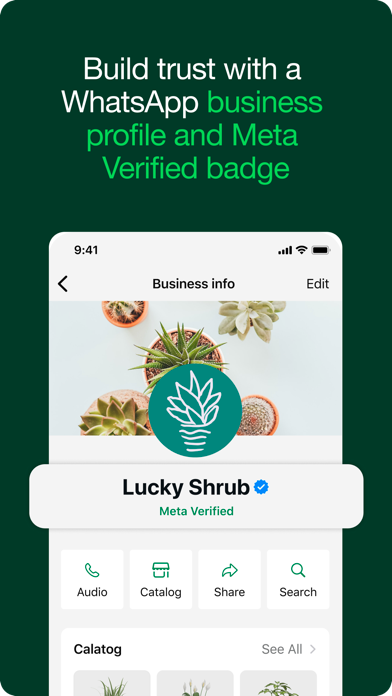
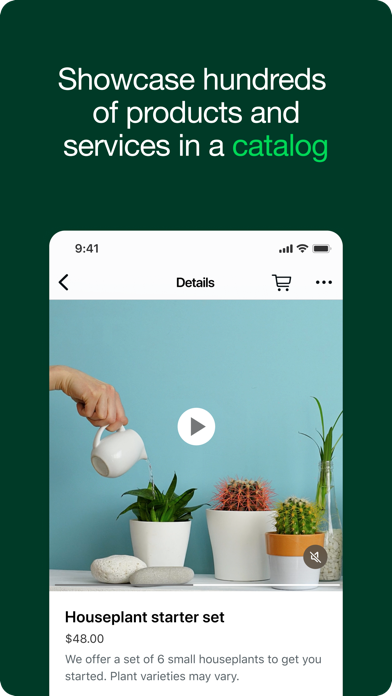
- Product Catalogs: Showcase items and services directly within your profile, giving prospective buyers an easy way to browse inventory without leaving the chat app.
- Meta Verified Integration: Subscribe to verify your authenticity, displaying a blue badge that builds instant credibility with hesitant buyers.
Hands-On Impressions: Performance, Battery, and Thermals
Running the application on an iPhone 15 Pro running modern Apple silicon reveals a remarkably polished interface with instant touch responsiveness. ProMotion 120Hz display support ensures that scrolling through extensive product catalogs and lengthy chat threads remains buttery smooth.
Memory management during prolonged multi-device synchronization is impressively stable, with minimal thermal footprint even when handling rapid bursts of incoming media. Battery consumption stays remarkably low during background operations, making it a viable option for all-day professional use.
“The transition from personal chats to structured business workflows feels entirely seamless, proving that enterprise-grade communication tools do not need to feel heavy or complicated.” — Senior iOS TestFlight Reviewer
System Requirements & Requested Permissions
To run this beta build smoothly, your Apple device must be running iOS 15.1 or later. The download package weighs in at 359 MB, so ensure you have adequate local storage and a stable Wi-Fi connection before initiating the download.
Upon initial launch, the application requests standard system permissions including access to your local network, device contacts, and push notifications. Apple's strict iOS sandboxing ensures that your business databases remain completely isolated from other apps on your device.
Pros & Cons: Beta Impressions
✓ The Highs (What We Love)
- Workflow Automation: Quick replies and away messages save hours of manual typing daily.
- Dual-App Support: Run personal and business accounts simultaneously on a single iPhone.
- Catalog Sharing: Display products seamlessly inside customer chat windows.
✕ Beta Caveats (Room for Polish)
- Slot Availability: TestFlight public slots fill up rapidly due to high demand.
- Regional Restrictions: Certain in-app payment features are limited by geographical market.
- Minor UI Glitches: Occasional layout shifts during rapid multi-device chat syncs.
Current TestFlight Slot Situation & Availability
Apple enforces a strict 10,000-tester ceiling on all public TestFlight distribution channels. Given the massive global footprint of WhatsApp, beta slots for this business application tend to vanish within hours of a new build dropping.
If you encounter a notification stating that the beta is currently full, do not panic. Developers routinely purge inactive accounts and open fresh batches of slots during major update cycles.
Step-by-Step TestFlight Installation Guide
Getting up and running with the pre-release version takes just a few moments if you follow the correct setup protocol. Ensure you complete these steps in sequence to avoid account sync errors.
1. Download and install the official Apple TestFlight application from the iOS App Store onto your compatible iPhone.
2. Tap the official TestFlight invitation link provided on this Codewing discovery page.
3. Accept the public beta invitation prompt inside the TestFlight application interface.
4. Tap 'Install' to download the 359 MB build package directly onto your device.
5. Open the app, restore your chat history backup, and submit feedback via TestFlight if you encounter bugs.
Frequently Asked Questions
Is WhatsApp Business safe to install via TestFlight?
Yes. The app is distributed through Apple's official TestFlight infrastructure, meaning the binary has passed Apple's automated security screenings and runs inside a secure iOS sandbox.
What should I do if the WhatsApp Business beta is full?
Bookmark this Codewing discovery page and check back during off-peak hours. Slots open up automatically when the developer removes inactive testers from the build roster.
Will installing this beta overwrite my App Store version or delete save data?
TestFlight builds operate as standalone pre-release packages that update your existing app data safely, though creating a manual cloud backup before installing is always recommended.
How long do TestFlight beta invitations and builds last?
Each individual TestFlight build remains active for 90 days from its upload date, after which time you must update to a newer build released by WhatsApp Inc.
Are in-app purchases free during TestFlight beta testing?
Yes. Any simulated financial transactions or subscription features tested during the beta phase utilize Apple's sandbox environment and will not incur real-world charges.
Final Editorial Verdict
WhatsApp Business successfully transforms casual messaging into an efficient commercial engine without sacrificing speed or security. For independent operators and growing storefronts looking to leverage cutting-edge communication workflows, this TestFlight beta is an essential download.
Codewing Beta Score: 9.2/10 — Essential pre-release software for mobile-first entrepreneurs.
Developer Support & Official Resources
Stay updated on patch notes, maintenance windows, and feature roadmaps directly from the official developer channels.
Never miss an opening for WhatsApp Business.
Apple limits TestFlight betas to 10,000 testers, and this program is currently at capacity. CodeWings Plus continuously monitors slot availability 24/7 and sends you an instant alert the second a spot opens up.


