How to Join Biblio.ink: 3D Bookshelf Beta on iOS




About Biblio.ink: 3D Bookshelf
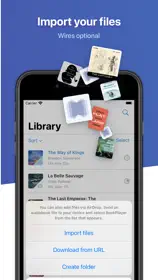
Your unified library in 3D, your physical books and ebooks live together. Drop in an EPUB or PDF and watch it become a hardcover you can pick up, browse, and read.
Biblio turns a folder of files into a library you actually want to visit.
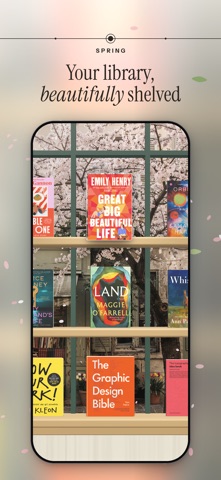
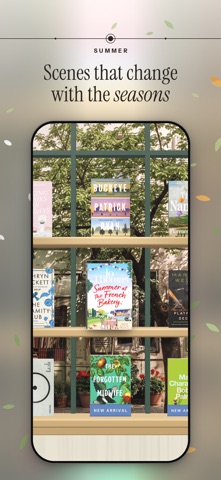
Every book stands on a real 3D shelf, spine, cover, and page edges you can reach in and pick up, turn over, and start reading. A pile of downloads becomes a collection you browse the way you browse a bookshelf at home.
One library, every kind of book
Your ebooks and your physical books live side by side. Scan a barcode, photograph a whole shelf at once, search by title or author, or add a book by hand. However it arrives, it stands on the same shelf.
See your collection, your way
- Shelf: your whole library on beautiful 3D shelves; pinch to see every book at once
- Cascade: flip through your books like flipping through records
- Map: Your library on a world map: books pin to the places they're about, and tapping a place fans out its covers. Pan, zoom, and switch between Map and Constellation in the Graph view.
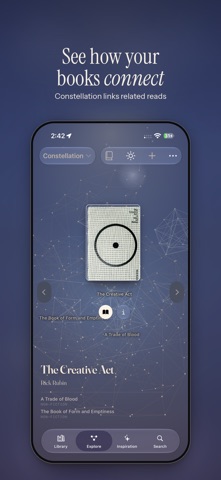
- Constellation: a quiet map of how your books connect to one another
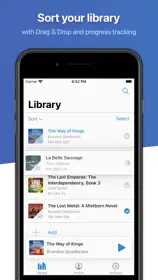
- List: search, sort, and organize in a tap
A reader that gets out of the way
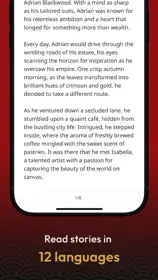
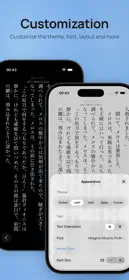
Clean typography, smooth page turns, and a layout built for long reading. PDFs support markup with Apple Pencil. Your place is always saved.
Share a shelf with anyone
Publish a shelf to your own page at biblio.ink and send the link to a friend — no account required to view.
Yours, and private
Biblio is local-first: your library lives on your device. Turn on iCloud to keep it in sync across iPhone, iPad, and the web, privately.
Biblio is for people who love books — not just reading them, but keeping them, arranging them, and coming back to them.
Terms: https://biblio.ink/terms