DailyCal TestFlight Beta
Getting Started with the DailyCal Beta


About DailyCal
- *DailyCal — Make your day manageable**
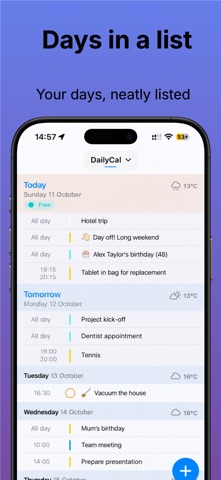
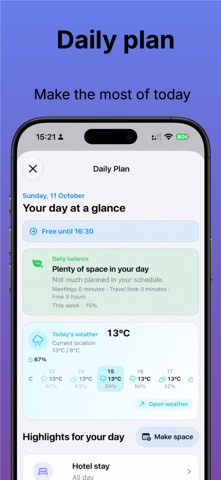
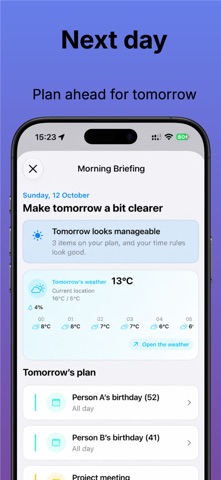
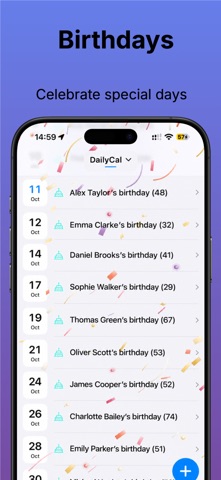
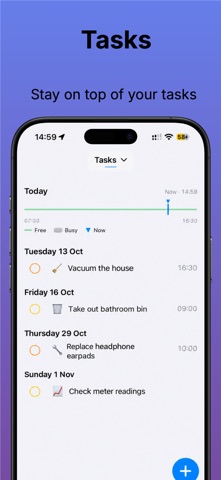
DailyCal brings calendars, reminders, travel time and practical planning tools together in one calm, flexible agenda. See what matters today, understand what is coming next and adjust your plan when life changes.
- *Plan with confidence**
- Planning Check highlights overlaps, protected time, tight transitions and rolling appointments.
- Plan B suggests practical alternatives when your schedule no longer fits.
- Review conflicts across the calendars you choose, including hidden calendars when enabled.
- Find free time with flexible durations, day parts, weekend preferences and calendar selection.
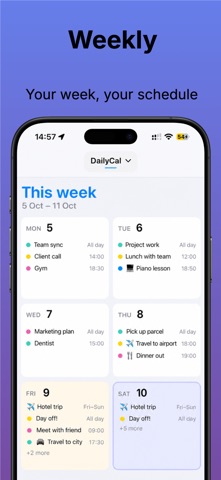
- Use My Week to see appointments, travel time, available time, open tasks, conflicts and days with little room.
- Keep ongoing appointments visible until you mark them complete.
- *Appointments that adapt**
- Reschedule an appointment to tomorrow, next week or a chosen date while keeping its duration, reminders and DailyCal settings.
- Plan a follow-up using the same title, location, calendar and duration.
- Manage recurring appointments and apply visual changes to one occurrence or the whole series.
- Use preparation, travel, related appointments, notes, time zones and sharing from the appointment details screen.
- Open the standard Apple Calendar editor for normal calendar fields.
- Delete, cancel or save appointments with a smoother return to your agenda.
- *Travel planning**
- Choose your current location or a saved departure address.
- Set a default departure point in Settings or choose one for an individual appointment.
- Plan outbound and return journeys with realistic travel time.
- Keep a saved departure address available when location access is unavailable.
- Refresh travel estimates automatically according to how soon the appointment is due, while avoiding unnecessary recalculation.
- *Weather where you need it**
- Show weather for appointment locations in appointment details and agenda views.
- See a separate weather indicator for remote locations, where available.
- Search text locations through Maps with a geocoder fallback.
- Understand why weather is unavailable and retry when appropriate.
- Keep ordinary daily weather alongside location-specific weather.
- *Faster ways to add appointments**
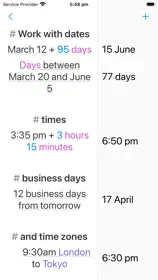
- Plan with natural language, including dates, times, “now” and all-day appointments.
- Create appointments from text, screenshots, shared content and .ics files.
- Use appointment templates with a title, duration, calendar, location and alerts.
- Choose your preferred Quick Add action and use tap or long press to open it.
- Create a new appointment, plan with text or use a template from the Quick Add menu.
- *A calmer, clearer experience**
- Search Settings by pulling down or using the search button.
- Search appointments and reminders by title, notes, location, calendar, links and date phrases.
- Use filters, suggestions, recent searches and helpful next steps when there are no results.
- Choose the calendars and reminder lists shown in your agenda.
- Switch between calendar sets and manage colours, solid appearance and automatic appearance rules.
- Use a spacious year view or compact month tiles.
- Navigate the Time Compass smoothly between months.
- *Built for the way you use your device**
- British English and translations for Dutch, German, French, Spanish, Italian, Portuguese, Japanese and Norwegian.
- VoiceOver names and actions throughout the app.
- Support for larger text, reduced motion, increased visual accessibility and handed controls.
- Widgets, Live Activities and Apple Watch support for the information you need at a glance.
- DailyCal Plus unlocks templates, Planning Check, My Week, ongoing appointments, advanced planning tools and more.
Privacy Policy: https://apps.mjanssen.nl/privacy-policy/
Terms of Use (EULA): https://www.apple.com/legal/internet-services/itunes/dev/stdeula/