Open now
Getting Started with the DiffPeek Beta



About DiffPeek
Your files arrive on your phone. You don't need to wait until you're back at a computer.
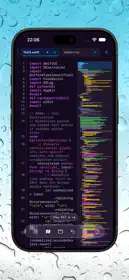
DiffPeek is a native app for iPhone and iPad: read code, check configs, compare versions — all in one place. Source files stay read-only.
COMMON SITUATIONS
- A colleague sends a config file or a log — take a look before deciding to head back to your desk.
- Two versions of code, JSON or a table — see which lines actually changed.
- Two screenshots or design drafts — find the pixel-level differences.
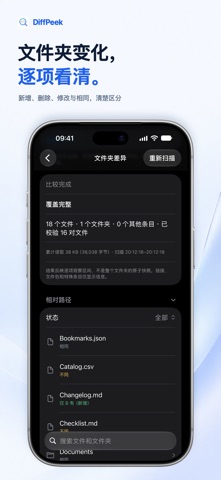
- A backup and the original — confirm which files inside a folder were touched.
READING AND PREVIEWING
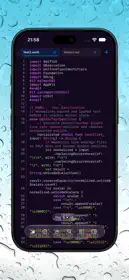
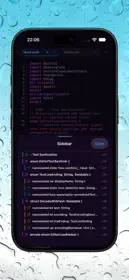
- Syntax highlighting, line numbers, full-text search, copy, structure navigation and read-only folding; large files load page by page instead of waiting for the whole document.
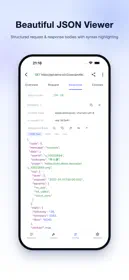
- Preview JSON trees, Markdown, CSV tables, LaTeX, PDF, Office files, images, SVG, HEX and ZIP archives, with read-only access to files inside.
- Language detection, plus manual selection that the app remembers.
COMPARING
- Text: line-level diff in side-by-side, stacked or single-column layout, synced scrolling, ignore whitespace, added and removed counts.
- Structured: JSON by structure, XML after formatting, CSV by cell and unique key.
- Images: side-by-side, overlay, slider and pixel diff, keeping HDR highlights the system supports.
- Bytes: offset-by-offset comparison with HEX / ASCII paging.
- Folders: paired by relative path, showing added, removed and changed items; open any item read-only.
- Git / Unified Diff files: file list, path filter, jump by file or hunk.
FILES AND RESULTS
- Tabs, favorites, recent files and recent comparisons; multi-window and drag-in on iPad.
- Each side shows the fixed input's attributes and a copyable SHA-256, so you can confirm which version you compared.
- Export an exact patch or a report that states the comparison strategy, written to a new file without overwriting inputs or existing targets.
READ-ONLY AND ON DEVICE
- No account or sign-in.
- Preview, search, highlighting and comparison run on the device.
- Source files are read-only; there is no body editing, saving or merging back.
- iCloud Drive and third-party file providers may need a network connection.