How to Join Farrix Beta on iOS


About Farrix
Farrier Fleet helps farriers keep clients, horses, appointments, shoeing records, hoof photos, and loadouts organised in one place.
Designed around the day-to-day needs of working farriers, Farrier Fleet helps you plan your week, see which horses are due or overdue, log visits quickly, and build a clear visual history for every horse.
Spend less time chasing details and more time getting work done.
Key features
Client & horse management
Store client details, addresses, horse profiles, notes, shoeing history, and important records in one easy-to-use system.
Smart scheduling
Plan appointments, track due dates, and see which horses are coming up or overdue without relying on memory or scattered notes.
Visit logging
Record work completed, update shoeing details, add notes, and keep each horse’s history accurate after every visit.
Hoof photo tracking
Capture and organise hoof photos by horse, visit, and hoof section. Build a clear visual record over time so you can monitor changes and compare progress.
Photo markup
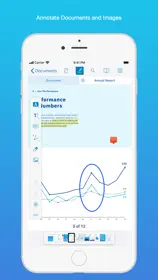
Mark up photos directly in the app to highlight cracks, flare, damage, balance concerns, or areas to watch.
Visit history with photos
Keep shoeing notes, dates, photos, and changes connected to each visit, so every horse has a useful record rather than scattered images in your camera roll.
Client reminders
Reduce no-shows by sending next-day appointment reminders to clients in seconds.
Loadout planning
See what shoes and equipment you are likely to need for upcoming work, helping you prepare before you leave.
Offline-friendly
Designed for mobile work on the road, in the yard, and between visits. Keep working with poor signal, then sync when you’re back online.
Cross-device syncing
Keep your records available across devices so your information stays up to date.
Subscription & access
Farrier Fleet includes a free trial. After the trial, an active subscription is required to continue using full functionality. If you choose not to subscribe, you can still view your existing data at any time.
Subscriptions renew automatically unless cancelled at least 24 hours before the end of the current period. Manage or cancel in iPhone Settings → Apple ID → Subscriptions. Use Restore Purchases in the app to re-enable access on a new device.
Privacy
No ads. No tracking.
Need help? Contact: [email protected]
Legal
Terms of Use (EULA): https://www.apple.com/legal/internet-services/itunes/dev/stdeula/
Privacy Policy: https://simongfleet.github.io/farrier-legal/privacy.html
Terms & Conditions: https://simongfleet.github.io/farrier-legal/terms.html