HomeDisplay TestFlight Beta
Getting Started with the HomeDisplay Beta


About HomeDisplay
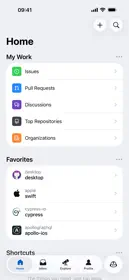
HomeDisplay turns an iPad into a screen for the home. There is no account and no sign-in. In this beta build, all features are free; there is no paywall and no in-app purchase. Without any permission given, the reviewer can try: the clock faces (touch and hold the clock to change it), Radio (Favorites › Browse Stations), Timers, Recipes (three examples under "To Try"), the Board (draw with a finger) and Settings. Features that need the user's data or accessories: • Home uses HomeKit. With no home set up on the device, the Home screen explains it is empty. Locks, lights, thermostat, cameras and the doorbell need HomeKit accessories (they can be simulated with HomeKit Accessory Simulator). • Weather needs the location (asked once, approximate is enough). • Calendar and the shopping list read the device's Calendar and Reminders. • Music needs an Apple Music subscription for the library. Front camera: "Detect Approach" (Settings › Screen) uses Vision on the device, about two frames per second, to tell whether a face is close and show the controls. No image is recorded, stored or sent, and no face is recognized. The camera is only used after the user allows it. Background audio is used to keep the radio playing when the iPad is locked. Arbitrary loads are allowed because many radio stations stream over plain HTTP (Icecast); everything else uses HTTPS.