Spot availability
Full right now · since Oct 30Public TestFlight betas are capped at 10,000 testers, so spots open only now and then. Here is when they opened recently and how long they lasted.
Recent openings
- Oct 28 · 4:03 AMopen 2 days
Use Notify Me to get an alert the moment they do.
Open right now, similar to iCarCast
Betas taking testers at the moment, checked by CodeWing.
Getting Started with the iCarCast Beta




About iCarCast
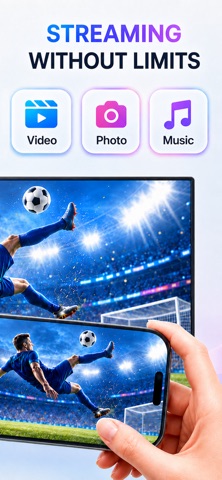
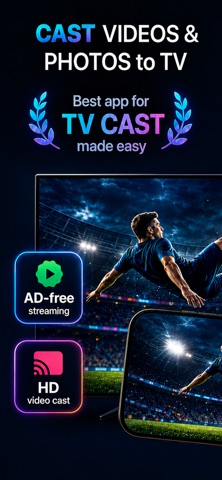
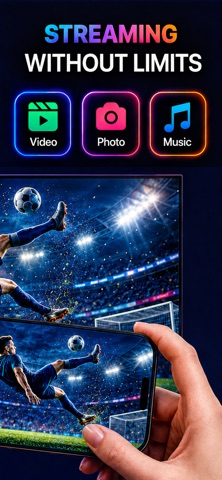
Cast photos, videos, and more from your iPhone to your TV in seconds with the Miracast App.
Miracast helps you enjoy your favorite media on the big screen without complicated setup. Share photo albums, watch personal videos, play music, and stream and control your casting session directly from your iPhone. Whether you are sharing vacation memories, watching home videos, or playing music at home, the Miracast App makes it easy to connect, choose your content, and start casting.
MAIN FEATURES
- Cast Videos
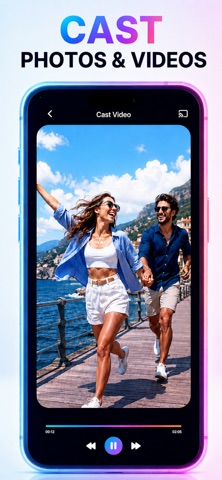
Stream videos from your iPhone to your TV with simple playback controls. Great for home videos, saved clips, family moments, and personal media.
- Cast Photos
View your favorite photos on your TV instead of passing your phone around. Browse your photo library, select what you want to share, and enjoy your memories on a bigger screen. Wireless display to your TV made easy!
- Cast Messages
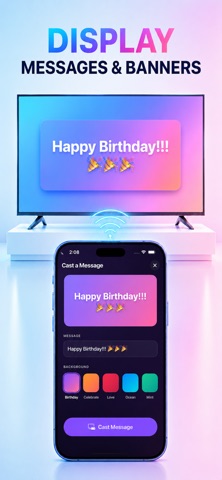
Cast custom banner messages to the TV like Happy Birthday and Congratulations, with text and emojis and backgrounds, great for parties and events.
- Screen Mirroring
Cast screen in landscape mode and portrait mode to TV using live streaming technology.
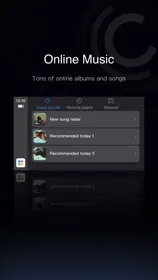
- Stream Music
Play songs and playlists on compatible devices and control playback from your phone.
- Fast Device Discovery
Find compatible casting devices on your Wi-Fi network and connect quickly.
- Simple Playback Controls
Control your media from one clean interface. Pause, skip, adjust volume, manage playback, and keep the experience simple.
- Auto-Connect Support
Reconnect to your last used device faster, so you can spend less time setting up and more time watching.
- Clean, Modern Design
Miracast is built to feel simple, polished, and easy to use. No cluttered menus. No confusing setup. Just open the app, connect, and cast.
HOW IT WORKS
1. Connect your iPhone and casting device to the same Wi-Fi network.
2. Open Miracast App and select an available device.
3. Choose photos, videos, or music from your iPhone.
4. Start casting to your TV.