Open now
Getting Started with the Label Mate Beta




About Label Mate
Scan a vinyl record with your phone and instantly hear the music.
Print labels for vinyl gig prep, selling, and fun
No typing. No searching.
Made for DJs, by a DJ.
PLAYBACK
- Preview first - listen to one track immediately, to get a vibe. Tap in for full tracklist.
- Full tracks via Apple Music or YouTube with album artwork and tracklist
- Unified queue: play an entire album with playback controls and waveform view
- Per-track artist resolution for "various artists" compilations
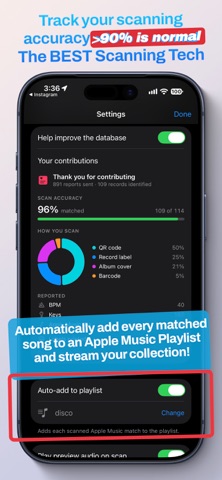
- Save everything you scan to an Apple Music playlist of your choosing
DJ TOOLS AND PRINTING
- Musical key and BPM detection and tap tempo (verify with Doctor Beat + Doctor Key)
- Swipe up the album art on the player for a pitch-adjust / 4 bar looper
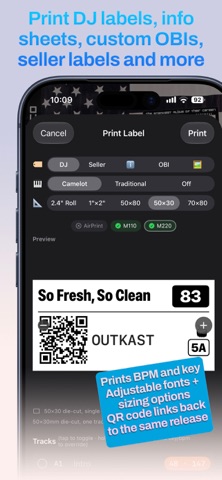
- BPM on label printing for gig preparation among various label print size options
- Credits display for advanced release details
- Print stickers of album artwork
- Preview Loop for quick bpm check
- Custom OBI strips place your image across the spines
- Music receipt printing for a gig keepsake for that person asking "what song is this?"
FOR COLLECTORS
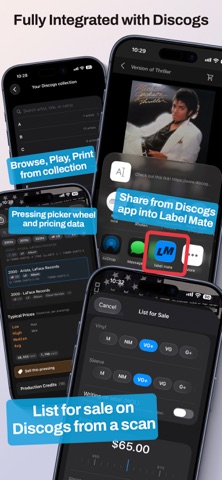
- Discogs marketplace pricing, haves/wants ratio, artwork display
- Scan history with artwork, timestamps, and export to CSV
- 1 tap add/remove from Discogs have/want lists
- List for sale on your Discogs storefront
- Auto-add to Discogs collection on any successful scan, for users who aren't picky about exact release.
SUPPORTED PRINTERS
- Phomemo m110 + m220 + d30
- AirPrint compatible Brother QL line continuous roll printers
- Rollo
- A4/A3/Letter/Legal card-stock compatible standard sheet printers
PRO
- Free tier includes 5 scans per day and 3 prints per day, go unlimited with Pro
An Apple Music subscription is required for full playback and saving to your library; 30-second previews work without one.
Apple's Standard Terms of Use apply: https://www.apple.com/legal/internet-services/itunes/dev/stdeula/