StudiFoca TestFlight Beta
Open now
Getting Started with the StudiFoca Beta


About StudiFoca
Coursework management built for the neurodivergent brain, not against it.
StudiFoca is a course planner designed for neurodivergent students. Your courses, assignments, assessments, class meetings, grades, and remaining work, all in one place.
- Course and Term Setup
Set up your academic term and courses manually, import from a Canvas or Brightspace iCal feed, or start from a PDF syllabus. Class meeting times import when your school's feed includes them; due dates always do.
- PDF Syllabus Import
Choose a syllabus PDF and StudiFoca suggests the course details, meeting times, and instructor details, read on your device by Apple Intelligence. On iOS 27 or later, an optional setting—Read coursework with Private Cloud Compute—also finds the assignments and exams, with due dates where the syllabus gives them. It sends the syllabus text to Apple's Private Cloud Compute, never to StudiFoca's developer. It's off by default, and Apple sets a daily usage limit. Everything suggested can be reviewed and adjusted before anything is added. On-device reading requires iOS 26 and a device that supports Apple Intelligence.
- Assignment and Assessment Tracking
Assignments and assessments support due dates, point values, and weighted categories. Courses can use letter grades with or without plus/minus, S/P/F, Pass/Fail, or Audit. For letter-graded courses, add each grade as results post and your current grade updates—pick a target grade and see the average you still need to reach it.
- Step-by-Step Breakdown
Every assignment can be broken into steps, each sized in minutes of work. Steps unlock one at a time as earlier ones are completed, keeping the next action clear without extra planning overhead.
- Workload Heat Map
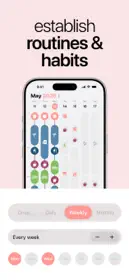
Your semester's workload at a glance: by week, month, or full term. The heat map forecasts when each assignment's work is likely to happen—on the days you've scheduled steps, from a start date you've set, or in the stretch before it's due—and shows how much of each day it takes. Exams count too.
- Agenda
A day-by-day view of classes and due items, including the steps you've scheduled for assignments already underway.
- Calendar and Reminders
Optionally sync class meetings and assignment and assessment due dates to your calendar, and scheduled steps to Reminders. StudiFoca writes to whichever account your device already uses for new events—iCloud for most people, or a Google or work account if that's your default. Once synced, your schedule is available in every app that reads your calendar, including Siri.
- Widgets
Home Screen widgets show today's classes and what's due today, at a glance.
Free tier: 1 term, 2 courses, all features.
Full Load: unlimited terms and courses. One-time purchase.
No subscriptions. No account required. No data collected by StudiFoca. Your coursework stays on your device unless you turn on calendar sync or Private Cloud Compute coursework reading.