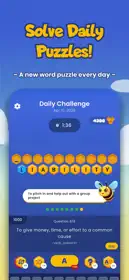
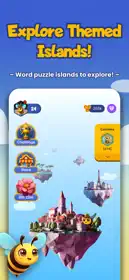
How do I join the Tower Bloka TestFlight beta on iOS?
First, download Apple's official TestFlight app from the App Store on your iPhone. Then return to this page and select "Get Early Access" above. Your device will automatically open TestFlight and prompt you to accept the developer's beta invitation. Tap "Accept" and then "Install" to start testing Tower Bloka. If it says "This beta is full", tap "Get Slot Alerts" to be told when a slot opens.
Is testing Tower Bloka on TestFlight safe and free?
Joining is free, and TestFlight is Apple's official beta testing service. Apple reviews beta builds before they can be shared through a public link, and beta apps run in the same sandbox as App Store apps, so they can't access your data without your permission. Betas can still have bugs. The beta is made by Konstantin Boronenkov.
Do in-app purchases or subscriptions cost real money during TestFlight beta testing?
No. In TestFlight, Apple connects all transactions to its free Sandbox environment. Any in-app purchase, pro feature tier, or subscription inside Tower Bloka will display "[Environment: Sandbox]" and costs $0.00. Your Apple Account or credit card will never be billed for purchases made within a TestFlight beta build.
Which iPhones and iOS versions does the Tower Bloka beta support?
It depends on the build. Each TestFlight build sets its own minimum iOS version, and TestFlight shows it before you install. If your iPhone doesn't meet it, TestFlight won't offer the install. Beta builds often require a recent iOS version.
What should I do if the Tower Bloka TestFlight beta says "This beta is full"?
A TestFlight beta can have up to 10,000 external testers, and developers can set a lower limit. Spots open up again when testers leave the beta or when Konstantin Boronenkov removes inactive testers, which often happens around a new build. Select "Notify Me" on this page for an email the moment a seat opens (CodeWing Plus) or follow our free Telegram channel. You can also find similar betas in the Games category.
Will installing the beta replace my current App Store version of Tower Bloka, and will I lose my data?
Installing the TestFlight beta will replace the App Store version on your iPhone, but all your local app data, documents, logins, and configurations are safely preserved. If you ever want to switch back to the stable public release, you can simply redownload Tower Bloka directly from the App Store at any time without losing your data.
How long does a TestFlight beta build last before it expires?
Each TestFlight build has a maximum lifespan of 90 days from the day the developer uploaded it to Apple. You can see the countdown days directly beneath Tower Bloka's title in your TestFlight app. Developers regularly release new builds with improvements, which automatically resets the 90-day timer so your testing is uninterrupted.
How do I send feedback or report bugs for Tower Bloka?
You can send feedback directly to Konstantin Boronenkov by taking a screenshot while using Tower Bloka and tapping "Share Beta Feedback", or by opening TestFlight, tapping Tower Bloka, and selecting "Send Beta Feedback". You can include notes, screenshots, and system logs to help the developer fix issues before the official App Store launch.