Crash Buddy - Debug crash logs TestFlight Beta
Open right now, similar to Crash Buddy
Betas taking testers at the moment, checked by CodeWing.
Getting Started with the Crash Buddy - Debug crash logs Beta


About Crash Buddy - Debug crash logs
Crash Buddy is designed for developers and QA testers who need a fast and efficient way to understand why an app crashed.
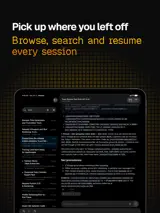
Import .ips crash log files generated by iOS and instantly get a structured, easy-to-read report with all the information needed for debugging and troubleshooting.
Key Features:
- Import and analyze .ips crash logs
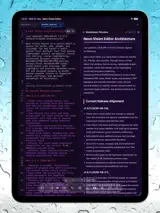
- Automatic crash summary with possible root cause insights
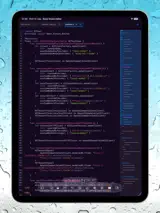
- Full stack trace visualization
- Frame and binary image analysis
- Technical details about the app environment and build
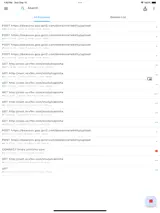
- Fast navigation through crash details
Crash Buddy also includes Crash Intelligence, an on-device AI assistant that lets you chat directly with your crash logs.
Ask questions like:
“What is the most likely cause of this crash?”
“Which frame looks suspicious?”
“What does this exception mean?”
“How can I reproduce this issue?”
All analysis happens directly on the device, helping keep sensitive crash data private without sending information to external servers.
Crash Buddy helps reduce debugging time, understand complex stack traces, and speed up issue resolution.