Opened 23 times in the last 30 days, usually for a few minutes.
Spot availability
Full right now · since Nov 25Public TestFlight betas are capped at 10,000 testers, so spots open only now and then. Here is when they opened recently and how long they lasted.
Recent openings
- Nov 25 · 3:35 PMopen a few minutes
- Nov 25 · 2:12 AMopen a few minutes
- Nov 24 · 4:31 PMopen a few minutes
- Nov 24 · 9:48 AMopen a few minutes
- Nov 23 · 8:21 PMopen a few minutes
and 18 earlier
Spots usually reopen every 8 hours. Use Notify Me to get an alert the moment they do.
Open right now, similar to Google Chrome
Betas taking testers at the moment, checked by CodeWing.
Getting Started with the Google Chrome Beta


Google Chrome in short
Google Chrome is a fast, secure web browser that allows users to search the web, use Google Lens, and translate sites into over 130 languages. It includes enhanced security features, safety alerts, and a password manager. Users can also sync bookmarks, tabs, and passwords across multiple devices.
- Search with Google and voice
- Translate entire sites
- Google Password Manager
- Sync across devices
- Create tab groups
Summarised with AI from the developer's own description.
About Google Chrome
Chrome helps you do what’s possible on the web. Download the fast, secure browser by Google.
GET THE BEST OF GOOGLE IN CHROME
- SEARCH WITH GOOGLE - Search and get answers on Google fast. Use your voice to search hands-free.
- GOOGLE LENS - Search what you see on your screen or with your camera.
- GOOGLE TRANSLATE - Explore the web in 130+ languages. Translate entire sites in one click.
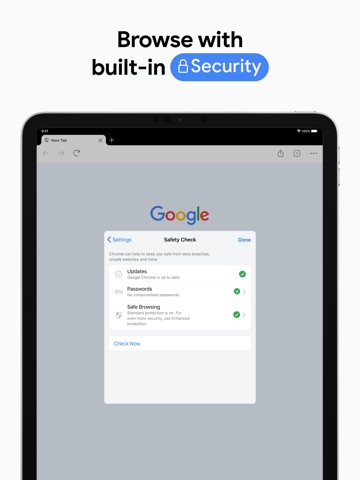
BROWSE WITH BEST-IN-CLASS SECURITY
- ENHANCED PROTECTION MODE - Browse confidently with the highest level of Chrome’s security.
- SAFETY CHECK - Get peace of mind with proactive safety alerts.
- GOOGLE PASSWORD MANAGER - Securely generate and save passwords for fast sign-in, and get alerts if your passwords are at risk.
ACCESS YOUR CHROME ACROSS DEVICES
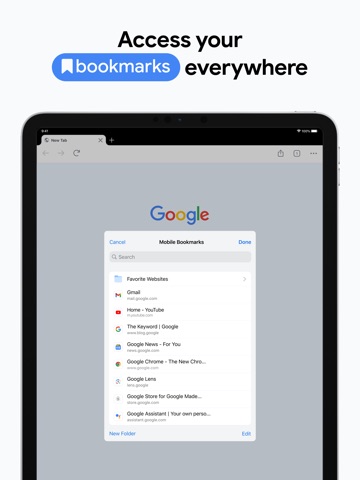
- SYNC ACROSS DEVICES - Save your things (like bookmarks, tabs, and passwords) and easily access them when you sign in to Chrome on your phone, computer or tablet.
- TAB GROUPS - Create tab groups to stay organized across devices.
- AUTOFILL - Save time typing by autofilling your saved payments, addresses and passwords.
Feature availability varies by country and language. Compatibility varies. Check responses for accuracy.