Open now. Spots usually fill within about 1.5 h.
Spot availability
Open right now · since Nov 24Public TestFlight betas are capped at 10,000 testers, so spots open only now and then. Here is when they opened recently and how long they lasted.
Recent openings
- Nov 24 · 1:04 AMstill open
- Nov 21 · 3:04 PMopen 1 h
- Nov 21 · 2:45 AMopen 2 h
- Nov 20 · 2:41 PMopen a few minutes
- Nov 19 · 7:39 PMopen 1.5 h
and 6 earlier
Spots are open right now and usually fill up within 1.5 h.
Getting Started with the Remote Desktop Mobile Beta


About Remote Desktop Mobile
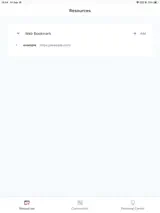
Windows App Mobile for iOS and iPadOS (previously named Remote Desktop Mobile) is your gateway to securely connect to Windows including remote PCs and admin-provided virtual apps and desktops across Windows 365, Azure Virtual Desktop, Dev Box and Remote Desktop Services.
Embrace the simplicity of a unified client with Windows App Mobile and connect to your Windows in the cloud with ease and security, from the device of your choice.
GET STARTED
- Learn more about the features of Windows App Mobile at https://aka.ms/WindowsApp.
- Configure your PC for remote access using the information at https://aka.ms/rdsetup.
KEY FEATURES
- Access remote PCs running Windows Professional or Enterprise and Windows Server.
- Access managed resources published by your admin.
- Connect through a Remote Desktop Gateway.
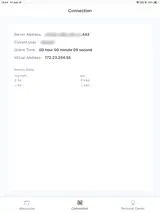
- Simplified management of your connections and credentials from the Connection Center, including a Favorites page to cater to your unique workflow needs.
- Audio and video streaming.
- Redirect folders, your clipboard, and local devices such as microphones and cameras.
- Connect your iPhone or iPad to an external monitor.
- Easily switch between Entra accounts.
- Dynamically switch between Portrait and Landscape mode.
By downloading Windows App Mobile, you agree to the license (see https://aka.ms/WindowsAppLicense) and privacy terms (see https://aka.ms/privacy).
Latest App Store version: 11.4.1 · 11/10/2026
What's new, from the App Store
In this release we made the following updates: • Improved reconnection reliability following network interruptions. • Resolved issues that could affect stability when disconnecting and closing remote sessions. • Improved connection error reporting when reconnection attempts time out. In addition, we've also made updates to strengthen security, performance and reliability, and to lay the groundwork for upcoming features. If you encounter any errors, you can contact us via Settings > Submit Feedback.