How to Join ToMe: Save to Self Beta on macOS



About ToMe: Save to Self
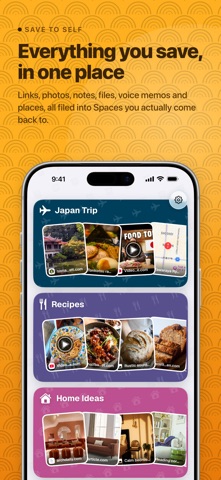
We all do it: send ourselves links, photos, notes, and files in chat. Then everything gets buried.
ToMe is the organized version of sending things to yourself.
Save anything from any app in a couple of taps. Organize it into a Space, then find it again when you need it.
TRY IT FIRST
- Your first 10 saves are free, with no subscription
- No trial to start and no card needed
- What you save stays yours to read, search and export
- After that, a subscription keeps you saving
SAVE FROM ANYWHERE
- Use the Share menu in any app
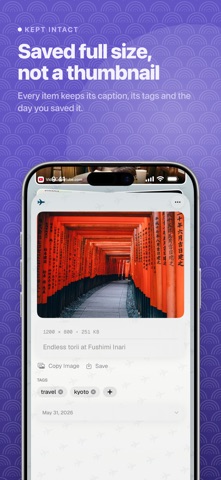
- Save links, photos, notes, files, locations, and voice memos
- Keep rich previews for links and maps
- Drag files in from Finder on Mac
ORGANIZE IT YOUR WAY
- Create a Space for recipes, trips, ideas, work, or anything else
- Divide busy Spaces into sections
- Add tags, notes, reminders, and checklists
- Pin important items and move things when priorities change
- Arrange Spaces as folder cards and choose a style that feels yours
- Protect private Spaces with Face ID
FIND IT AGAIN
- Search across every Space by words or meaning
- Open saved items from Spotlight
- Use widgets to return to recent saves
- Set reminders for things you do not want to forget
- Read saved articles offline
SHARE A SPACE
- Share a Space with someone else
- Add and organize items together
- Choose read-only or editing access
LET TOME HELP WITH THE FILING
- Get suggested tags for saved items
- Summarize links and documents
- Transcribe voice memos
- Uses Apple Intelligence on supported devices
EVERYWHERE YOU NEED IT
- Sync across iPhone, iPad, and Mac with iCloud
- Use keyboard shortcuts, pointer support, and drag and drop
- Archive items, restore recently deleted saves, and export backups
ToMe was built for the things you know you will want later, before they disappear into a chat, browser tab, screenshot pile, or downloads folder.
LEGAL
- Privacy Policy: https://savetome.app/privacy
- Terms of Use (EULA): https://www.apple.com/legal/internet-services/itunes/dev/stdeula/