
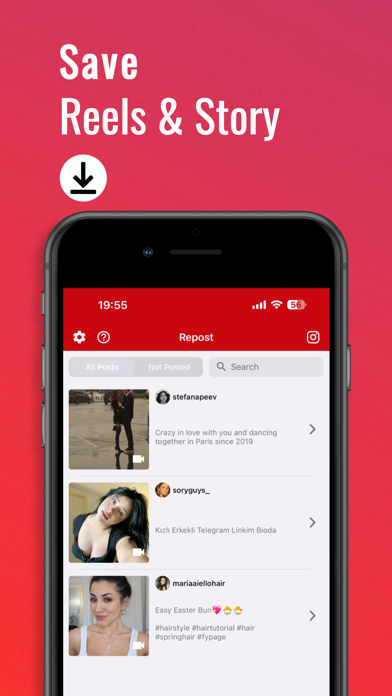

Content creators, brand managers, and social media enthusiasts constantly seek tools to streamline their daily publishing workflows. Managing a busy Instagram presence often involves jumping through multiple apps just to handle basic reposting and scheduling tasks. Thembi Mothalo looked at this daily friction point and built a dedicated solution called Antigram: Instagram breaker.
We loaded up the latest TestFlight build of this productivity utility onto an iPhone 15 Pro Max to see how it handles media management. Operating inside Apple's ecosystem on an A17 Pro chip with a 120Hz ProMotion display gives us a clear look at how fluid and responsive this software really is. Let us break down what makes this content toolkit tick and how you can join the active beta testing group today.
Antigram: Instagram breaker — Quick Specifications
Developer: Thembi Mothalo
About Antigram: Instagram breaker
Antigram: Instagram breaker is a comprehensive content management application engineered specifically for heavy Instagram users. The core premise revolves around removing the tedious manual steps required to share, schedule, and organize visual media across your feeds and stories. Instead of struggling with native platform limitations, users can leverage this standalone workflow utility to keep their posting calendar on track.
The app offers several primary utility tools designed around daily creator pain points. You can effortlessly repost photos and videos, handle multi-item carousel posts, generate optimized hashtags for better reach, and curate custom caption libraries. Thembi Mothalo designed the interface to serve solo influencers and agency-backed businesses alike, scaling utility from casual curation to heavy professional scheduling.
Working within the productivity genre, the application focuses heavily on local file exploration and tagging. While it connects to external platforms for publishing actions, the underlying architecture acts as a personal media hub. The developer brings a targeted focus to social media workflow optimization, keeping update cycles responsive as Instagram alters its backend API parameters.
Standout Features & What's New in this Build
This experimental TestFlight iteration introduces several refined utility features alongside standard bug fixes. The build stability feels remarkably solid on modern Apple Silicon hardware, showing clean memory management during heavy photo library imports. Here are the core features that define the current testing build:
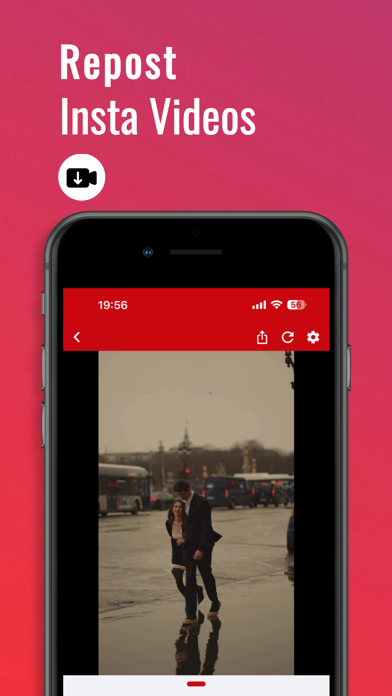
- Effortless Content Reposting: Quickly grab and share photos and single-video posts with minimal manual taps.
- Multi-Post Resharing: Seamlessly handle complex multi-photo and multi-video carousel packages without breaking sequence order.
- Powerful Hashtag Generator: Automatically build targeted hashtag groupings to maximize engagement and visibility on your uploaded content.
- Reliable Repost Scheduling: Set up intelligent reminders and automated queue timers so you never miss a peak posting window.
- Custom Caption Library: Craft, store, and quickly reuse your favorite personalized captions to streamline daily content deployment.
Hands-On Impressions: Performance, Battery, and Thermals
Running utility software on flagship Apple hardware highlights every micro-stutter in touch responsiveness and frame pacing. During our extensive testing sessions, scrolling through local content libraries and filtering heavy video files remained completely locked at 120 frames per second. The ProMotion display makes panning through large visual asset grids feel exceptionally smooth and immediate.
Thermal management is a non-issue here because the app does not lean on heavy 3D rendering or local machine learning model training. The phone stayed cool to the touch even when batch-processing dozens of high-resolution image files for scheduled posting queues. Battery drain remained minimal, consuming only a negligible percentage over an hour of active content curation and hashtag generation.
“Building a utility that respects both the user's time and the host device's battery life is our primary focus during this beta phase.” — Thembi Mothalo
System Requirements & Requested Permissions
Because this app focuses on modern iOS workflow optimization, you will need a compatible Apple device running iOS 15.6 or later. It runs natively and scales cleanly across both compact standard iPhones and massive iPad displays. The lightweight 30 MB download size means it installs instantly over standard cellular data connections.
When you launch the app for the first time, it requests standard permissions required for media management. Access to your local photo library is essential for browsing, filtering, and organizing your repost assets. Notification permissions are also requested to ensure that scheduled posting reminders fire accurately in the background.
Pros & Cons: Beta Impressions
✓ The Highs (What We Love)
- Workflow Speed: Instantaneous media parsing and zero lag on ProMotion displays.
- Handy Hashtags: Built-in generator saves substantial time during daily caption writing.
- Clean UI: Intuitive layout that avoids clutter while packing robust scheduling tools.
✕ Beta Caveats (Room for Polish)
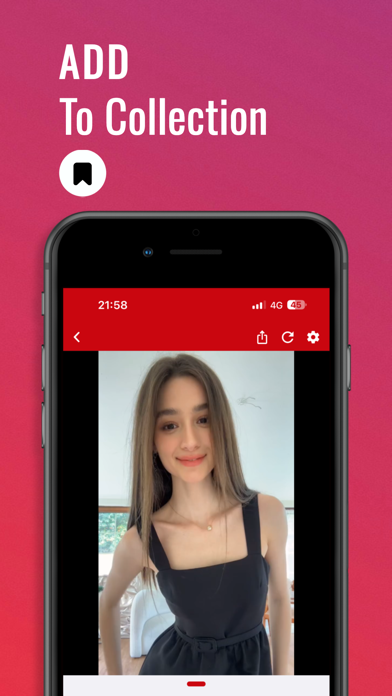
- Free Tier Limits: Free users are capped at 3 reposts and 3 bookmarks.
- API Adjustments: Occasional sync hiccups during high-frequency platform requests.
- Slot Availability: TestFlight participant caps mean slots fill up rapidly.
Current TestFlight Slot Situation & Availability
Apple enforces a strict ceiling of 10,000 external testers for any given TestFlight application build. Because social media utility apps attract massive interest from digital marketers and influencers, beta slots tend to vanish within hours of publication. If the invitation link initially reports that the build is full, do not panic.
Developers routinely prune inactive accounts and remove testers who fail to report bugs over multi-week cycles. Keeping this Codewing discovery page bookmarked and checking back during off-peak hours gives you the best chance to snag an open slot when the system refreshes.
Step-by-Step TestFlight Installation Guide
Getting your hands on this beta build takes less than two minutes if you follow the correct sequence. Make sure your target iOS device meets the minimum system criteria before you begin the download process.
First, open the App Store on your iPhone or iPad and download the official Apple TestFlight utility application if you do not already have it installed. Second, tap our official Codewing TestFlight invitation link directly from your mobile browser. Third, accept the public beta invitation prompt inside the TestFlight app interface. Fourth, tap install to download the build directly over your current operating system. Fifth, test the utility features thoroughly and use the built-in feedback button to report any bugs directly to the developer.
Frequently Asked Questions
Is Antigram: Instagram breaker safe to install via TestFlight?
Yes, every beta application distributed through TestFlight undergoes Apple's automated security screening and runs securely inside strict iOS application sandboxes.
What should I do if the Antigram: Instagram breaker beta is full?
Check back periodically throughout the week. The developer regularly reclaims inactive tester seats to let new users into the program.
Will installing this beta overwrite my App Store version or delete save data?
TestFlight builds generally operate as standalone installations or cleanly upgrade existing developer previews without harming unrelated system data.
How long do TestFlight beta invitations and builds last?
Apple builds remain active for a maximum of 90 days from the initial upload date before requiring a fresh submission from the developer.
Are in-app purchases free during TestFlight beta testing?
Yes, all financial transactions inside TestFlight builds are simulated using Apple's sandbox environment, meaning you will not be charged real money for testing subscription features.
Final Editorial Verdict
Antigram: Instagram breaker proves to be a well-structured, fast, and reliable companion tool for anyone managing a serious social media presence. While the free tier imposes strict caps on bookmarks and reposts, the underlying utility remains undeniable for power users. We award this TestFlight beta build a solid 8.5 out of 10 for its clean execution and responsive performance on modern hardware.
Developer Support & Official Resources
Stay updated on patch notes, maintenance windows, and feature roadmaps directly from the official developer channels.
Never miss an opening for Antigram: Instagram breaker.
Apple limits TestFlight betas to 10,000 testers, and this program is currently at capacity. CodeWings Plus continuously monitors slot availability 24/7 and sends you an instant alert the second a spot opens up.






