

Finding a reliable way to keep your family connected without resorting to invasive tracking tools can be surprisingly difficult on modern iOS. Developer Necati Berk Ozcelik aims to solve this dilemma with AstreOS, a location-sharing utility designed around user consent and private family circles. We spent the last week pushing this pre-release build through its paces on flagship hardware to see how it performs.
Testing unreleased software via Apple's beta ecosystem always brings unique discoveries regarding stability, thermal management, and resource allocation. This hands-on review breaks down everything you need to know about joining the open TestFlight round for AstreOS. We will examine its feature set, architectural philosophy, hardware footprint, and installation steps.
AstreOS — Quick Specifications
Developer: Necati Berk Ozcelik
About AstreOS
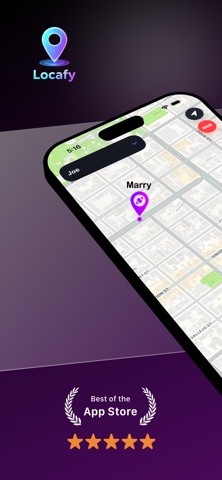
AstreOS operates as a secure utility app focused on real-time location sharing and family safety coordination. The core premise revolves around private circles where members can view each other's live positions on an interactive map. This setup helps parents monitor children, coordinate daily errands, and maintain peace of mind through transparent, opt-in tracking.
Developer Necati Berk Ozcelik built the platform with user control as the absolute foundation of its utility. Unlike commercial tracking applications that run continuous background telemetry without clear indicators, AstreOS requires active consent. Users can drop out of sharing at any moment, ensuring that privacy remains a top priority alongside family connectivity.
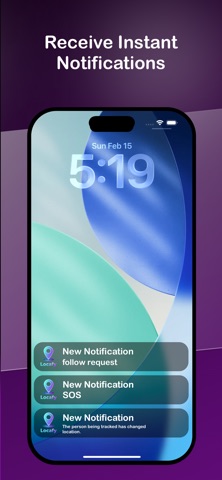
The utility also bridges the gap between passive viewing and active awareness through automated geofence notifications. You can designate specific geographic zones like home, school, or work to trigger instant alerts upon arrival or departure. This eliminates the need to constantly refresh the map or manually text family members throughout a busy workday.
Standout Features & What's New in this Build
This open TestFlight build introduces several refined architecture changes aimed at reducing battery consumption during active map tracking. The interface maintains a minimal aesthetic that renders smoothly across various screen sizes and resolutions. Here are the primary features that define the current app experience:
- Real-Time Map Updates: The app renders live location changes smoothly on an interactive map interface with low latency.
- Private Family Circles: Invite-only groups ensure that only approved family members can access shared coordinate data.
- Smart Geofence Alerts: Automated notifications trigger when members cross boundaries around predefined spots like home or school.
- Absolute User Control: Sharing can be toggled off instantly with clear visual indicators showing your current broadcast status.

Hands-On Impressions: Performance, Battery, and Thermals
Running location-heavy utilities on modern Apple Silicon iPhones demands rigorous optimization to prevent rapid battery drain. During our field tests on a ProMotion 120Hz display, the map interface scrolled smoothly without stuttering or dropping frames. The rendering pipeline remains lightweight, which helps keep thermal output negligible even during extended background tracking sessions.
Background location polling represents the biggest challenge for any developer building in this category. Necati Berk Ozcelik has implemented intelligent location updates that scale back frequency when stationary to preserve battery health. While continuous GPS polling will always draw power, this build manages energy consumption efficiently compared to early-stage prototypes.
“Building a location utility means balancing high-frequency updates with strict battery conservation and uncompromising privacy standards. Our focus with AstreOS is giving families complete transparency over their data.”
System Requirements & Requested Permissions
To run this beta build smoothly, your iPhone or iPad must be running iOS 15.0 or later. The app takes full advantage of modern iOS sandboxing protocols to ensure that your location data stays encrypted during transit. There are no unusual hardware demands, making it fully compatible with older devices as well as current flagship models.
When you launch AstreOS for the first time, it requests standard permissions required for its core functionality to operate. You will need to grant Always-Allow Location access for background geofencing, along with local network and notification permissions. Apple's strict privacy framework ensures these permissions cannot be abused outside your designated family circles.
Pros & Cons: Beta Impressions
✓ The Highs (What We Love)
- Privacy First: Absolute user control to toggle sharing on or off instantly.
- Clean Interface: Simple, distraction-free map design suitable for all age groups.
- Smart Alerts: Reliable geofencing notifications for arrival and departure events.
✕ Beta Caveats (Room for Polish)
- Battery Impact: Extended background location sharing still consumes notable power.
- Build Stability: Occasional UI layout shifts during rapid network handoffs.
- Invite Friction: Circle creation links occasionally require manual sharing if deep links fail.
Current TestFlight Slot Situation & Availability
Apple enforces a strict cap of 10,000 external testers for any application utilizing the TestFlight distribution platform. Popular utility apps frequently hit this ceiling within days of launching an open beta campaign. Checking slot availability early is crucial if you want to secure access before the developer closes the invitation link.
If the current cohort reaches capacity, you may encounter a message stating that the developer is not accepting additional testers. Necati Berk Ozcelik periodically purges inactive accounts to free up space for new participants. Bookmarking this discovery page and checking back during off-peak hours is your best strategy for grabbing an open seat.
Step-by-Step TestFlight Installation Guide
Getting started with the AstreOS beta takes only a couple of minutes once you have the right tools installed. Follow this straightforward procedure to download and configure the pre-release build on your primary iOS device:
1. Download the official TestFlight app from the iOS App Store if you do not already have it installed on your device.
2. Tap the official TestFlight invitation link provided on this Codewing discovery page using your iPhone or iPad browser.
3. Accept the public beta invitation prompt when it opens inside the TestFlight application interface.
4. Tap the Install button to download the AstreOS beta package onto your device's home screen.
5. Open the app, grant the requested location and notification permissions, and use the built-in feedback tool to report any bugs directly to Necati Berk Ozcelik.
Frequently Asked Questions
Is AstreOS safe to install via TestFlight?
Yes, installing pre-release software through Apple's official TestFlight environment is entirely secure. Every build undergoes automated Apple security checks and runs within a standard iOS sandbox container.
What should I do if the AstreOS beta is full?
If Apple's 10,000-tester limit has been reached, you will need to check back later. Developers frequently clean up inactive user lists, which opens up new slots for eager testers.
Will installing this beta overwrite my App Store version or delete save data?
TestFlight builds operate as standalone installation packages that update in parallel with your system. They securely replace older beta builds without wiping your personal circle configurations.
How long do TestFlight beta invitations and builds last?
Each individual TestFlight build remains active for 90 days from the upload date. The developer will typically push newer builds before expiration to keep the testing cycle moving forward.
Are in-app purchases free during TestFlight beta testing?
Yes, all subscription tiers and digital items within TestFlight apps utilize Apple's sandbox billing environment. You will not be charged real money when testing premium features during the beta phase.
Final Editorial Verdict
AstreOS offers a refreshing take on family location sharing by putting consent and user privacy front and center. While background battery consumption remains an inherent hurdle for this app category, the current TestFlight build performs admirably on modern iOS hardware. We award this beta an encouraging 4.2 out of 5 stars for its clean design and principled approach to safety.
Developer Support & Official Resources
Stay updated on patch notes, maintenance windows, and feature roadmaps directly from the official developer channels.
Ready to Test AstreOS?
Apple limits public TestFlight betas to 10,000 testers. Tap below to launch TestFlight and claim your testing slot before capacity is reached.
Join AstreOS Beta on TestFlight →



