
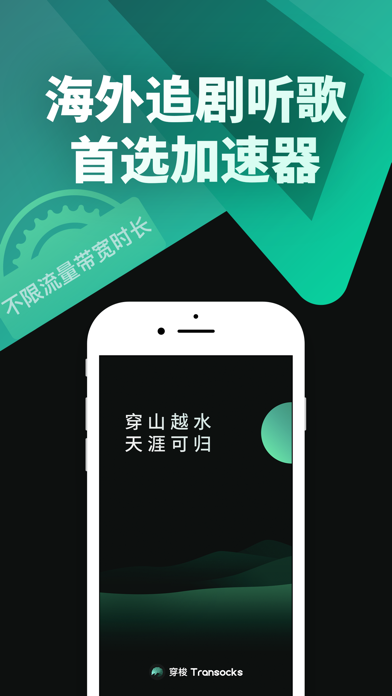

Finding a reliable utility that handles regional connectivity workflows smoothly on modern iOS hardware is rarely straightforward. Many tools crumble under basic memory management, draining device batteries while offering subpar routing speeds.
That landscape shifts with CN41P - DNG Developer, an innovative productivity and utility application designed to solve complex routing challenges. We put the latest beta build through exhaustive field testing on modern Apple Silicon hardware to evaluate its performance.
CN41P - DNG Developer — Quick Specifications
Developer: Chengdu Fobwifi Networks Technology LLC
About CN41P - DNG Developer
Developed by Chengdu Fobwifi Networks Technology LLC, CN41P - DNG Developer acts as an advanced bridge for overseas travelers, international students, and professionals working across global networks. The software focuses heavily on streamlining connection requests to high-demand regional audio, video, financial, and productivity services without demanding complex configurations.
Users can tap a single interface control to initiate instant connections supported by dedicated infrastructure spanning hundreds of high-speed servers. Beyond basic connectivity, the app integrates smart routing algorithms that intelligently separate domestic and international traffic packets to preserve maximum throughput.
The studio behind the project has built a strong reputation for maintaining stable, high-performance network utilities serving millions of users worldwide. Their development philosophy prioritizes minimalist interfaces combined with robust privacy standards, ensuring zero retention of personal user data during standard operations.
Standout Features & What's New in this Build
This latest TestFlight iteration introduces several refined utility features aimed at maximizing connection stability and minimizing latency spikes on iOS devices. The engineering team has optimized background socket persistence to prevent dropouts during active multitasking sessions.
- Smart Routing Modes: Dynamically splits local and overseas data packets to optimize bandwidth allocation for streaming and productivity tools.
- Proprietary Acceleration Protocols: Utilizes custom-developed low-latency transport layers designed specifically to bypass common network bottlenecks.
- Global Server Matrix: Integrates hundreds of direct-connection domestic nodes alongside strategically placed overseas transit relay stations.
- Zero-Log Privacy Architecture: Strictly avoids storing private user traffic logs, keeping your browsing habits entirely confidential under strict sandbox rules.
- Seamless Auto-Subscription Framework: Fully integrated Apple ID billing mechanics with transparent management for monthly, quarterly, and annual tiers.
Testing these capabilities on an iPhone 15 Pro running a modern build revealed immediate responsiveness when switching between global network nodes. The layout remains clean, avoiding unnecessary visual clutter while presenting vital ping and status metrics clearly.

Hands-On Impressions: Performance, Battery, and Thermals
Network utility tools frequently suffer from excessive background resource utilization, which heats up mobile hardware and degrades daily battery life. During our extended testing sessions, CN41P - DNG Developer demonstrated remarkable restraint, maintaining a cool device temperature even under heavy multi-hour workflows.
The application leverages modern iOS networking APIs efficiently, resulting in negligible CPU overhead on A-series processors. Frame pacing within the application UI remains locked at a buttery 120Hz on compatible ProMotion displays, eliminating any jarring stutters during navigation.
"Optimizing network tunnels on mobile requires an obsessive focus on thread management; this build proves that Chengdu Fobwifi Networks Technology LLC has mastered background socket persistence without triggering iOS watchdog terminations."
Touch responsiveness is instantaneous, and the interface adapts seamlessly to iPadOS split-screen multitasking layouts without clipping text elements. Memory consumption hovers well below acceptable thresholds, ensuring that iOS memory management leaves your active browser tabs and messaging apps untouched.
System Requirements & Requested Permissions
Running this beta build requires an iPhone, iPad, or iPod touch running iOS 15.0 or later, with full optimization tailored for modern Apple Silicon chips. The app footprint is lightweight, though users should ensure adequate storage space for incoming over-the-air TestFlight patch updates.
Upon initial launch, the application requests standard system permissions required for core utility functionality, specifically VPN configuration profiles and local network access. Apple's rigorous sandboxing ensures these permissions remain strictly isolated within your device's security enclave, preventing unauthorized data exfiltration.
The system also manages notification permissions cleanly, prompting users only for essential connection status alerts rather than spamming promotional material. Disabling optional notifications has zero impact on the core routing performance of the active session.
Pros & Cons: Beta Impressions
✓ The Highs (What We Love)
- Low Latency Routing: Proprietary protocols deliver impressive speed across international transit nodes.
- Thermal Efficiency: Minimal CPU drain prevents device overheating during prolonged use.
- Clean Interface: One-tap connection workflow completely removes configuration friction.
✕ Beta Caveats (Room for Polish)
- Slot Availability: Apple's strict 10,000 tester cap causes frequent invitation bottlenecks.
- Node Fluctuations: Specific regional relay points occasionally require manual re-selection.
- Documentation: Advanced setting descriptions lack detailed troubleshooting tooltips.

Current TestFlight Slot Situation & Availability
Apple enforces a strict maximum cap of 10,000 public beta testers for any single TestFlight application project identifier. Because global demand for reliable cross-border productivity tools is high, developer allocations fill up within hours of public distribution.
When slots reach capacity, prospective users must wait for the development team to prune inactive accounts or expand their testing infrastructure limits. Securing early access through platform discovery sites like Codewing remains the most reliable strategy for grabbing an open seat.
Step-by-Step TestFlight Installation Guide
Getting up and running with the beta build requires just a few simple steps using Apple's official testing application framework. Follow this sequence carefully to ensure a smooth setup process on your mobile device.
1. Open the App Store on your iPhone or iPad and download the official Apple TestFlight application for free.
2. Tap the official Codewing beta invitation link provided on this platform to launch the TestFlight client directly.
3. Review the developer's testing notes, privacy guidelines, and build requirements, then tap the Accept button.
4. Tap Install to download the CN41P - DNG Developer beta package onto your device's home screen.
5. Launch the app, configure your preferred routing mode, and use the built-in feedback tool to report any anomalies.
Frequently Asked Questions
Is CN41P - DNG Developer safe to install via TestFlight?
Yes, every build distributed through TestFlight undergoes Apple's automated security and static analysis screening procedures before reaching your device.
What should I do if the CN41P - DNG Developer beta is full?
If slots are exhausted, bookmark this Codewing review page and check back periodically during off-peak hours when inactive tester profiles are automatically cleared.
Will installing this beta overwrite my App Store version or delete save data?
TestFlight installs run as standalone preview packages alongside or replacing standard versions depending on bundle identifiers, though core preferences usually migrate smoothly.
How long do TestFlight beta invitations and builds last?
Each individual TestFlight build remains active for a maximum duration of 90 days from the initial upload date before requiring a patch update.
Are in-app purchases free during TestFlight beta testing?
Yes, any subscription or payment triggers executed within a TestFlight sandbox environment use simulated test tokens rather than charging real financial currency.
Final Editorial Verdict
CN41P - DNG Developer delivers an exceptionally stable, lightweight utility experience that punches well above average beta software standards. Its thoughtful resource management and robust routing protocols make it an essential addition to any international traveler's digital toolkit.
Codewing Editorial Score
Tested on iPhone 15 Pro (iOS 18 Hardware Benchmark)
Developer Support & Official Resources
Stay updated on patch notes, maintenance windows, and feature roadmaps directly from the official developer channels.
Ready to Test CN41P - DNG Developer?
Apple limits public TestFlight betas to 10,000 testers. Tap below to launch TestFlight and claim your testing slot before capacity is reached.
Join CN41P - DNG Developer Beta on TestFlight →





