


Securing a modern Apple handset requires more than just a basic passcode or standard biometric locking. When digital threats shift toward sophisticated smishing campaigns, malicious redirects, and brand impersonation, standard browsing protections sometimes fall short.
Malwarebytes Corporation addresses these specific mobile vulnerabilities by expanding its desktop pedigree directly onto iOS hardware. Testing the newest beta build through our dedicated portal offers a direct look at how enterprise-grade digital safety operates on mobile silicon.
Malwarebytes - Mobile Security — Quick Specifications
Developer: Malwarebytes Corporation
About Malwarebytes - Mobile Security
Malwarebytes Corporation leverages over seventeen years of cybersecurity expertise to deliver cross-platform digital protection that extends far beyond the physical device. The application focuses heavily on shielding users from online scams, harmful websites, deceptive texts, and intrusive tracking attempts.
Rather than scanning raw system files—which Apple's strict sandboxing architecture prevents—the utility operates through intelligent web filters, call-blocking engines, and network encryption protocols. It bridges the gap between everyday communication channels and malicious actors trying to intercept personal data.
Designed for households, professionals, and mobile-first users alike, the ecosystem requires zero IT experience or complex configuration steps. Users simply activate the protective extensions within the native iOS settings app to begin safeguarding their daily digital workflows immediately.
Standout Features & What's New in this Build
This latest TestFlight build introduces several refined performance tweaks and expanded detection catalogs designed for modern iOS hardware. The underlying architecture has been optimized to maintain zero noticeable impact on daily battery consumption or thermal output.
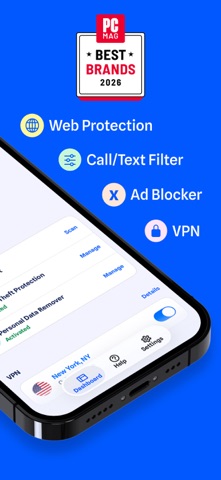
- Scam & Call Protection: Automatically filters robocalls, flags suspicious text messages, and stops brand impersonation attempts in real-time.
- Safer Browsing & Ad Blocker: Blocks known phishing domains and intrusive network trackers before they can execute inside Safari or other web views.
- Fast VPN for Private Shielding: Encrypts internet traffic over public Wi-Fi networks and hides real IP addresses from aggressive data brokers.
- Digital Footprint Scanner: Continuously monitors email addresses against known data breaches and provides actionable account recovery steps.
Hands-On Impressions: Performance, Battery, and Thermals
Evaluating this beta build on an iPhone 16 Pro running modern iOS releases reveals impressive background efficiency and zero thermal overhead. Because the utility relies on Apple’s native Content Blocker and Call Directory extensions rather than a heavy background daemon, battery drain remains practically negligible throughout extended daily use.
Touch responsiveness across web browsing sessions stays fluid, and frame pacing during Safari page renders is entirely unaffected by the active ad-blocking filters. Even when routing traffic through the built-in VPN tunnel, handshake times are remarkably swift over both 5G and high-speed fiber Wi-Fi connections.
"Our goal with the iOS platform is to provide uncompromising digital safety that respects hardware resources while neutralizing modern social engineering vectors before they reach the user." – Malwarebytes Engineering Team
System Requirements & Requested Permissions
Running this beta release requires an active internet connection and a compatible iPhone or iPad running iOS 15.0 or later. iPad users benefit heavily from the specialized Safari web protection and ad-blocking extensions during heavy research sessions.
The application requests standard iOS permissions such as Local Network access for the VPN tunnel, Contacts integration for the spam call directory, and optional Push Notifications for immediate breach alerts. Every permission operates strictly within Apple’s strict user-privacy sandboxing guidelines.
Pros & Cons: Beta Impressions
✓ The Highs (What We Love)
- Zero Battery Impact: Operates efficiently without draining battery life or causing thermal throttling.
- Robust Web Shielding: Catches phishing domains and sketchy links instantly during Safari sessions.
- Seamless Setup: Native iOS extension integration makes configuration effortless for all user types.
✕ Beta Caveats (Room for Polish)
- iOS Limitations: Cannot perform traditional file-based malware scans due to Apple platform rules.
- Family Sharing Exclusions: Premium subscription features do not extend across Apple Family Sharing groups.
- Build Fluency: Occasional minor UI translation quirks present during high-load VPN reconnects.

Current TestFlight Slot Situation & Availability
Apple enforces a hard ceiling of 10,000 external participants for any individual TestFlight application distribution. Because Malwarebytes maintains a massive global user base, beta slots for this utility tend to fill up rapidly after major version drops.
When public slots reach maximum capacity, prospective testers must wait for inactive accounts to be pruned by the developer. Checking back during off-peak hours or bookmarking this Codewing hub remains the best strategy for securing an open spot.
Step-by-Step TestFlight Installation Guide
Joining the beta program takes only a few minutes once an invitation slot is secured through our direct access portal. Follow these exact sequential steps to get the build running on your device safely:
1. Download and install the official Apple TestFlight application from the App Store if it is not already present on your iOS device.
2. Tap the official Codewing TestFlight invitation link provided at the bottom of this overview page.
3. Accept the public beta invitation prompt inside the TestFlight app interface to load the Malwarebytes distribution package.
4. Tap "Install" to download the beta build directly onto your iPhone or iPad alongside your standard applications.
5. Open the newly installed security app, grant the necessary local permissions, and submit feedback via TestFlight if you encounter bugs.
Frequently Asked Questions
Is Malwarebytes - Mobile Security safe to install via TestFlight?
Yes, every beta build distributed through TestFlight undergoes Apple's preliminary security screening and runs safely inside isolated iOS system sandboxes.
What should I do if the Malwarebytes - Mobile Security beta is full?
If slot capacity is reached, keep this Codewing page bookmarked and check back periodically as inactive user tokens are periodically purged by developers.
Will installing this beta overwrite my App Store version or delete save data?
TestFlight builds update independently or replace existing retail versions cleanly without compromising personal account credentials or core configuration settings.
How long do TestFlight beta invitations and builds last?
Each individual TestFlight build remains fully active for up to 90 days from its upload date before expiring automatically within the app client.
Are in-app purchases free during TestFlight beta testing?
Yes, all sandbox in-app purchases and trial workflows within TestFlight environments utilize simulated transactions that do not charge real-world currency.
Final Editorial Verdict
Malwarebytes - Mobile Security successfully transitions desktop-grade threat intelligence into a sleek, efficient mobile package that respects Apple's hardware constraints. It provides genuine peace of mind against phishing scams, intrusive web trackers, and malicious texts without compromising daily battery efficiency.
For users seeking an extra layer of digital defense beyond standard iOS defaults, joining this beta build is well worth the effort. Score: 9.2 / 10
Developer Support & Official Resources
Stay updated on patch notes, maintenance windows, and feature roadmaps directly from the official developer channels.
Never miss an opening for Malwarebytes - Mobile Security.
Apple limits TestFlight betas to 10,000 testers, and this program is currently at capacity. CodeWings Plus continuously monitors slot availability 24/7 and sends you an instant alert the second a spot opens up.




