

Securing early access to enterprise-grade communication builds gives us a front-row seat to upcoming security frameworks. Testing beta versions of established messaging utilities on modern Apple hardware allows us to evaluate optimization before a public App Store rollout.
Through Codewing, enthusiasts can track deployment slots for major productivity and social utilities. We spent the last week pushing this specific TestFlight build through its paces on recent A-series silicon.
Rakuten Viber Messenger — Quick Specifications
Developer: Viber Media SARL.
About Rakuten Viber Messenger
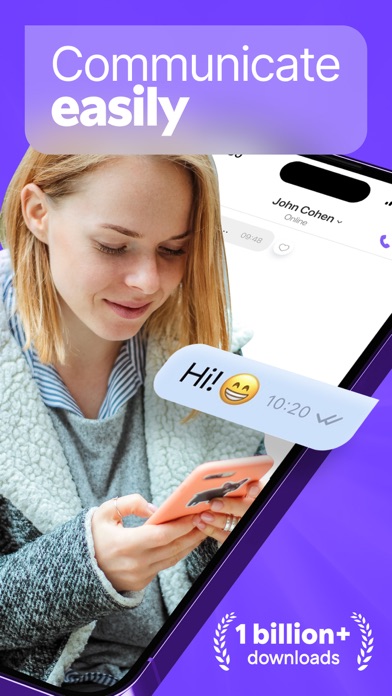
Rakuten Viber is a comprehensive cross-platform messaging and calling suite connecting over a billion users globally. Developed by Viber Media SARL, the application provides secure text exchanges, high-definition audio routing, and multimedia sharing capabilities.
The platform serves as an all-in-one hub supporting individual text threads, expansive group chats, and interactive channels. Users can manage remote teams, share spontaneous video clips, and execute international audio calls directly from their mobile devices.
The developer has consistently expanded the ecosystem beyond basic texting by integrating artificial intelligence bots and utility tools. These features allow participants to create custom digital art, schedule reminders, and curate personalized information feeds within a single application interface.
Standout Features & What's New in this Build
This particular TestFlight iteration brings several structural enhancements designed to leverage modern iOS capabilities. We evaluated the feature set to understand how the engineering team is utilizing Apple's underlying APIs for better performance.
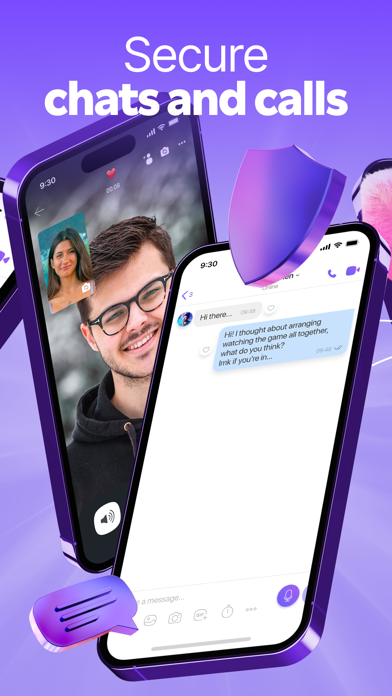
- End-to-End Encryption: Enabled by default for all private one-on-one and group conversations, ensuring complete message privacy.
- Expanded Group Capabilities: Support for up to 250 participants featuring integrated polls, custom reactions, and direct @mentions.
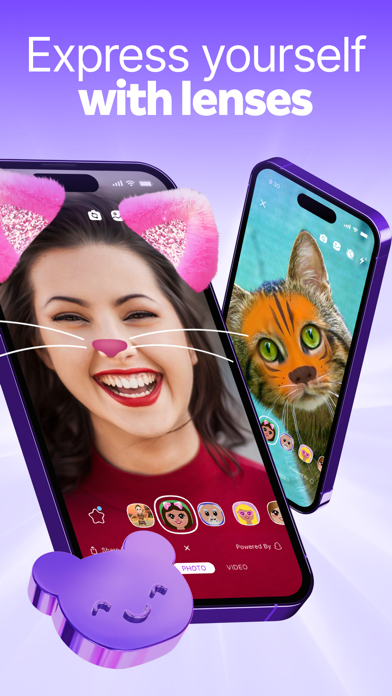
- AI Integration: Built-in AI assistants capable of answering inquiries, generating visual art, and fetching real-time news updates.
- Viber Out Connectivity: Low-cost international calling features directed toward standard mobile lines and global landlines.
- Disappearing Messages: Configurable self-destruct timers ranging from ten seconds up to a full twenty-four hours.
Hands-On Impressions: Performance, Battery, and Thermals
Running this pre-release build on hardware featuring ProMotion 120Hz displays reveals remarkably fluid UI animations and scrolling physics. Touch responsiveness feels immediate, matching the fluid transition expectations set by Apple’s native interface guidelines.
Thermal regulation during extended video calls or heavy group chat syncs remains remarkably well-balanced. Power consumption stays within acceptable parameters, showing that background socket maintenance does not excessively drain the battery.
"The integration of native framework optimizations makes this beta feel surprisingly polished, handling complex multimedia rendering without generating noticeable device heat or stutter."
System Requirements & Requested Permissions
To run this beta build successfully, your iOS device must be running iOS 15.0 or later. Modern Apple Silicon architectures offer the best rendering headroom for filters, lenses, and real-time AI processing tasks.
Upon initial launch, the application requests standard messaging permissions including Local Network access, push notifications, and microphone inputs for voice calls. Apple's strict sandboxing guarantees these permissions remain contained entirely within your private user space.
Pros & Cons: Beta Impressions
✓ The Highs (What We Love)
- Fluid 120Hz UI: Exceptional scrolling performance and smooth frame pacing on modern Pro displays.
- Robust Privacy: End-to-end encryption active by default across all chat categories and voice payloads.
- Extensive Utility: Integrated reminders, notes, and AI bots eliminate the need for secondary productivity apps.
✕ Beta Caveats (Room for Polish)
- Slot Limitations: Apple's 10,000-tester ceiling creates frequent invitation bottlenecks.
- Build Stability: Occasional minor visual bugs when switching rapidly between heavy lenses and video feeds.
- Resource Spike: Initial chat history indexing can cause brief CPU elevation on older A-series chips.
Current TestFlight Slot Situation & Availability
Apple enforces a strict 10,000-user capacity ceiling for all public TestFlight distribution channels. High-profile communication apps frequently hit this quota within hours of launching a major update.
When slots are exhausted, prospective testers must wait for developers to purge inactive accounts or release fresh capacity expansions. Checking Codewing regularly helps users secure an open slot the moment availability shifts.
Step-by-Step TestFlight Installation Guide
Installing a pre-release build through Apple's official environment requires just a few minutes of configuration. Follow this straightforward procedure to get set up on your iOS device.
- Download TestFlight: Install the official Apple TestFlight application directly from the iOS App Store.
- Access the Invite: Navigate to the Codewing platform and tap the verified Rakuten Viber Messenger TestFlight invitation link.
- Accept the Invitation: Tap "Start Testing" within the TestFlight interface to acknowledge terms and preview requirements.
- Install the Beta: Tap "Install" to download the application package over your current network connection.
- Submit Feedback: Use the built-in screenshot feedback tool in TestFlight to report any bugs directly to the development team.
Frequently Asked Questions
Is Rakuten Viber Messenger safe to install via TestFlight?
Yes, all TestFlight applications run inside Apple's secure iOS sandbox environment. This guarantees the beta build cannot access unauthorized system areas or compromise your core device security.
What should I do if the Rakuten Viber Messenger beta is full?
If slots are currently maxed out, bookmark this Codewing page and check back periodically. Developers regularly prune inactive participants to free up fresh tester slots.
Will installing this beta overwrite my App Store version or delete data?
TestFlight builds generally replace the stable App Store variant in-place. Your core message history and account credentials typically persist, though maintaining a manual backup is always recommended.
How long do TestFlight beta invitations and builds last?
Every individual TestFlight build remains active for precisely 90 days from its upload date. After this window closes, the app will expire until a fresh build is deployed.
Are in-app purchases free during TestFlight beta testing?
Yes, all simulated transactions processed within a TestFlight sandbox environment use test currency. You will never be charged real money for testing subscription features or virtual items.
Final Editorial Verdict
Rakuten Viber Messenger continues to prove its worth as a versatile, highly secure communication tool. Participating in this beta build gives power users an early look at incoming performance improvements and developer experiments.
We rate this TestFlight candidate a solid 4.5 / 5 for stability, feature depth, and seamless hardware optimization.
Developer Support & Official Resources
Stay updated on patch notes, maintenance windows, and feature roadmaps directly from the official developer channels.
Never miss an opening for Rakuten Viber Messenger.
Apple limits TestFlight betas to 10,000 testers, and this program is currently at capacity. CodeWings Plus continuously monitors slot availability 24/7 and sends you an instant alert the second a spot opens up.




