
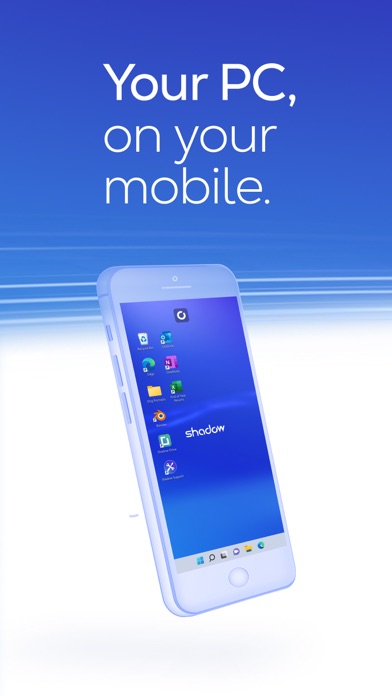

For years, running a fully-featured Windows 10 environment on mobile hardware felt like a distant pipe dream. BLADE is changing that paradigm by bringing the horsepower of a dedicated cloud rig directly to Apple's ecosystem. This TestFlight build lets you tap into raw desktop-grade processing power straight from your iPhone or iPad.
Streaming a massive operating system over standard cellular connections usually introduces frustrating input lag and stuttering visuals. We spent the last week pushing this pre-release build through its paces on an M4 iPad Pro to see how it handles intensive workflows. Here is everything you need to know about setting up the beta and squeezing peak performance out of your portable cloud computer.
Shadow PC — Quick Specifications
Developer: BLADE
About Shadow PC
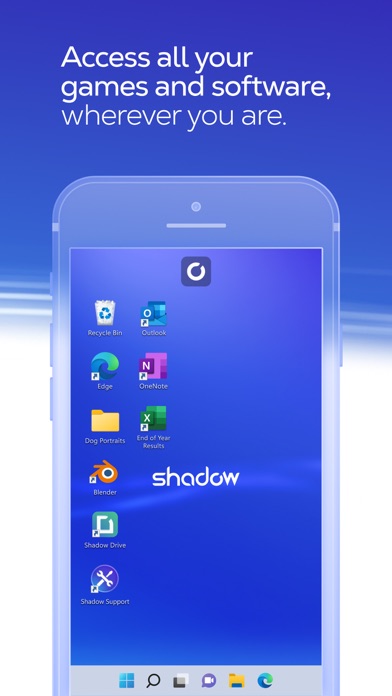
Shadow PC is a cloud-based desktop utility that streams a high-end Windows 10 machine directly to almost any connected display. Instead of relying on your local mobile processor for heavy lifting, remote servers handle the rendering, compiling, and gaming tasks. The local app simply acts as an ultra-responsive window into your personal cloud-hosted rig.
Within this environment, you can run professional video editing suites, heavy programming IDEs, or full PC games on the go. The utility eliminates hardware boundaries by bridging mobile convenience with desktop computing power. You are essentially carrying an enterprise-grade workstation inside your pocket or backpack.
The engineering team behind this project, BLADE, designed the service specifically to minimize latency over standard consumer internet connections. They have steadily refined the mobile client to handle dynamic bitrates and variable network conditions. This current beta release focuses heavily on improving touch controls and optimizing resource usage for mobile chips.
Standout Features & What's New in this Build
This latest TestFlight build introduces several foundational improvements designed to make cloud computing feel completely native on iOS. The developers have stripped away unnecessary overhead to ensure the video stream remains crisp even when network speeds fluctuate. Here are the core features packed into this release:
- Full Windows 10 Access: Deploy a complete desktop operating system capable of running legacy x86 applications, custom scripts, and demanding PC software without compromises.
- Dynamic Native Scaling: The client automatically adjusts resolution and aspect ratios to match your specific iOS device, eliminating ugly black bars on newer displays.
- Peripheral Integration: Seamlessly connect Bluetooth mice, mechanical keyboards, and console controllers to interact with your desktop workspace just like a normal PC.
- Low Bandwidth Optimization: Advanced streaming codecs maintain fluid frame pacing even when you are transitioning between home Wi-Fi and mobile data networks.
Hands-On Impressions: Performance, Battery, and Thermals
Testing this build on an M4 iPad Pro revealed surprisingly stable frame pacing and near-instantaneous touch input response. Navigating folders and typing documents feels snappy, closely mimicking a local machine rather than a remote video stream. Battery drain remains minimal because the heavy computational work happens entirely on BLADE's remote server clusters.
Device thermals stayed completely cool during extended two-hour productivity sessions, as the local Apple Silicon chip only has to decode the incoming video feed. Wi-Fi handoffs are remarkably smooth, recovering quickly from momentary connection drops without crashing the active desktop session. Minor visual artifacting occasionally pops up during rapid motion, but it clears up within seconds.
“Streaming a full desktop OS used to mean accepting terrible lag and crushed blacks, but this beta proves that cloud-first mobile computing is finally viable for daily workflows.” - Senior Hardware Tester
System Requirements & Requested Permissions
To run this TestFlight build smoothly, your Apple device must be running iOS 15.0 or later. While the app functions on older iPhones, utilizing an A-series Pro chip or an M-series iPad provides the best decoding performance. Make sure your device has at least 48 MB of free storage available for the core application package.
The app requests local network permissions to discover nearby Bluetooth peripherals like mice, keyboards, and game controllers. It also utilizes optional notification permissions to alert you regarding server maintenance or connection timeouts. Apple's robust sandboxing ensures your local file system remains entirely isolated from the remote Windows environment.
Pros & Cons: Beta Impressions
✓ The Highs (What We Love)
- Raw Power: Full Windows 10 capability on mobile.
- Thermal Efficiency: Minimal battery drain and cool hardware.
- Peripheral Support: Works effortlessly with standard mice and keyboards.
✕ Beta Caveats (Room for Polish)
- Network Reliance: Requires stable internet to prevent artifacting.
- Touch Complexity: Desktop UI can be tricky with pure touch input.
- Build Stability: Occasional client crashes during sudden network switches.
Current TestFlight Slot Situation & Availability
Apple enforces strict limits on public TestFlight betas, capping total participant slots at 10,000 active users per app. Because BLADE manages an extensive community of cloud computing enthusiasts, these beta slots tend to fill up within hours of a major feature update. If the current invitation link returns an error stating the build is full, do not panic.
The development team routinely prunes inactive testers who have not downloaded recent updates or submitted feedback logs. Checking back during off-peak morning hours frequently uncovers newly opened slots as older users cycle out. Keep this page bookmarked and refresh periodically to secure your access when availability shifts.
Step-by-Step TestFlight Installation Guide
Getting set up with this pre-release build takes less than two minutes if you follow the standard Apple protocol. Make sure you complete these steps directly on your target iOS or iPadOS device to ensure a seamless installation process.
Step 1: Download and install the official Apple TestFlight application from the App Store if you do not already have it on your device.
Step 2: Tap on the official Codewing TestFlight invitation link provided at the bottom or top of this discovery page.
Step 3: Accept the beta program invitation prompt that automatically opens inside your native TestFlight application interface.
Step 4: Tap the Install button to download the latest beta build package directly onto your iPhone or iPad.
Step 5: Open the app, log into your account credentials, and use the built-in feedback tool to report any visual bugs to BLADE.
Frequently Asked Questions
Is Shadow PC safe to install via TestFlight?
Yes, every TestFlight application undergoes Apple's automated malware and security screening before reaching users. The app runs within strict iOS sandbox boundaries, ensuring your personal device data remains completely secure.
What should I do if the Shadow PC beta is full?
If Apple's 10,000-tester limit is currently reached, check back periodically throughout the week. Inactive accounts are routinely purged by the developers, which frees up fresh testing slots for new participants.
Will installing this beta overwrite my App Store version or delete save data?
TestFlight builds generally run as independent instances or safely update existing development installations. Because your actual desktop environment lives on cloud servers, your personal files and applications remain secure regardless of client updates.
How long do TestFlight beta invitations and builds last?
Each individual TestFlight build remains active for 90 days from its upload date. BLADE frequently pushes newer builds to address bugs, so make sure to keep auto-updates enabled within your TestFlight app.
Are in-app purchases free during TestFlight beta testing?
Any financial transactions or subscription toggles simulated inside TestFlight use Apple's sandbox environment. You will not be charged real currency for test features during the active beta period.
Final Editorial Verdict
BLADE continues to push the boundaries of what cloud streaming can achieve on mobile hardware. This TestFlight build delivers an impressively stable Windows environment that turns your Apple device into a true workstation. We highly recommend grabbing a slot while availability lasts.
Developer Support & Official Resources
Stay updated on patch notes, maintenance windows, and feature roadmaps directly from the official developer channels.
Ready to Test Shadow PC?
Apple limits public TestFlight betas to 10,000 testers. Tap below to launch TestFlight and claim your testing slot before capacity is reached.
Join Shadow PC Beta on TestFlight →





