
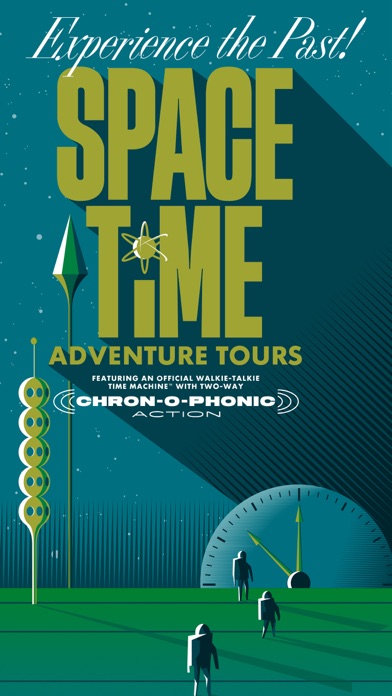

Stepping out onto the concrete grounds of the Seattle Center with a modern iPhone feels entirely different when your device is pretending to be a 1962 walkie-talkie. Fair Worlds LLC has built an experimental location-aware experience that twists local history into a playful, augmented reality time trip. We spent the last week tracking down temporal glitches and testing every audio cue across multiple hardware generations.
Finding fresh outdoor software that makes actual use of Apple Silicon, internal GPS hardware, and spatial audio frameworks is a rare treat on Codewing. This beta run opens up public access through an official Apple TestFlight invitation link. Here is everything you need to know about setting up the walkie-talkie interface before heading out to the Space Needle.
Space-Time Adventure Tours — Quick Specifications
Developer: Fair Worlds LLC
About Space-Time Adventure Tours
Space-Time Adventure Tours functions as a hybrid walking tour, AR scavenger hunt, and historical narrative lesson centered entirely around the Seattle Center grounds. Players use a retro-futuristic walkie-talkie interface powered by GPS routing and Niantic Lightship tech to navigate a physical 30 to 45-minute course. The core premise turns your daily pocket computer into an emergency communications device meant to stabilize the fabric of 1962 timeline events.
You spend your time walking the real-world perimeter while listening to archival audio clips, viewing vintage video reels, and hunting for hidden inter-dimensional objects using your camera viewfinder. Fair Worlds LLC designed the project to blend historical education with interactive play, rewarding physical movement with narrative progression. It shifts passive sightseeing into an active roleplaying exercise right where the original World's Fair took place.
The studio behind the app, Fair Worlds LLC, has a solid reputation for crafting location-based media and immersive storytelling experiments that push consumer hardware. Their approach relies on leveraging standard phone sensors to build spatial immersion without requiring heavy external accessories. This specific build represents a major step in polishing their audio-first navigation engine for public beta testers.
Standout Features & What's New in this Build
This fresh TestFlight iteration brings several interface adjustments and stability patches aimed at streamlining outdoor play sessions. The developers have fine-tuned how the retro UI handles sunlight glare and touch precision while you are walking between waypoints.
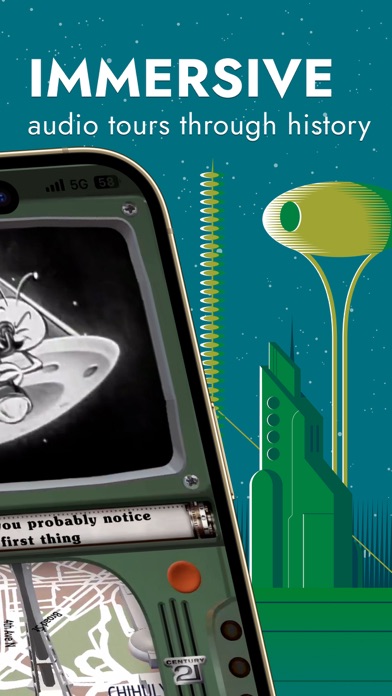
- Retro-Futuristic Walkie-Talkie UI: Your screen morphs into a tactile 1960s radio housing complete with chunky buttons, analog dial animations, and vintage audio filters.
- Spatial Audio Beacons: Headphone wearers get directional bell sounds that guide them physically toward the next map stop without staring down at a screen.
- Contextual AR Scavenging: The camera activates to reveal floating inter-dimensional objects anchored to real-world monuments across the Seattle Center.
- Robust Accessibility Suite: Includes dedicated non-visual gameplay modes for blind users, captions, haptic feedback, and a three-finger triple tap screen reader toggle.
- Forgiving Interaction Design: Large touch zones on the lower half of the screen ensure you can easily trigger prompts while on the move in bright daylight.
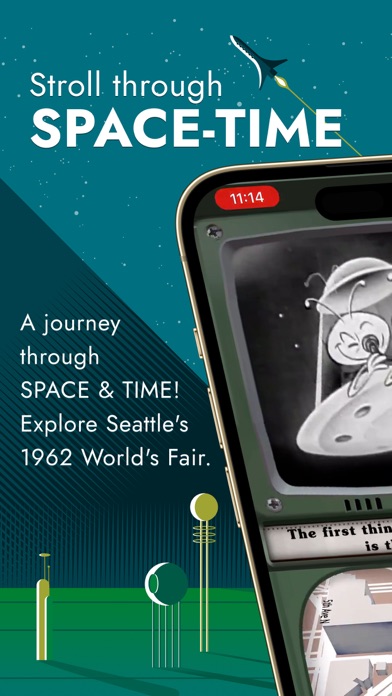
Hands-On Impressions: Performance, Battery, and Thermals
Running the tour on an iPhone 15 Pro, the app makes heavy, sustained demands on GPS polling and camera pass-through for the AR object hunting. Frame rates hold steady at a crisp 60 frames per second on ProMotion displays, though you will notice a noticeable dip in thermal efficiency if you linger too long under direct afternoon sunlight. Battery drain is heavier than a standard podcast app due to the constant background location tracking and audio rendering, chewing through roughly fifteen percent of a full charge over a thirty-minute walk.
Touch responsiveness on the oversized retro buttons remains snappy, even when wearing light gloves during chilly Seattle mornings. The transition between standard map navigation and the camera-based AR scavenger hunt is mostly seamless, though occasionally GPS drift near large concrete pavilions requires a quick calibration step. Overall, the technical foundation feels remarkably stable for an outdoor beta build.
"We designed the audio beacons and forgiving touch targets specifically so players could experience the narrative without constantly gluing their eyes to glass while walking public spaces." — Fair Worlds LLC Development Team
System Requirements & Requested Permissions
To run this beta build, your device must be running iOS 15.0 or later, though performance scales gracefully on modern A15 Bionic chips and newer Apple Silicon architectures. You will need a functioning pair of earbuds or headphones to take full advantage of the spatial audio bell system and verbal route directions. An active internet connection and precise location permissions are mandatory to map your physical coordinates against the Seattle Center boundaries.
The app requests standard permissions for Apple's local network tools, camera access for the AR view, and precise GPS location services. Privacy handling complies strictly with Apple's sandboxing rules, ensuring your location data is only used locally for way-finding and puzzle triggers. Notifications are kept minimal, restricted strictly to time-sensitive tour updates and safety announcements from headquarters.
Pros & Cons: Beta Impressions
✓ The Highs (What We Love)
- Immersive Audio: Fantastic spatial audio beacons make navigation feel like a spy mission.
- Accessibility First: Exceptional inclusion of non-visual modes, haptics, and screen reader toggles.
- Nostalgic Vibe: Archival 1962 World's Fair media adds genuine historical depth to the walk.
✕ Beta Caveats (Room for Polish)
- Battery Draw: High GPS and AR usage will drain older iPhone batteries quickly.
- Outdoor Thermals: Extended sun exposure combined with AR rendering causes mild device warming.
- GPS Drift: Urban canyons near large metallic structures can occasionally confuse waypoint triggers.
Current TestFlight Slot Situation & Availability
Apple enforces a strict cap of 10,000 external testers for any given TestFlight application build, meaning popular local discovery apps fill up fast. Fair Worlds LLC has opened public access via their direct invite URL, but slots fluctuate depending on how many inactive testers Apple purges from the roster. If you tap the link and find the beta is currently full, checking back during off-peak morning hours is your best strategy for catching an opened slot.
Beta availability for location-based games also depends on regional testing phases and server capacity adjustments made by the studio. Developers frequently expand or reset rosters as they push major updates leading up to a full App Store release. Keeping this page bookmarked on Codewing ensures you get immediate notifications when slot counts refresh.
Step-by-Step TestFlight Installation Guide
Installing the Space-Time Adventure Tours beta on your iPhone takes less than two minutes if you follow these simple instructions:
- Download TestFlight: Open the App Store on your iOS device and download Apple's official TestFlight application if you do not already have it installed.
- Tap the Beta Link: Click the official TestFlight invitation link provided here on Codewing to open the registration page directly in your browser or app.
- Accept the Invite: Tap the "Start Testing" or "Accept" button on the TestFlight landing screen to register your device to the Fair Worlds LLC testing roster.
- Install the Build: Hit the "Install" button to download the app package onto your home screen just like a normal App Store release.
- Submit Feedback: Take the tour at the Seattle Center, then use TestFlight's built-in screenshot feedback tool or email [email protected] to report any bugs or share your experience.
Frequently Asked Questions
Is Space-Time Adventure Tours safe to install via TestFlight?
Yes, all applications distributed through Apple's TestFlight undergo Apple's automated malware and policy screening reviews. The app runs within standard iOS security sandboxes, protecting your personal data while utilizing only the necessary hardware permissions.
What should I do if the Space-Time Adventure Tours beta is full?
If Apple's 10,000-tester limit is currently maxed out, check back periodically during off-peak hours when inactive accounts get pruned. Saving this Codewing guide will keep you updated on future expansion waves.
Will installing this beta overwrite my App Store version or delete save data?
TestFlight builds operate as independent installations that safely coexist with or replace standard App Store versions depending on your build history. Because this is a self-contained local tour experience, there are no cloud save files at risk of corruption.
How long do TestFlight beta invitations and builds last?
Every individual TestFlight build remains active for 90 days from the day the developer uploads it to Apple's servers. After that window, the build expires, requiring you to update to a newer beta version through the TestFlight app.
Are in-app purchases free during TestFlight beta testing?
Yes, any transactions or feature unlocks within a TestFlight environment use Apple's simulated sandbox billing system. You will never be charged real money while testing unreleased features during the beta phase.
Final Editorial Verdict
Space-Time Adventure Tours transforms a standard walk around the Seattle Center into an engaging, historically rich interactive playground. While the battery consumption and GPS quirks typical of AR walking apps are present, the clever spatial audio design and accessibility features make it an exemplary showcase of modern iOS hardware utility. If you live in the Pacific Northwest or have a trip planned to Seattle, securing a TestFlight slot for this time trip is an absolute must.
Developer Support & Official Resources
Stay updated on patch notes, maintenance windows, and feature roadmaps directly from the official developer channels.
Never miss an opening for Space-Time Adventure Tours.
Apple limits TestFlight betas to 10,000 testers, and this program is currently at capacity. CodeWings Plus continuously monitors slot availability 24/7 and sends you an instant alert the second a spot opens up.


