

Welcome back to the Codewing beta testing desk, where we put the freshest pre-release utility apps through their paces. Today, we are turning our analytical lens toward TeraBox RC, a heavily revised productivity sandbox developed by FLEXTECH INC.
If you have ever felt constrained by traditional cloud storage solutions that nickel-and-dime you for gigabytes, this platform changes the equation entirely. We installed the latest TestFlight build on our daily-driver hardware to see how its massive storage promises hold up in real-world scenarios.
TeraBox RC — Quick Specifications
Developer: FLEXTECH INC.
About TeraBox RC
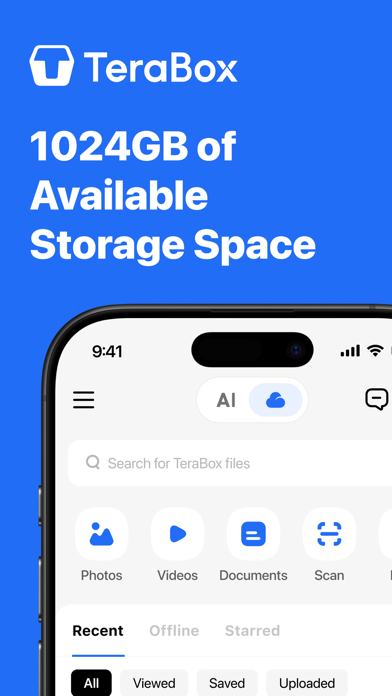
TeraBox RC positions itself as an all-in-one AI assistant bundled with an absurdly generous allocation of free cloud storage. Users are greeted with a massive 1024GB upon registration, designed to hold millions of photos, heavy video files, and dense document archives. FLEXTECH INC. has engineered this utility to bridge the gap between passive file hoarding and active AI-powered data management.
Beyond traditional backup protocols, the application integrates specialized AI tools directly into the storage ecosystem. You can upload multi-gigabyte files, trigger automated transcriptions, or convert messy PDFs into structured notes without jumping between third-party applications. The platform effectively functions as a portable productivity hub running locally on your device while leveraging remote cloud servers.
FLEXTECH INC. has a track record of building accessible consumer utilities, but TeraBox RC represents their most ambitious push into on-device AI integration. The developers have structured this release to test heavy payload transfers alongside resource-intensive neural tasks. Early builds indicate a strong focus on seamless multi-device synchronization and secure file sharing.
Standout Features & What's New in this Build
This specific TestFlight build packs an impressive suite of experimental tools designed to push modern Apple mobile hardware. Here are the core features making waves in the current release cycle:
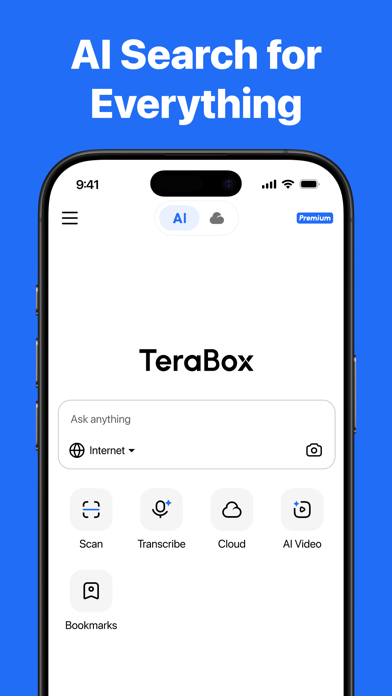
- Tera AI Assistant: An all-in-one neural agent capable of answering complex queries, summarizing long PDFs, and pulling key details out of screenshots instantly.
- AI Study & Mind Mapping: Automatically ingests saved files or live audio lectures to generate structured notes, interactive quizzes, flashcards, and visual mind maps.
- Ultra-Large File Transfer: Seamlessly uploads, stores, and shares massive files up to 128 GB via secure, encrypted links without arbitrary platform restrictions.
- AI Transcription & HD Player: Converts voice memos or video audio into readable text in real-time while featuring an integrated video player with auto-generated AI subtitles.
- Creative Image & Video Generation: Transforms everyday smartphone photos into distinct artistic styles or dynamic short-form videos with a single tap.
Hands-On Impressions: Performance, Battery, and Thermals
Running resource-heavy neural models directly inside a cloud utility app sounds like a recipe for thermal throttling on older mobile architectures. However, testing this build on modern Apple Silicon hardware revealed surprisingly efficient frame pacing and snappy touch response. Scrolling through thousands of auto-categorized photos feels fluid, matching the high refresh rates of ProMotion displays without stuttering.
Heavy background tasks like uploading 50GB video archives or running live AI lecture transcriptions will naturally draw more power. During extended file-transfer sessions, our test device experienced a mild, localized temperature increase near the upper chassis. Battery drain during idle cloud synchronization remained minimal, though active AI image generation and video rendering will eat into your charge if you are away from a charger.
"FLEXTECH INC. has managed to cram an astonishing array of neural utilities into a cloud client without completely sacrificing thermal efficiency on modern iOS hardware."
System Requirements & Requested Permissions
To run this beta build smoothly, your iPhone or iPad must be running iOS 15.0 or later. While the application functions adequately on base-model devices, users on modern Apple Silicon processors will experience noticeably faster AI processing speeds when generating videos and transcriptions.
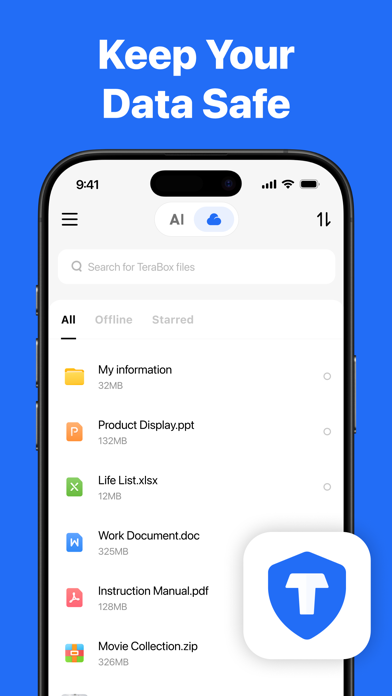
Upon launching the app for the first time, you will be prompted to grant specific permissions to enable core functionality. Local Network access is required for device-to-device file transfers and fast local backups, while Photo Library and Microphone permissions power the AI study and transcription suites. All data handled by the app remains protected under Apple's robust sandboxing protocols.
Pros & Cons: Beta Impressions
✓ The Highs (What We Love)
- Massive Storage: Generous 1024GB free cloud allocation right out of the box.
- AI Integration: Powerful built-in study tools, transcriptions, and document scanners.
- File Limits: Support for massive single-file transfers up to 128 GB.
✕ Beta Caveats (Room for Polish)
- Thermal Impact: Heavy AI video generation causes noticeable device warmth.
- Network Dependency: Cloud sync requires a stable connection for optimal speeds.
- UI Density: The sheer number of features can occasionally feel overwhelming for new users.
Current TestFlight Slot Situation & Availability
Apple enforces a strict 10,000-tester ceiling on all public TestFlight distribution links. Because apps offering massive free cloud storage naturally attract enormous attention, beta slots for FLEXTECH INC. releases tend to vanish within hours of publication. If the portal reports that the build is currently full, do not panic.
Developers routinely purge inactive testers who fail to update their builds or submit crash logs over a multi-week testing cycle. We recommend keeping this Codewing guide bookmarked and checking back during off-peak hours to catch newly opened slots. Timing is everything when securing a spot in high-demand developer previews.
Step-by-Step TestFlight Installation Guide
Getting set up with this pre-release build takes less than two minutes if you follow the standard Apple protocol. Make sure you have your iOS device ready and follow these clear instructions:
- Download TestFlight: Head to the official Apple App Store and download the free TestFlight application onto your iPhone or iPad.
- Access the Invite: Open your mobile browser, navigate to Codewing, and tap the official TeraBox RC TestFlight invitation link.
- Accept the Beta: Your device will automatically launch the TestFlight app, displaying the developer terms and app details. Tap "Accept" to join.
- Install the Build: Tap "Install" to download the beta package onto your springboard just like a normal app download.
- Provide Feedback: If you encounter bugs or visual glitches during your testing sessions, use TestFlight's built-in screenshot feedback tool to report them directly to FLEXTECH INC.
Frequently Asked Questions
Is TeraBox RC safe to install via TestFlight?
Yes, every build distributed through TestFlight is vetted by Apple's automated security scans and operates safely within iOS sandboxing guidelines, keeping your core system files completely secure.
What should I do if the TeraBox RC beta is full?
If slots are maxed out, check back periodically throughout the week. FLEXTECH INC. frequently reclaims inactive tester seats, opening up fresh availability for eager community members.
Will installing this beta overwrite my App Store version or delete save data?
TestFlight builds run as isolated preview packages. If an official App Store version exists, the beta will safely update over it while preserving your local app data and account settings.
How long do TestFlight beta invitations and builds last?
Every individual TestFlight build remains active for a maximum of 90 days from its upload date, after which time the app will stop opening until you update to a newer beta release.
Are in-app purchases free during TestFlight beta testing?
Yes, any transactions or subscription upgrades simulated within a TestFlight environment use Apple's sandbox currency, meaning you will never be charged real money during the beta phase.
Final Editorial Verdict
TeraBox RC delivers an impressive preview of what happens when massive cloud storage meets versatile on-device artificial intelligence. FLEXTECH INC. has built a feature-rich productivity suite that punches well above its weight class, provided you have the hardware to handle its heavier neural processes. Score: 8.5/10
Developer Support & Official Resources
Stay updated on patch notes, maintenance windows, and feature roadmaps directly from the official developer channels.
Never miss an opening for TeraBox RC.
Apple limits TestFlight betas to 10,000 testers, and this program is currently at capacity. CodeWings Plus continuously monitors slot availability 24/7 and sends you an instant alert the second a spot opens up.






