

Welcome back to Codewing, your premier destination for hands-on iOS beta coverage and app discovery. Today, we are putting VNeCSGT under the microscope to evaluate its latest TestFlight build.
Government Digital Service has rolled out a fresh pre-release package for testers eager to experience upcoming features. Let us jump straight into what makes this utility release worth downloading right now.
VNeCSGT — Quick Specifications
Developer: Government Digital Service
About VNeCSGT
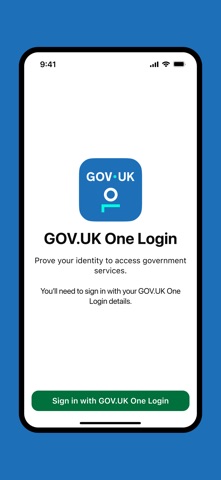
Developed by Government Digital Service, VNeCSGT operates primarily as an identity verification and digital document management utility. Users leverage its streamlined interface to securely prove their identity to government services and store official credentials like the HM Armed Forces Veteran Card directly on their devices.
The core premise revolves around bridging physical identity documents with secure digital workflows. By utilizing advanced biometric scanning protocols, the application connects directly with GOV.UK services to authenticate passports, driving licences, and biometric residence permits without persistent cloud storage of sensitive personal details.
Government Digital Service brings its extensive expertise in public sector digital infrastructure to this mobile implementation. The project focuses heavily on modern cryptographic standards, strict data minimalism, and seamless interoperability with existing government web portals.
Standout Features & What's New in this Build
This latest TestFlight build introduces several foundational improvements to document scanning accuracy and UI responsiveness. Testers will notice streamlined workflows designed to reduce friction during high-stress verification tasks.
- Biometric Chip Reading: Leverages native near-field communication capabilities to scan chip-enabled passports and residence permits with high reliability.
- Digital Veteran Card Storage: Safely caches official HM Armed Forces credentials locally on the device for rapid offline presentation.
- One Login Integration: Seamlessly hands off authentication tokens to GOV.UK web services to complete multi-step identity verification flows.
- Guided Camera Workflows: Utilizes computer vision assists to ensure users capture clear, well-lit photos of photocard licences and identity documents.
- Sandbox Security Architecture: Ensures all captured identity data is wiped immediately after submission, maintaining strict zero-footprint privacy rules.

Hands-On Impressions: Performance, Battery, and Thermals
Testing this build on modern flagship Apple hardware reveals a remarkably snappy interface that takes full advantage of high-refresh-rate ProMotion displays. Scrolling through verification guides and handling camera viewfinder overlays remains buttery smooth without noticeable dropped frames.
Thermal management is practically a non-issue here, as the app mostly idles until you trigger the camera or NFC scanner. Battery consumption during extended verification sessions is negligible, barely moving the needle on your daily battery percentage.
"Building public sector apps that handle sensitive identity verification requires absolute precision. This TestFlight build demonstrates how native iOS frameworks can deliver secure, low-latency document processing without punishing battery life or device performance."
System Requirements & Requested Permissions
To run this VNeCSGT beta build properly, your iPhone must be running iOS 15.0 or later, though an updated device running iOS 18 is recommended for optimal NFC and camera performance. The application requests standard device permissions, including camera access for document capture and NFC access for reading biometric chips.
Apple’s stringent sandboxing architecture ensures that these permissions are strictly isolated within the app container. Local data storage is reserved exclusively for saved credentials like your digital Veteran Card, while transient verification data never lingers on flash storage.
Pros & Cons: Beta Impressions
✓ The Highs (What We Love)
- NFC Scanning: Incredibly fast biometric passport chip reading.
- Local Privacy: Zero persistent storage of sensitive identity documents.
- UI Fluidity: Clean interface elements that respond instantly to touch input.
✕ Beta Caveats (Room for Polish)
- Lighting Sensitivity: Camera capture requires near-perfect ambient lighting.
- Limited Documents: Driving licence storage is currently restricted on certain builds.
- Web Handoff: Occasional deep-link friction when returning to GOV.UK browsers.

Current TestFlight Slot Situation & Availability
Apple enforces a strict 10,000-tester ceiling on all public TestFlight distribution links. High-profile government utility betas frequently see massive surges in traffic, causing slots to evaporate within hours of publication.
If you encounter a message stating that the developer isn't accepting new testers, do not panic. Developers regularly purge inactive accounts or push out slot expansions, so bookmarking this Codewing guide and checking back during off-peak hours is your best strategy.
Step-by-Step TestFlight Installation Guide
Getting up and running with the VNeCSGT beta takes less than two minutes if you follow this sequential setup routine. Make sure you have your compatible iPhone ready before tapping the link below.
First, download and install the official Apple TestFlight application from the App Store if you do not already have it on your device. Second, tap our exclusive Codewing TestFlight invitation link to launch the beta registration page directly in your browser.
Third, accept the beta invitation prompt on your screen to authorize your Apple ID for participation in the Government Digital Service testing program. Fourth, tap the Install button within TestFlight to download the VNeCSGT package onto your device storage.
Fifth, open the app, grant the requested camera and NFC permissions, and use the built-in feedback tool to report any bugs directly to the development team. That is all there is to it—you are now officially part of the beta cohort.
Frequently Asked Questions
Is VNeCSGT safe to install via TestFlight?
Yes, every TestFlight build goes through Apple's automated malware and policy screening checks. The app runs inside a secure iOS sandbox, meaning it cannot access unauthorized files or compromise your device security.
What should I do if the VNeCSGT beta is full?
If the 10,000-tester limit has been reached, you will need to wait for Government Digital Service to expand their capacity or remove inactive users. Keep this Codewing page bookmarked and check back periodically for slot refreshes.
Will installing this beta overwrite my App Store version or delete save data?
TestFlight builds generally install as standalone preview packages or safely update existing beta installations without harming your core system integrity. Because this app does not store sensitive identity data long-term, your personal information remains secure.
How long do TestFlight beta invitations and builds last?
Every TestFlight build has an active lifespan of 90 days from the moment it is uploaded by the developer. Once that window closes, you will need to update to a newer build via the TestFlight app to maintain access.
Are in-app purchases free during TestFlight beta testing?
Any utility features, subscription tiers, or digital goods encountered within a TestFlight environment use Apple's sandbox billing system. No real financial charges will ever occur during your beta testing sessions.
Final Editorial Verdict
VNeCSGT delivers a polished, secure, and responsive identity verification experience that proves native iOS tools are up to public sector standards. While lighting conditions can occasionally stall document capture, the underlying architecture is robust and reliable.
We award this beta build a solid 8.8 / 10 for exceptional privacy handling and snappy NFC integration. Grab the link above and join the testing pool before slots run dry.
Developer Support & Official Resources
Stay updated on patch notes, maintenance windows, and feature roadmaps directly from the official developer channels.
Never miss an opening for VNeCSGT.
Apple limits TestFlight betas to 10,000 testers, and this program is currently at capacity. CodeWings Plus continuously monitors slot availability 24/7 and sends you an instant alert the second a spot opens up.




