How to Join adoc Studio Beta on iPadOS




About adoc Studio
ADOC STUDIO – DOCUMENTATION DONE RIGHT
AsciiDoc at its finest. The text-based editorial system for Mac, iPad, and iPhone.
COMMUNITY EDITION
- Use the core features of adoc Studio for free.
- Upgrade to Pro when you need more.
INTUITIVE STRUCTURE
- Manage text, media, and other components of your technical documentation in an adoc Studio project.
- Use document includes to organize extensive content into chapters.
- Navigate even the most complex documentation with the project sidebar.
- Track down issues with the Problem Navigator.
WRITE
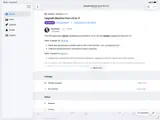
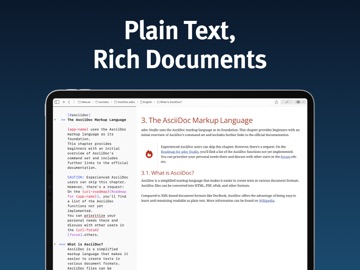
- Write your text in the editor on the left.
- With the side-by-side preview, see instantly how it will look in HTML or PDF.
- Easily insert images, tables, cross-references, formulas, admonitions, and attributes.
- With the built-in adoc Coach, all the powerful features of AsciiDoc are just one ESC keystroke away.
SHARE
- Use attributes and conditional content to automatically tailor your documents for different audiences.
- Like a modular system, assemble all relevant information. Text variants have never been easier.
- Export HTML exactly as shown in the preview, or customize the format, style, and appearance individually.
WORK ON THE GO
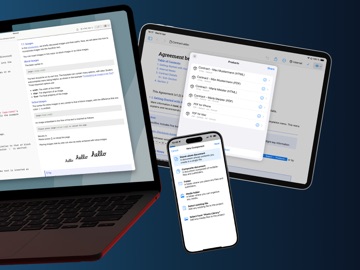
- Need to work on the go? No problem. adoc Studio delivers full functionality on Mac, iPad, and iPhone.
- Even on small screens, the interface stays clear and comfortable.
- Create, revise, and export your documents wherever you are.
- Cloud sync keeps everyone up to date at all times.
- Not a fan of the cloud? Since AsciiDoc is plain text, you can manage your project with Git.
TRIAL AND PRO SUBSCRIPTION
- Try adoc Studio Pro free for 14 days – no strings attached.
- Then start a monthly or annual subscription.
- Every subscription automatically covers Mac, iPad, and iPhone.
PRO EDITION FEATURES
- Automate recurring exports easily with products.
- Export your entire project as a complete website – with sidebar navigation, search, and language switcher.
- Create projects with multiple languages.
- Translate entire sections or documents with AI-powered translation.
- Select text and let the AI improve, shorten, rephrase, or proofread it.
- Generate fully accessible PDFs compliant with the PDF/UA standard for screen readers and assistive technologies.
- Count characters, words, and paragraphs – with or without spaces or markup.
WHO IS IT FOR?
- Technical writers and documentarians
- Developers and programmers
- Bloggers and content creators
- Authors and writers
- Markdown users looking for more features
Unleash your creative potential and experience the future of structured writing with adoc Studio!
Privacy Policy: https://www.adoc-studio.app/legal/app-privacy
Terms of Use: https://www.adoc-studio.app/legal/terms