How to Join Hearth for HomeKit Beta on iPadOS


About Hearth for HomeKit
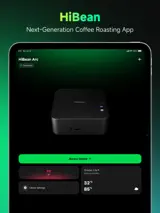
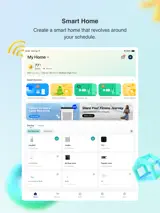
Turn an unused iPad—or an iPhone in landscape—into a calm, always-ready HomeKit dashboard.
Hearth works directly with the homes, rooms, and accessories already configured in the Apple Home app. It brings the status and controls you use most into an interface designed for a wall-mounted display, kitchen counter, or bedside stand. Hearth Free remains usable without a subscription.
See your home at a glance
- Browse and control HomeKit lights, thermostats, curtains, and other compatible accessories by room
- Check room temperature, humidity, and sensor status at a glance
- Choose Celsius or Fahrenheit
- See and control Apple Music playback from the dashboard
Made for an always-on display
- Use a built-in gradient or your own photo as the room background
- Choose a light, dark, or background-matched interface
- Enter a low-distraction screensaver when idle
- Adjust dashboard and screensaver brightness separately
- Choose digital, analog, or minimal clock styles
- Configure Auto-Sleep, Night Mode, and OLED burn-in protection
- Use a HomeKit presence sensor—or experimental, on-device camera detection while Hearth is visible—to wake when someone arrives
Focused, direct control
- Control individual lights or light groups already set up in the Apple Home app
- Set thermostat target temperatures and operating modes
- Control curtains, blinds, and other compatible opening accessories
- Choose which control cards, sensors, and active devices appear in each room
Free and Pro
Hearth Free includes one active room, core accessory controls, room status, built-in gradients, basic display settings, and the digital screensaver.
Hearth Pro unlocks every room and zone in the current home, custom photo backgrounds, adaptive appearance, additional screensaver styles, OLED protection, Night Mode, Presence Wake, active-device selection, and iCloud settings sync. Choose Lifetime Pro as a one-time purchase, or Pro Monthly as an auto-renewing monthly subscription with a one-month free trial for eligible customers.
Before you start
- Hearth requires a HomeKit home and compatible accessories already configured in the Apple Home app
- The iPhone version currently works in landscape only
- Apple Music playback controls require an active Apple Music subscription
- Presence Wake can use a compatible sensor from the Apple Home app; experimental camera detection works only while Hearth is visible and processes frames on device
- Night Mode shows black content at minimum brightness; it does not turn off the physical backlight on an LCD iPad
- Use Apple's Guided Access to turn the device into a dedicated household control panel
Terms of Use (EULA): https://www.apple.com/legal/internet-services/itunes/dev/stdeula/