How to Join My Timings: Perfect Pressure Beta on iPadOS




About My Timings: Perfect Pressure
Track simple foods or full recipes, and discover new ones—all in one place. Real timings, easy imports, and no ads.
INSTANT POT SETTINGS, FRONT AND CENTER
See cook time and release at a glance—the two things you need most when you’re at the pot. Tap into a timing for the full picture: pressure level, cook time, Keep Warm, and release method.
FOODS, READY TO GO
The Foods tab gives you pressure cooker settings when you just need the numbers. Search by name or filter by category, then add one to your collection as a timing.
SAMPLES TO GET YOU STARTED
Choose from built-in sample timings for everyday foods and full recipes like chicken noodle soup and mac and cheese. Add the ones you want and make them your own. When samples improve, you see what changed and choose which updates to apply—your edits are never overwritten.
IMPORT FROM RECIPE SITES
Share a recipe from your browser, paste a link, or paste recipe text. My Timings pulls in cook settings, ingredients, and steps automatically, ready for you to review before saving. It works across a wide range of sites and handles messy pages well.
Watching a recipe on YouTube? Share or paste the video link. If the description links to the full recipe, My Timings follows it and imports the recipe for you.
On supported devices, Apple Intelligence helps refine imports for better accuracy.
DISCOVER NEW RECIPES
Browse Featured Recipes and recommended pressure-cooking sites in Discover, with past picks kept in an archive and quick access to sites you’ve imported from before. The built-in browser helps block ads, reducing distractions as you find that perfect recipe.
ORGANIZE WITH TAGS
Select timings from different searches and filters, then add or remove tags on all of them at once. Rename, merge, and manage tags directly to keep your collection organized.
FIND ANY TIMING FAST
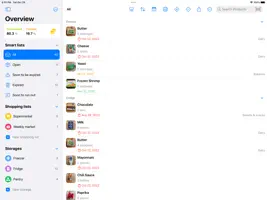
Pin favorites to the top, search by name, and filter by tags to find exactly what you need.
SINGLE FOODS TO FULL RECIPES
Start with a single food like broccoli at high pressure for 1 minute with a quick release. Or build full recipes with ingredients grouped into sections, preparation steps, multiple pressure cook cycles, sauté, and deglaze.
COOK MODE
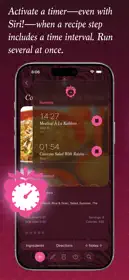
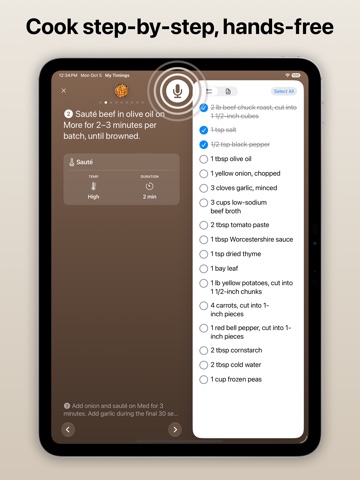
Step through your timing one phase at a time. Use hands-free voice commands to move between steps, see what’s next, and check ingredients without losing your place.
COVERS THAT FEEL LIKE YOURS
Every timing gets a cover. Use one of your photos, reuse a photo from another timing, browse starter photos by food category, or choose an icon and color for a clean, styled card.
SYNCS ACROSS DEVICES
iCloud keeps your timings up to date on iPhone, iPad, and Mac.
BACK UP AND SHARE
Export your collection to a .mytimings archive and share it through AirDrop, Files, or Mail. Import the archive on another device to restore or transfer your timings.
RUNS ON MAC
Use keyboard shortcuts and a sidebar layout that makes the most of larger screens.
Built to help you get every pressure cook right.
TERMS OF USE
https://www.apple.com/legal/internet-services/itunes/dev/stdeula/