BrushLock TestFlight Beta
Getting Started with the BrushLock Beta


About BrushLock
Brush first. Then scroll.
BrushLock locks the apps you choose — Instagram, TikTok, games, anything — during the times you usually brush. To get them back, you brush for two minutes. Not a button, not a promise: BrushLock checks your real toothbrush.
HOW IT CHECKS
- Any electric toothbrush: learns the sound of your motor and listens for it. Nothing is recorded.
- Manual toothbrush, with the camera: prop the phone up at the sink and the front camera watches for your hand brushing. Nothing is recorded.
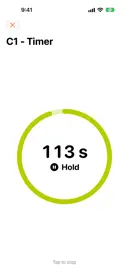
- Manual toothbrush: a plain two-minute timer, and BrushLock tells you it isn't checking.
BUILT FOR THE NIGHTS YOU SKIP
- Windows for morning, after lunch and night — you pick the times.
- A reminder when a window starts and before your streak breaks. Tap it and the timer opens.
- Your streak grows every day you keep it.
- An emergency exit that waits longer each time you use it.
FAMILY MODE
Set BrushLock up on your child's iPhone or iPad. A parent approves it with Screen Time, and a parent PIN protects the settings. Their games wait until their teeth are done.
PRIVATE BY DESIGN
BrushLock never learns which apps you lock — iOS keeps that to itself. No ads. Audio never leaves your phone.
BRUSHLOCK PRO
BrushLock needs BrushLock Pro to lock your apps. Everything included: all your windows, every verification method, family mode, full history and Apple Health. Start with a 7-day free trial on the yearly plan, or choose monthly or lifetime. One purchase covers your whole family through Family Sharing.
Terms of Use (EULA): https://www.apple.com/legal/internet-services/itunes/dev/stdeula/
Privacy Policy: https://brushlock.raidrdev.com/en/privacy