Rumskrot Terminal TestFlight Beta
Getting Started with the Rumskrot Terminal Beta


About Rumskrot Terminal
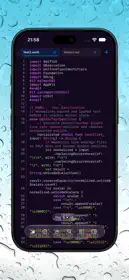
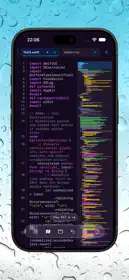
Rumskrot Terminal is a native SSH terminal for the machines you actually run — the Mac under the desk, the Raspberry Pi in the cupboard, the VPS in a data centre. Save a server once, connect with a tap, and get a real terminal, a live dashboard for every host, and your servers on Apple Watch.
EVERY SERVER, ONE TAP AWAY
- Saved hosts with password or key authentication
- Nearby SSH machines found automatically with Bonjour
- Import hosts from ~/.ssh/config, or open ssh:// links
- Multi-hop jump hosts (ssh -J bastion target)
- Give each host its own accent colour so you always know where you are
A REAL TERMINAL
- xterm-256color and 24-bit true colour, rendered on the GPU
- vim, htop, tmux and other full-screen programs just work
- Scrollback with search, mouse reporting, hyperlinks and inline images
- A keyboard bar with Esc, Tab, Ctrl and arrows — reorder or hide any key
- Full external keyboard and trackpad support on iPad
- Predictive local echo for responsive typing on slower connections
- Draft and paste multiline text in a prose composer before sending
- Powerline and Nerd Font prompt symbols, plus custom themes and ANSI palettes
- Shell integration keeps your history as the commands you actually ran, with suggestions above the keyboard
DASHBOARDS FOR EVERY HOST
- Turn any command into a tile: a number, a line chart or a bar chart
- Dozens of ready-made tiles for CPU, memory, disk, Docker and more
- One page per host — swipe between your servers
- Tiles refresh on their own, and a Home Screen widget keeps an eye on them for you
SEVERAL SERVERS AT ONCE
- Keep multiple sessions open and switch between them with a tap
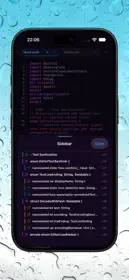
- On iPad, active sessions sit in the sidebar beside the terminal
TMUX, FILES AND SNIPPETS
- A native tmux browser: attach, detach, create and kill sessions without typing a command
- An SFTP file browser on the same connection: upload, download and navigate
- Snippets for the commands you run every day, with groups and parameters, also available in Shortcuts
DESCRIBE IT, GET THE COMMAND
- Say what you want in plain English and get a shell command with an explanation of what it does
- Runs on device, and nothing runs until you choose to insert it
ON APPLE WATCH
- Your hosts sync from iPhone through iCloud
- Standalone SSH from your wrist: run a command, restart a service, read the output
- Your dashboards, mirrored to the watch
- Passwords never sync through iCloud — they reach the watch only when you confirm it on iPhone
PRIVATE BY DESIGN
- Passwords and keys stay in the Keychain on your device
- Host key verification, SSHFP support, Ed25519 and ECDSA keys, and passphrase-protected OpenSSH keys
- No account, no analytics, no telemetry — your connections go straight to your servers
Terms of Use (EULA): https://www.apple.com/legal/internet-services/itunes/dev/stdeula/
Privacy Policy: https://danskrumskrot.com/privacy