How to Join Vulpo for Home Assistant Beta on watchOS





About Vulpo for Home Assistant
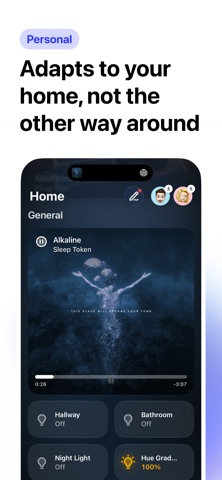
Vulpo is a fully native smart home dashboard and automation editor for Home Assistant on iPhone, iPad, Mac and Apple Watch, with widgets, Live Activities and Siri built in. Every screen is built from scratch - no web views, just a fast, genuinely native experience.
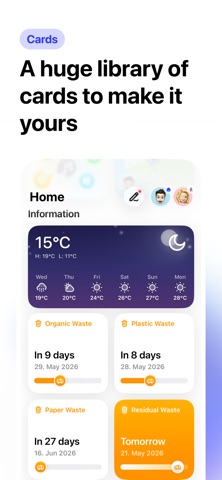
DASHBOARD
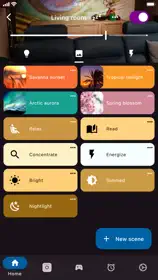
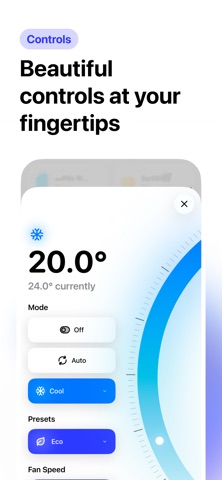
40+ card types for lights, climate, cameras, media players, locks, covers, sensors, plants, solar panels, weather, clocks and more. Drag to reorder, build multiple dashboards, and sync everything across your devices via iCloud. Rename any entity once and its new name and icon apply everywhere. Eight appearance presets give each dashboard its own look, and the Areas screen organizes entities into rooms.
AUTOMATIONS
Create and edit your Home Assistant automations as a canvas of cards, a step list or YAML. Add steps by picking the device first, fill them in with forms made for touch, and watch triggers fire live or replay recent runs step by step. Or just describe what should happen and Vulpo drafts it with your own devices, using Apple's on-device model, or Vulpo Intelligence with Pro. Requires a Home Assistant administrator account.
APPLE WATCH
Glances, favorites, scenes and pinned cards in pages you arrange from the iPhone. Control lights, covers, climate, locks, media and vacuums with surfaces built for the Digital Crown and put any entity on your watch face. Works on its own over Wi-Fi or LTE. Whisker (Vulpo Labs) turns the watch into a magic wand: point at a device and double-tap to control it.
LIVE ACTIVITIES
Follow your washing machine, dishwasher, dryer, oven, thermostat, vacuum, solar panels and people on the Lock Screen and in the Dynamic Island, and pause, resume or adjust them without opening the app.
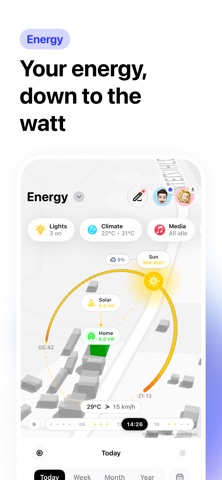
ENERGY (VULPO LABS)
Your Home Assistant Energy Dashboard as a living 3D scene, with the sun's real path, live power flows and your actual buildings. Scrub through the day and explore usage, sources and what each device costs.
MEDIA
Media players open a full Now Playing view with a library browser, search and multi-room speaker grouping. On iOS 27, every player also gets a Now Playing card on the Lock Screen and in Control Center.
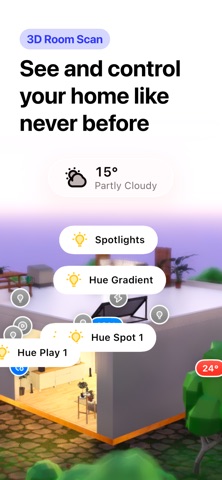
3D ROOM SCAN
Scan your rooms with LiDAR and see your smart home in 3D, with realistic lighting and your actual furniture where it belongs.
WIDGETS & CONTROL CENTER
Eight widget types (toggle, group, solar, chart, person, camera, lock, cover) for your Home Screen and Lock Screen, and five Control Center controls for lights, switches, covers, scenes, and scripts.
SIRI
Ask Siri for a home report, whether your doors are locked or what the temperature is. Say "turn this off" while looking at a device, and search Vulpo from Siri or Spotlight.
HOMEPASS
Share your whole Vulpo setup with your household as a backup file, or hand it over in person with a scannable boarding pass.
PRIVACY
Vulpo connects directly to your Home Assistant on your local network. No cloud account needed. If you have your own external URL set up, Vulpo uses that when you're away from home.
VULPO PRO
Some features are part of Vulpo Pro:
- Extended Vulpo Intelligence
- Live Activities for all monitor types
- 3D room visualization
- Unlimited widgets and the Group widget
- Vulpo Labs early access (Energy, Whisker, Labs cards)
- HomePass sharing
- Background update and repair alerts
- Backgrounds and additional app icons
Terms of Use: https://www.vulpo.app/terms
Privacy Policy: https://www.vulpo.app/privacy
Vulpo requires a Home Assistant installation (home-assistant.io).